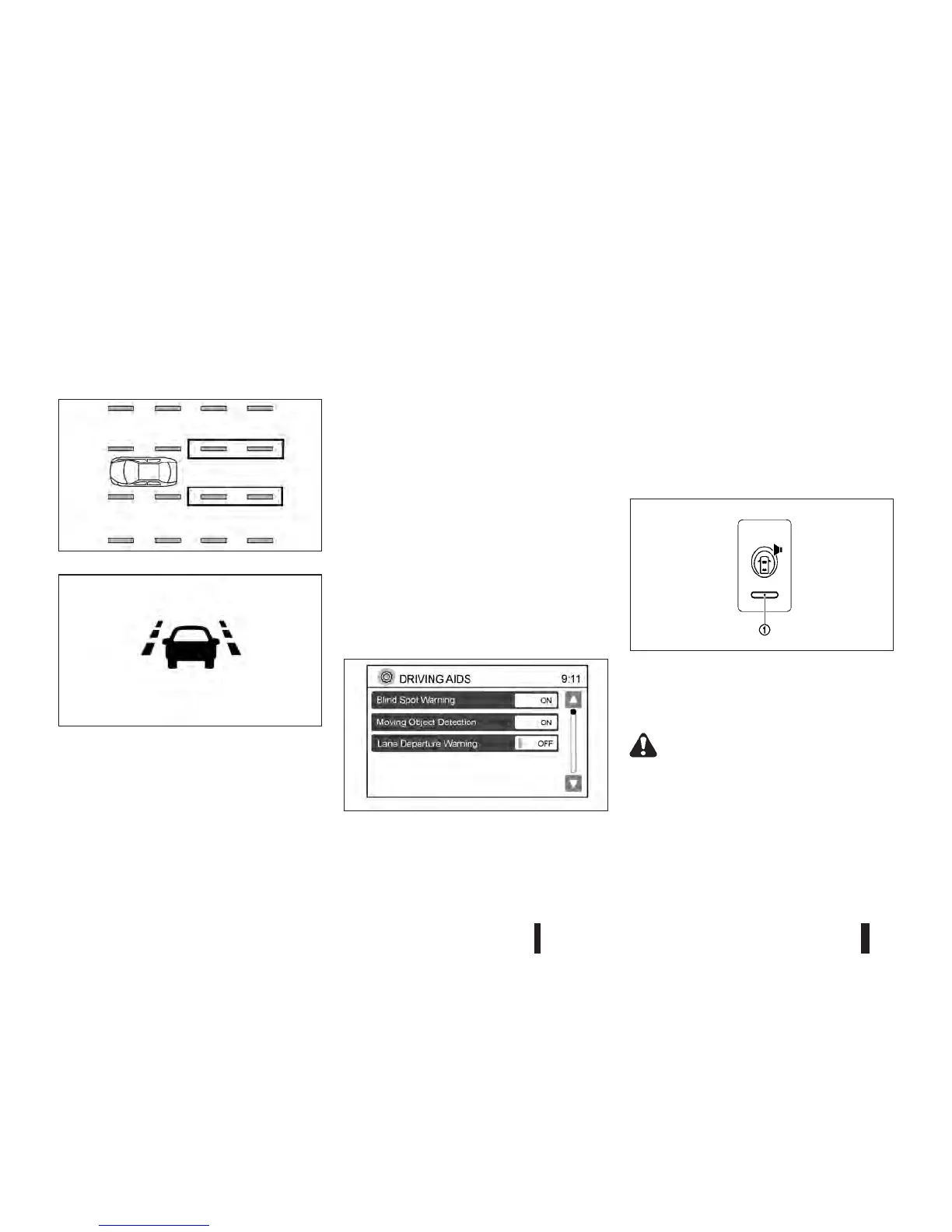
LDW SYSTEM OPERATION
The LDW system operates above approximately
70 km/h (44 MPH).
When the vehicle approaches either the left or the
right of the travelling lane, the LDW system will
chime and the LDW light (orange) on the instrument
panel will blink to alert the driver.
The LDW system is not designed to operate under
the following conditions:
•
When you operate the lane change signal and
change travelling lanes in the direction of the sig-
nal. (The LDW system will become operable
again approximately 2 seconds after the lane
change signal is turned off.)
•
When the vehicle speed is less than approxi-
mately 70 km/h (44 MPH ).
Turning on or off the LDW system
The LDW system is turned on or off using the set-
ting menu on the centre display.
SYSTEM ON:
The LDW light (green) on the instrument panel will
light up.
SYSTEM OFF:
The LDW light (green) on the instrument panel will
turn off.
The warning system switch is used to turn on and
off the BSW system when it is activated using
NISSAN Connect™. Push the <SETUP> button on
the unit. Select the [Driving Aids] key. Select the
mode at the [Lane Departure Warning] key by touch-
ing [ON] or [OFF].
NOTE
If the LDW system is turned off using the NISSAN
Connect™ display the system will not activate
using the warning systems switch.
The warning systems switch is used to temporarily
turn off the warning systems (Lane Departure Warn-
ing (LDW) and Blind Spot Warning (BSW) systems)
that are activated using NISSAN Connect™.
WARNING
•
The camera unit may not be able to detect
properly under the following conditions:
– On roads where there are multiple parallel
lane markers; lane markers that are faded
or not painted clearly; yellow painted lane
JVS0154XZ
SSD0672Z
LDW light (orange, green)
NSD459
Switching LDW ON or OFF using NISSAN Connect™
SSD1156Z
Warning systems switch
5-30 Starting and driving



 To Next Page