Or push the trip odometer switch to scroll through
the modes.
A short push on the trip odometer switch during the
“Oil Good” or “Oil Lo” mode allows to display an
approximate oil level indication. If “Oil Lo” is shown,
engine oil should be added to the engine. (For de-
tails, see “Engine oil” in the “8. Maintenance and
do-it-yourself” section)
– The wrench symbol and the remaining distance
to oil change information acts as a reminder to
perform the oil change on time.
– If remaining distance to oil change falls to 1,500,
1,000, 500, 400, 300, 200 or 100 km (or miles),
an oil change is due and remaining distance to
oil change will continue to be displayed whilst
driving
j2 . Push the trip odometer switch for the
odometer/ twin trip odometer display. Contact a
NISSAN dealer or qualified workshop for oil and
maintenance service.
– When distance to oil change reaches 0 km
(miles), both
symbol and 0 km (miles) digit
flash continuously
j3:
•
Push the trip odometer switch to view the
odometer/ twin trip odometer display imme-
diately. The
symbol remains displayed
and continues to flash as a reminder or warn-
ing that the oil needs to be changed.
•
The oil change is overdue, it is strongly rec-
ommended to have the oil changed immedi-
ately by a NISSAN dealer or qualified work-
shop to prevent engine damage.
– If the error message
j4 is shown, visit a NISSAN
dealer or qualified workshop.
Reset oil change interval
NOTE
Do not perform the reset operation unless the
engine oil has been changed.
After the oil has been changed, the remaining dis-
tance to oil change information needs to be reset to
the default distance. Reset is performed using the
shafts on the combination meter: push both shafts
at least for 5 seconds whilst distance to oil change
is displayed at ignition ON. Release the shafts and
the distance to oil change is reset to the default dis-
tance.
ECO METERS
WARNING
Keeping a close watch on the display while driv-
ing may cause a traffic accident. When driving,
minimise the amount of time spent looking at the
display to avoid causing an accident.
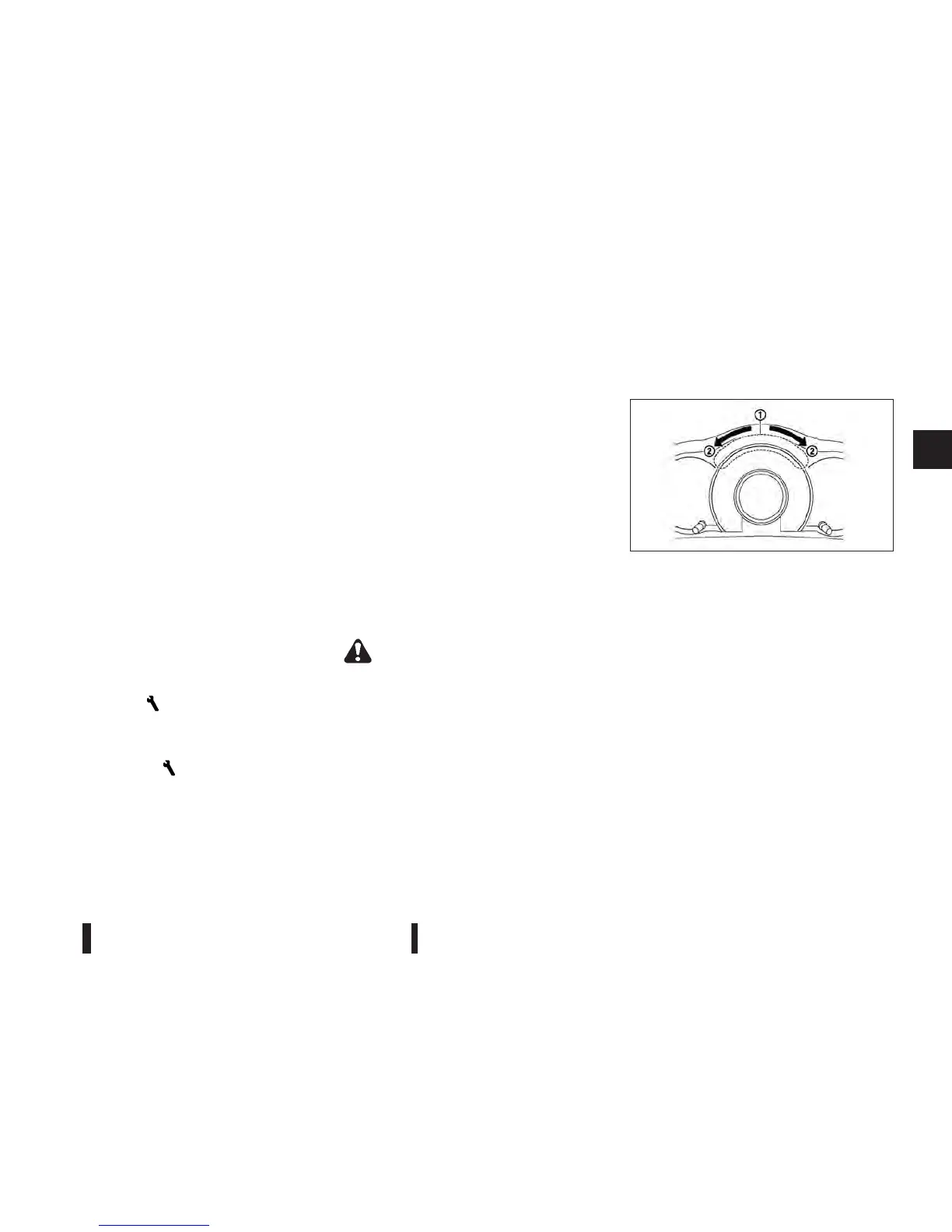
ECO drive indicator
ECO drive indicator j1 is displayed according to
the efficiency of the driving style, while driving the
vehicle in ECO mode. (ECO drive indicator is not
displayed when the shift lever is in the R (Reverse)
position.)
When the ECO button on the centre console is
pushed to the ON position, ECO mode is activated
and the ECO drive indicator comes on. The indica-
tor will illuminate in the directions of
j2 as the driv-
ing pattern becomes more ECO friendly.
NIC2218
Instruments and controls 2-7



 To Next Page