HEADLIGHT SWITCH
NISSAN recommends that you consult the local
regulations concerning the use of lights.
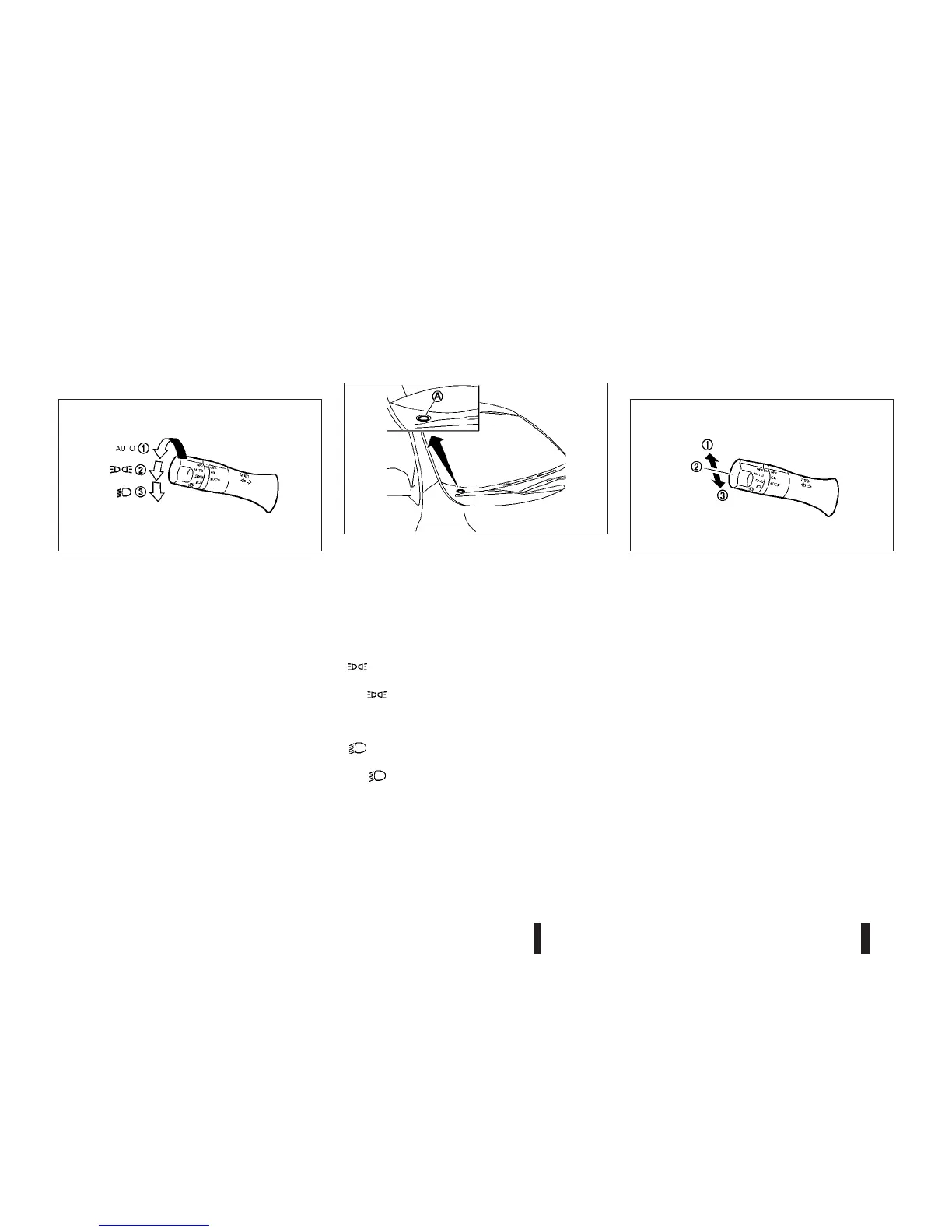
Autolight system (AUTO — where fitted)
When the ignition switch is in the “ON” position and
the headlight switch is in the “AUTO” position
j1,
the headlights, side lights, instrument panel lights,
rear combination lights (tail lights), and other lights
turn on automatically depending on the brightness
of the surroundings.
The headlights will turn on automatically at twilight
or in rainy weather (when the windscreen wiper is
operated continuously).
When the ignition switch is turned to the “OFF”
position, the lights will turn off automatically.
CAUTION
Do not place any objects on top of the sensor
jA
. The sensor senses the brightness level and con-
trols the autolight function. If the sensor is cov-
ered, it reacts as if it is dark, and the headlights
will illuminate.
m
position
The position j2 turns on the front clearance
lights, instrument panel lights, rear combination
lights and other lights.
m
position
The position j3 turns on the headlights in addi-
tion to the other lights.
Headlight beam
To turn on the high beam, push the lever towards
the front position
j1.
To turn off the high beam, return the lever to the
neutral position
j2.
To flash the headlights, pull the lever towards the
rearmost position
j3 . The headlights can be flashed
even when the headlights are not on.
“Friendly Lighting”
The “Friendly Lighting” function is a convenience
facility. It allows you to provide lighting from the
headlights after the ignition switch has been turned
to the LOCK position.
Pulling the headlight switch towards you once, will
turn on the headlights and turn off after a period of
time. It is possible to repeat this operation up to four
times successively, to increase the lighting period to
up to 2 minutes.
SIC4553Z
JVH0234XZ
SIC4554Z
HEADLIGHT AND TURN SIGNAL
SWITCH
2-20 Instruments and controls



 To Next Page