The automatic function enables a window to fully
open or close without holding the switch down or
up.
To fully open the window, push the power window
switch down to the second detent and release the
switch. To fully close the window, pull the power
window switch up to the second detent and release
the switch. The switch does not have to be held dur-
ing window operation.
To stop the window open/close operation during
the automatic function, push down or pull up the
switch in opposite directions.
Auto-reverse function:
WARNING
There is a small distance just before the closed
position which cannot be detected. Make sure
that all passengers have their hands, etc. inside
the vehicle before closing the windows.
The auto-reverse function enables a window to au-
tomatically reverse when something is caught in the
window as it is closing by the automatic function.
When the control unit detects an obstacle, the win-
dow will be lowered immediately.
Depending on the environment or driving conditions,
the auto-reverse function may activate if an impact
or load similar to something being caught in the win-
dow occurs.
Reinitialisation procedure after battery
reconnection
Some power window functions (automatic close
function, auto-reverse function) will not operate as
described after the battery cable is disconnected
and the electrical supply is interrupted. Perform the
following procedure to initialise the power window
functions.
1. Place the ignition switch in the “ON” position.
2. If the driver’s window is closed, open it com-
pletely by operating the driver’s window switch.
3. Pull up and hold the driver’s window switch to
close the driver’s window. Hold the switch for
approximately 3 seconds after the window has
been fully closed, and then release it.
4. Check if the power window functions operate
properly.
If you open or close the power window continu-
ously, it may cause the power window not to oper-
ate properly. Perform the above procedure.
If the power window functions do not operate prop-
erly after performing the above procedure, repeat
the steps. See a NISSAN dealer or qualified work-
shop, if necessary, for checking the power window
system.
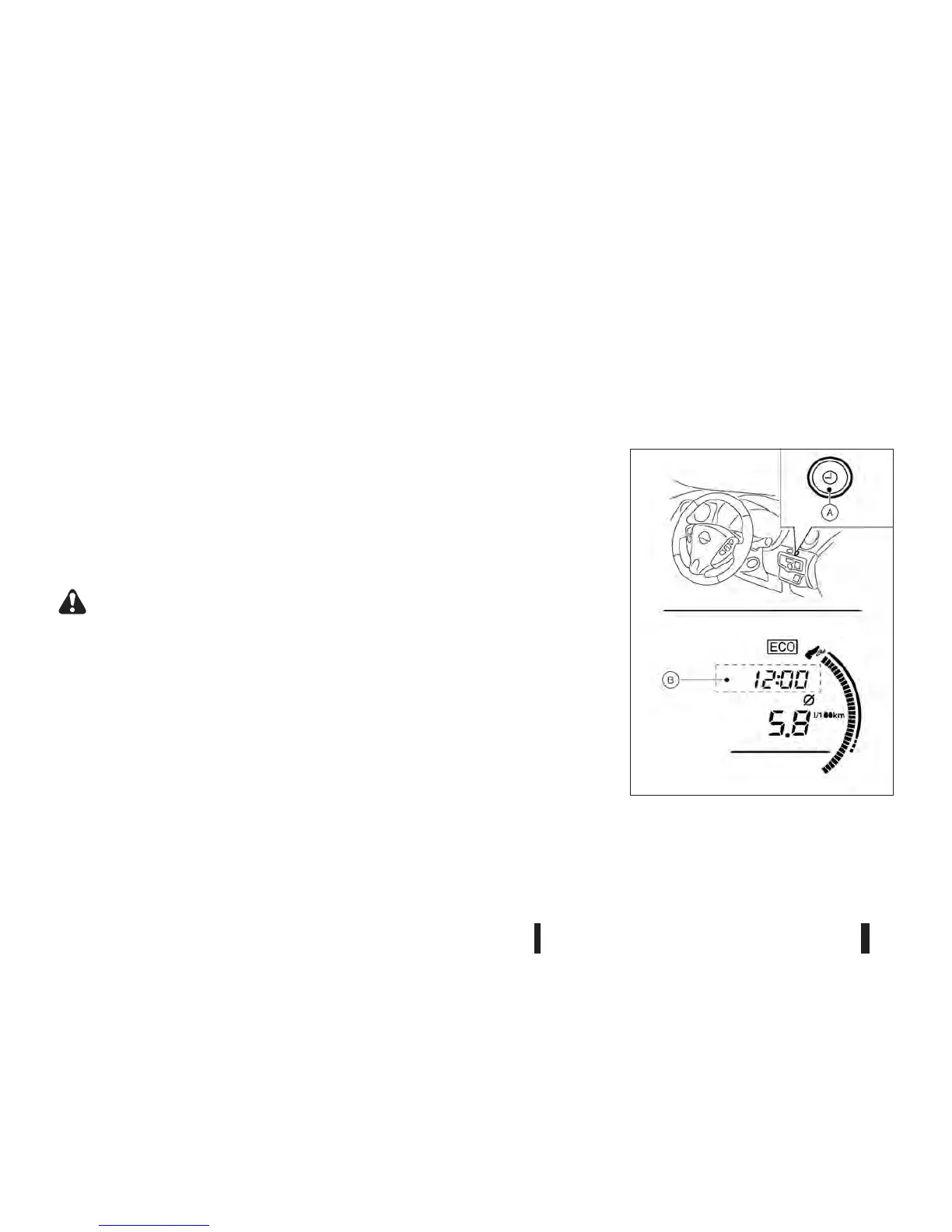
If the battery cable is disconnected, the clock will be
reset and the correct time will not be indicated. Re-
adjust the time.
ADJUSTING TIME
The digital clock jB in the vehicle information dis-
plays the time when the ignition switch is in the ON
position.
NIC2217
(A): Clock setting switch
CLOCK
2-28 Instruments and controls



 To Next Page