[ Edit: 2012/ 4/ 9 Model: E26-A ]
GUID-95EC759C-4C03-4D50-AD7D-2327F2EC78F9
The remote keyless entry system can operate all door
locks (including the back door) using the remote
controller. The remote controller can operate at a
distance of approximately 1 m (3.3 ft) away from the
vehicle. The operating distance depends upon the
conditions around the vehicle.
As many as 5 remote controllers can be used with one
vehicle. For information about the purchase and use of
additional remote controllers, contact a NISSAN deal-
er.
The remote controller will not function under the
following conditions:
. When the key is in the ignition switch.
. When the distance between the remote controller
and vehicle is more than approximately 1 m (3.3
ft).
. When the doors are open. (The unlock function
will operate.)
. When the remote controller battery is discharged.
CAUTION:
. When locking the doors using the remote
controller, be sure not to leave the key in the
vehicle.
. Do not allow the remote controller, which
contains electrical components, to come
into contact with water or salt water. This
could affect the system function.
. Do not drop the remote controller.
. Do not strike the remote controller sharply
against another object.
. If the outside temperature is below -108C
(148F) degrees, the battery of remote con-
troller may not function properly.
. Do not place the remote controller for an
extended period in an area where tempera-
tures exceed 608C (1408F).
If a remote controller is lost or stolen, NISSAN
recommends erasing the ID code of that remote
controller from the vehicle. This may prevent the
unauthorized use of the remote controller to unlock
the vehicle. For information regarding the erasing
procedure, contact a NISSAN dealer.
If the indicator light on the remote controller does not
illuminate when pushing the buttons, the remote
controller battery may be discharged.
For information regarding the replacement of a battery,
see “Battery” (P.8-20).
USING REMOTE KEYLESS ENTRY SYSTEM
GUID-0A16828B-B127-4633-9D3A-4E77B7246834
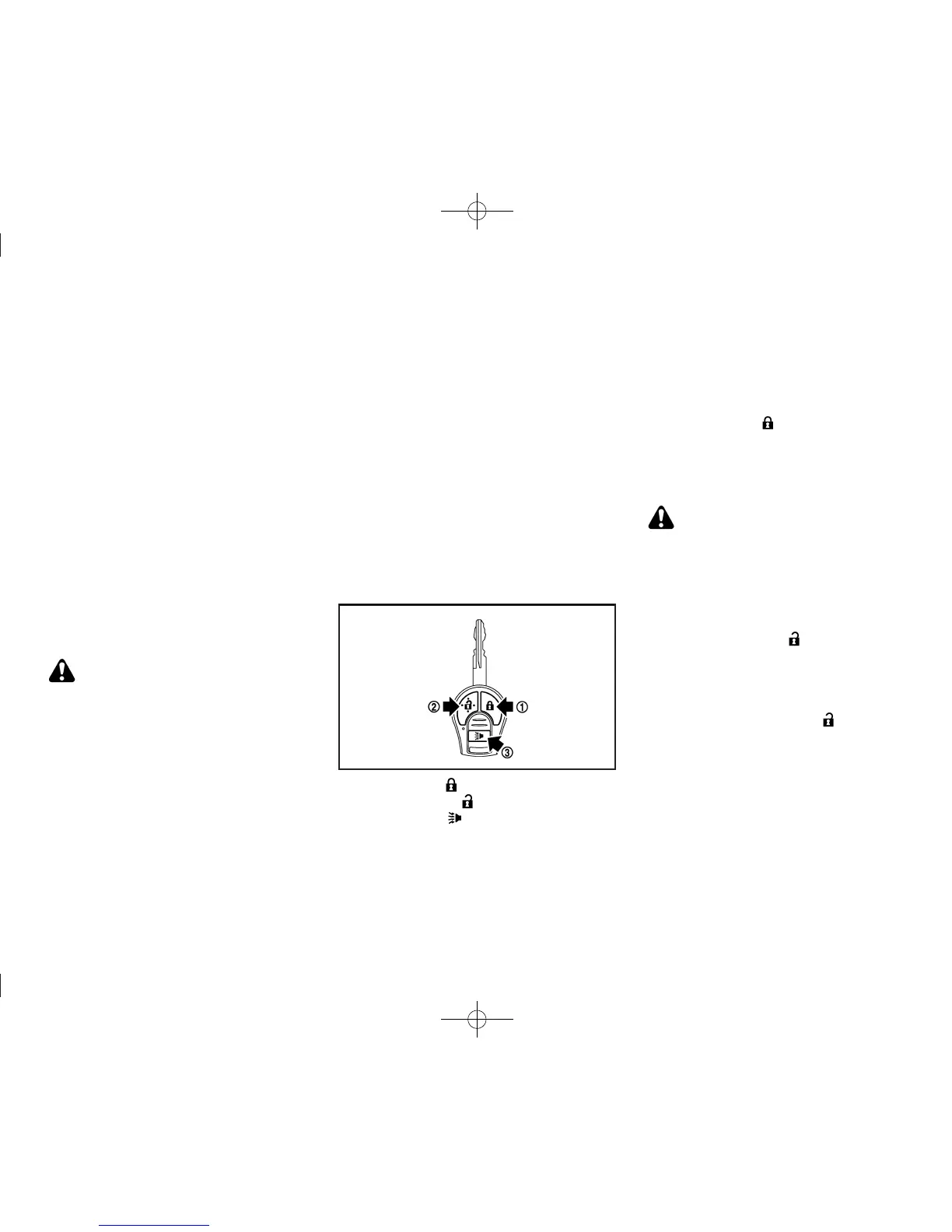
SPA2416
*
1
LOCK button
*
2
UNLOCK button
*
3
PANIC button
Locking doors
GUID-AC6AB43B-030D-41BF-B66E-1504C75870B3
1. Remove the ignition key.
2. Close all doors.
3. Push the “LOCK”
button
*
1
on the remote
controller.
4. All doors will be locked.
5. Operate door handles to confirm that the doors
have been securely locked.
CAUTION:
After locking the doors using the remote con-
troller, be sure that the doors have been securely
locked by operating the door handles.
Unlocking doors
GUID-3162CAFA-009E-41F9-9745-0D048042521C
All door unlock mode:
GUID-896AA31A-81D 0-4E9B-81ED-1F58D53AA854
1. Push the “UNLOCK” button
*
2
on the
remote controller.
2. All doors will be unlocked.
All doors will be locked automatically unless one of the
following operations is performed within a period of
time after pushing the “UNLOCK”
button.
. Opening any doors.
. Inserting the key into the ignition switch.
Interior light timer (if equipped):
GUID-896AA31A-81D 0-4E9B-81ED-1F58D53AA854
The interior light timer activates and the interior lights
illuminate for 15 seconds when a door is unlocked and
the interior light switch is in the “DOOR” and/or center
position.
The interior lights can be turned off without waiting for
15 seconds by performing one of the following
operations.
Pre-driving checks and adjustments 3-5
REMOTE KEYLESS ENTRY SYSTEM
(if equipped)


 To Next Page
 Loading...