To view detailed instructional videos regarding these and other features,
please go to www.nissanownersinfo.mobi.
13
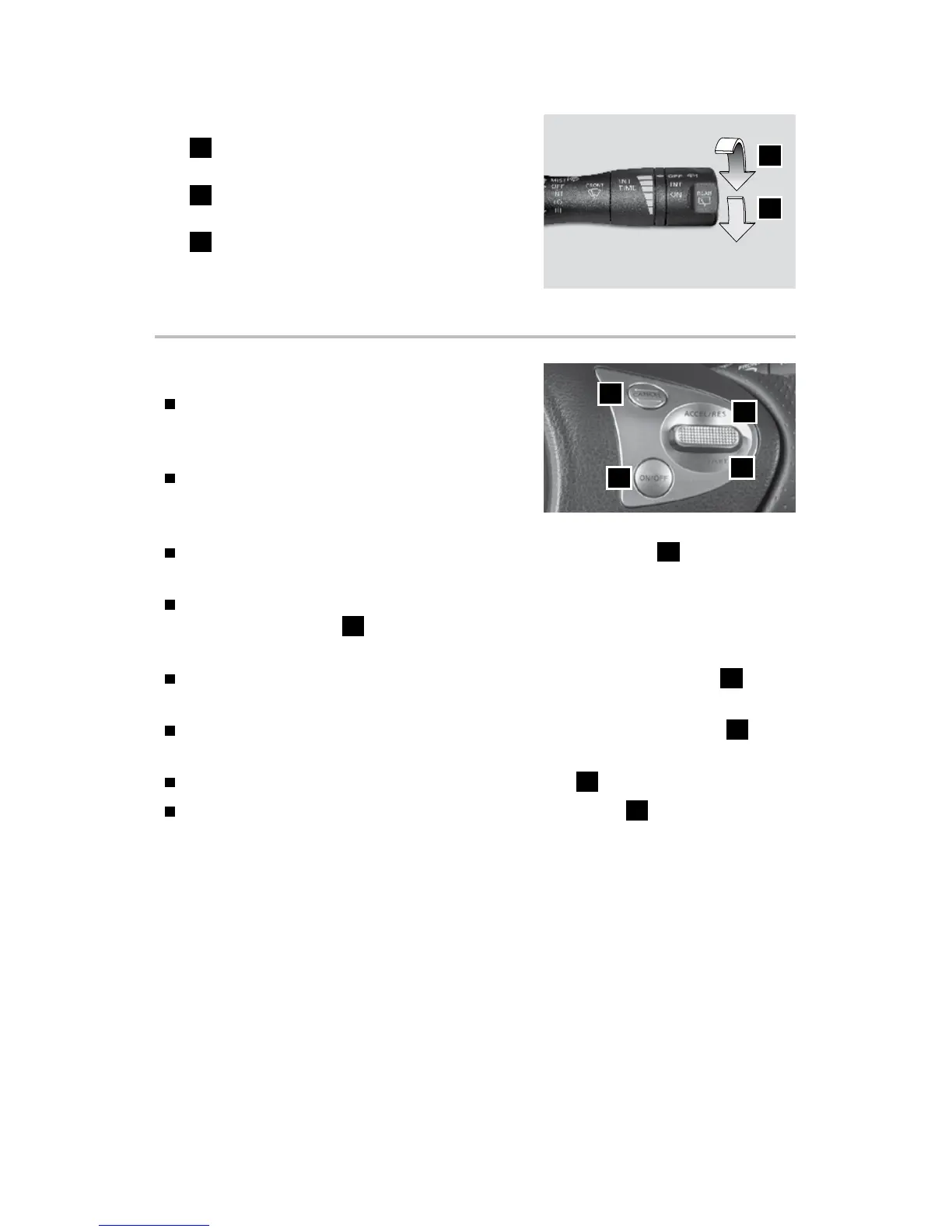
REAR WIPER AND WASHER
7
Intermittent (INT) – Rear wiper
operates intermittently.
8
Low (ON) – Rear wiper operates at a
continuous low-speed.
9
Push the lever forward to activate the
rear washer. The rear wiper will operate
several times.
For more information, refer to the “Instruments and controls (section 2)” of your Owner’s Manual.
INT
ON
7
8
CRUISE CONTROL (if so equipped)
The cruise control system enables you to set a
constant cruising speed once the vehicle has
reached 25 mph (40 km/h).
The system will automatically maintain the set
speed until you tap the brake pedal, accelerate,
cancel or turn the system off.
To activate the cruise control, push the CRUISE ON/OFF switch
1
on the steering
wheel. The CRUISE indicator light in the instrument panel will illuminate.
To set a cruising speed, accelerate the vehicle to the desired speed, push the
COAST/SET switch
2
on the steering wheel and release. Take your foot off the
accelerator pedal. Your vehicle will maintain the set speed.
To reset at a faster cruising speed, push and hold the ACCEL/RES switch
3
on the
steering wheel. When the vehicle attains the desired speed, release the switch.
To reset at a slower cruising speed, push and hold the COAST/SET switch
2
on
the steering wheel. Release the switch when the vehicle slows to the desired speed.
To cancel the preset speed, push the CANCEL switch
4
on the steering wheel.
To turn off cruise control, push the CRUISE ON/OFF switch
1
on the steering
wheel. The CRUISE indicator light in the instrument panel will extinguish.
For more information, refer to the “Starting and driving (section 5)” of your Owner’s Manual.
4
3
2
1
1938147_16a_Versa_Note_QRG_051415.indd 13 5/14/15 1:49 PM



 To Next Page