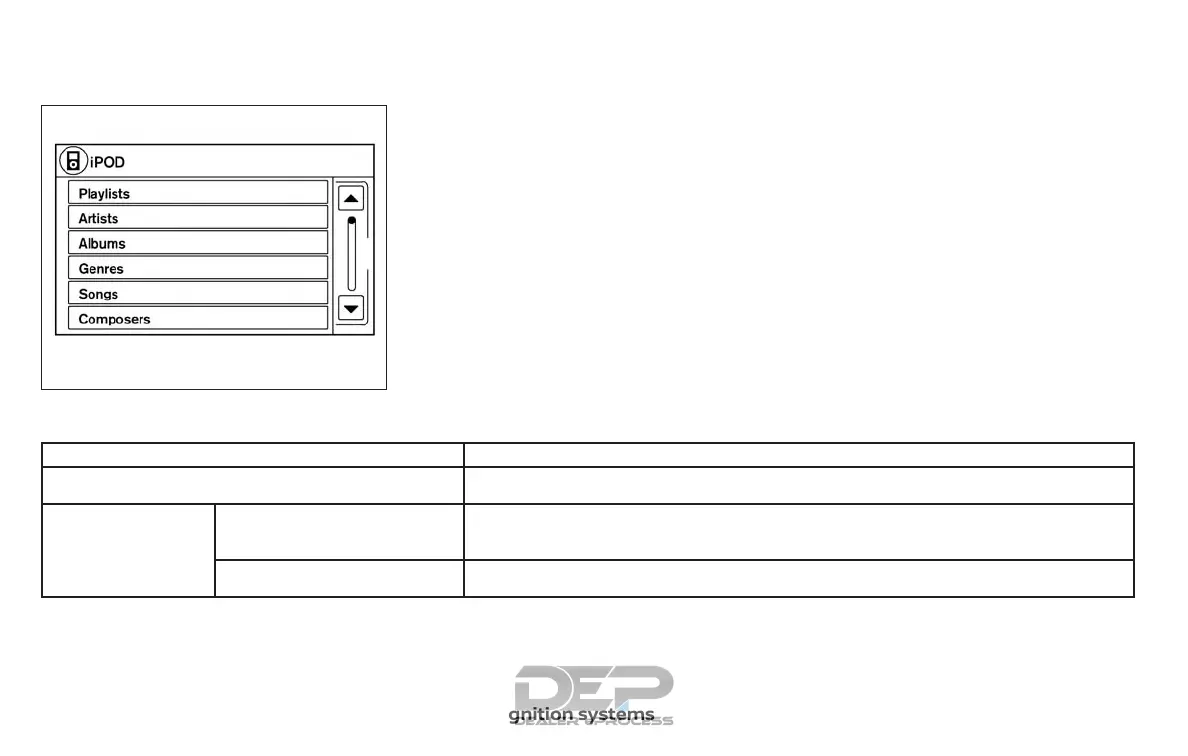
Interface
The interface for iPod® operation shown on
the vehicle’s audio system display screen is
similar to the iPod® interface. Use the
touch-screen, BACK button or the TUNE
knob to navigate the menus on the screen.
When the iPod® is playing, touch the “Menu”
key to bring up the iPod® interface.
Depending on the iPod® model, the follow-
ing items may be available on the menu list
screen. For additional information about
each item, refer to the iPod® Owner’s
Manual.
∙ Playlists
∙ Artists
∙ Albums
∙ Genres
∙ Songs
∙ Composers
∙ Audiobooks
∙ Podcasts
∙ Update Music Library
Shuffle and repeat play mode
Item Result
Shuffle and repeat play mode
While the iPod® is playing, the play pattern can be altered so that songs are repeated or played
randomly.
Shuffle
Touch the “Shuffle” key to apply a random play pattern to the iPod®. When the shuffle mode is ac-
tive it will appear on the screen. To cancel shuffle mode, touch the “Shuffle” key until it is not
displayed.
Repeat Touch the “Repeat” key to apply a repeat play pattern to the iPod®. When the repeat mode is active
it will appear on the screen. To cancel repeat mode, touch the “Repeat” key until it is not displayed.
LHA2907
4-70 Monitor, climate, audio, phone and voice recognition systems



 To Next Page