1、 Press & hold PROG for 3 seconds untill the green LED is on
2、Press D-PAD LEFT, the green LED will turn o
Pedals are programmed as Y-AXIS
· PROGRAM PEDALS AS Y-AXIS
1、 Press & Hold “SHARE/9/View” + “OPTIONS/10/Menu” for 3 seconds until
the green LED turns on
2、Press “SHARE/9/View” again until the current sensitivity is displayed
3、Press “SHARE/9/View” to select sensitivity level
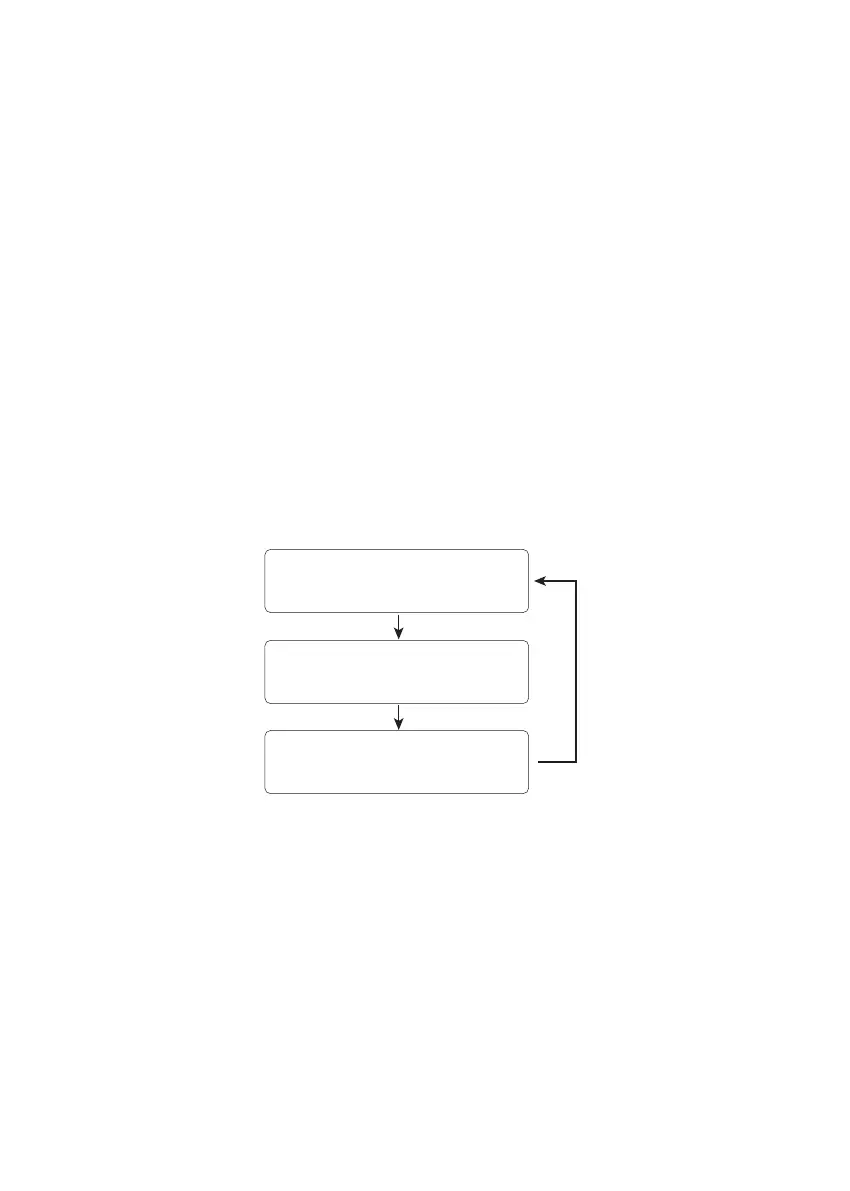
It cycles as in the scheme:
· WHEEL SENSIBILITY ADJUSTMENT (3 LEVELS)
* Press D-PAD UP to conrm and quit
Middle
(Green LED is ashing)
High
(Green LED ashes quickly)
Low
(Green LED ashes slowly)



 To Next Page