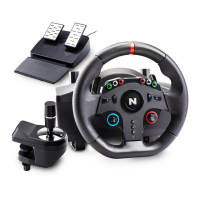
The NITHO HEXAGON Wireless Controller, model MLT-EXAG-K, is a versatile gaming peripheral designed for a wide range of platforms, including PS4®, PS3®, PC, iOS®, and Android®. It offers both wireless and wired connectivity options, providing flexibility for different gaming setups.
Function Description:
The HEXAGON controller serves as a primary input device for gaming across multiple platforms. It features a standard button layout, including N (Home), Share, Option, directional buttons (up, down, left, right), X, circle, square, triangle, L1, L2, L3, R1, R2, R3, VRL, VRR, and RESET buttons. The controller is equipped with advanced motion sensing technology, incorporating a built-in three-axis gyroscope and a three-axis accelerator. This allows for omnidirectional dynamic information detection, including Roll, Pitch, and Yaw, enhancing immersive gameplay. A dual-point capacitive sensing touchpad is integrated for additional control possibilities. For audio, it includes a 3.5mm headset jack, enabling audio chat on PS4® consoles. The controller also features high-performance analog triggers with additional FPS dual mode extensions, catering to precise control in various game genres.
Important Technical Specifications:
- Compatibility: Full compatibility with PS3®, PS4®, PC, iOS® (above v.13.3), and Android® (above v.6.0).
- Connectivity: Wireless connection up to 10 meters from the main device. Supports D-Input protocol wirelessly and D-Input + X-Input protocols when wired.
- Motion Sensing: Three-axis gyroscope and three-axis accelerator for Roll, Pitch, and Yaw detection.
- Touchpad: Dual-point capacitive sensing touchpad.
- Audio: 3.5mm headset jack for audio chat on PS4®.
- Triggers: High-performance analog triggers with additional FPS dual mode extensions.
- Lighting: Four selectable RGB light effects in eight different colors, indicated by an LED lightbar that also shows pairing status and charging mode.
- Customization: Three interchangeable shapes of Mini Sticks and two D-Pads.
- Vibration: Includes a vibration motor for haptic feedback.
- Speaker: Integrated speaker.
- Charging Port: Type-C charging port.
- Ergonomics: Ergonomic grip design.
- Weight: Ultra lightweight structure and components.
Usage Features:
- First-time Setup: Before initial use, the controller must be fully charged using the supplied USB cable. The white LED light at the front of the controller will display a "breathing mode" during charging and turn off when charging is complete.
- X-Input & D-Input Setup on PC: When connected wirelessly to a PC, the controller is configured as D-Input by default. When wired, it defaults to X-Input. Users can switch to D-Input by pressing the "N" + "Share" buttons for at least 5 seconds, and use the same process to switch back to X-Input.
- Six Axis Function: The controller supports six-axis functionality, with X-AXIS acceleration directions (left-right, right-left), Y-AXIS acceleration directions (front-back, back-front), and Z-AXIS acceleration directions (up-down, down-up). The calibration is automatic.
- Wireless Connection Setup (Console): Turn on the console, plug the USB data cable into the HEXAGON controller and console, then press and hold the "N" button until the LED bar lights up. For future connections, pressing the "N" button on the controller will automatically log into the console. A USB data cable to Micro-B is needed to connect HEXAGON to the console initially. After the initial pairing, the data cable is no longer required.
- Wireless Connection Setup (PC, iOS® & Android®): Switch on the device/PC and its Bluetooth® feature. Activate Bluetooth® search mode by clicking on "Add New Bluetooth® Device". Press and hold the "N" + "SHARE" buttons for a few seconds until the LED front bar starts flashing quickly. Choose "Wireless controller" and tap "Pair" on the device/PC to connect HEXAGON. The front LED bar light will stop flashing, indicating a successful connection.
- Wired Connection Setup: For consoles, connect the included USB data cable to the HEXAGON controller and the console. For PCs, connect the included USB data cable to the HEXAGON controller and the PC.
- Light Effects & Colors Setup: The controller is illuminated by default. The light can be turned off by pushing the L1 + R1 buttons for a minimum of 5 seconds, and can be switched back on by repeating the process. To switch between four light effects and select one of the eight colors, press the "N" button with the Y, B, X, or A buttons.
- Breathing effect: Press "N" button + X button. Repeatedly press X to toggle between eight colors.
- Fix color effect: Press "N" button + Y button. Repeatedly press Y to toggle between eight colors.
- Color rotation: Press "N" button + A button. Repeatedly press A to toggle between eight colors.
- Rainbow rotation: Press "N" button + B button. All eight colors will rotate automatically.
- Sleep Mode: The HEXAGON controller enters Sleep mode if it fails to connect with PS4®, PS3®, PC, iOS®, and Android® or if it doesn't receive any input for 5 minutes. It does not enter Sleep mode if wired connected.
- Troubleshooting: If unable to connect the HEXAGON controller to the console or device/PC, press the Reset button located in the small hole in the rear of the controller.
- PC Test Mode: To test the controller on Windows® 10, connect it via Micro-B data cable, then navigate to PC > Start > Control Panel > Device and Printer. Double-click on "Wireless Controller" Properties to access the test interface.
Maintenance Features:
- Storage: Store and use the controller in a dry area, protected from moisture and direct sunlight. Elevated temperatures can damage the controller.
- Disassembly: Do not disassemble the controller.
- Disposal: To protect the environment, the HEXAGON controller cannot be disposed of with household waste. It should be returned to a designated collection point for recycling.
- General Precautions: Do not use the controller for purposes other than those outlined in this Quick Start Guide. Stop playing if uncomfortable or tired, and consult a doctor if symptoms persist. Take regular breaks from play. This controller is not intended for children younger than 3 years.

 Need help?
 General

 To Next Page