
 Need help?
Do you have a question about the NIWA Grow Hub and is the answer not in the manual?
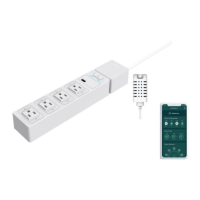
Visual breakdown of Niwa Grow Hub components and their functions.
Step-by-step guide for physically setting up the Niwa Grow Hub device and sensors.
Instructions for downloading the Niwa app and creating a user account.
Details the process of connecting the Niwa Grow Hub to a Wi-Fi network.
Explains an alternative method for Wi-Fi connection using AP mode.
Provides solutions for common Wi-Fi connection issues and general tips.
Overview of the Niwa Grow Hub's capabilities as a growing controller and automation tool.
Describes the navigation elements and sections accessible via the app's toolbars.
Shows current outlet configuration and device status, operated by recipe settings.
Displays current VPD, temperature, humidity, and light level readings.
Allows checking the current stage within a grow recipe and moving to different stages.
Explains the notification system for parameter deviations and alarm triggers.
Details how to set up and configure temperature and humidity alarms.
Describes the alarm that notifies about lamp performance issues.
Explains how to view and manage triggered alerts and notifications within the app.
Outlines the options for selecting, managing, and editing grow recipes.
Explains how recipes are structured into stages and cycles for different growth phases.
Details how to configure light schedules within a grow recipe stage.
Explains the configuration of watering pump cycles and schedules in recipes.
Describes setting temperature, humidity, and VPD targets for climate control in recipes.
Explains how recipes are executed and climate control devices operate.
Explains the concept of dead zones for temperature and humidity control to prevent rapid cycling.
Information on how to view historical sensor data and choose different time views.
Guide on assigning connected devices to specific outlets on the Niwa Grow Hub.
Details the process of calibrating the light sensor for accurate light level measurements.
Instructions on how to change the Wi-Fi network the Grow Hub is connected to.
Explains how to calculate and set the Leaf Temperature Offset for VPD calculations.
Describes options for managing user account details like temperature scale and password.
Provides contact information for customer support and inquiries.
Steps for adding an additional Niwa Grow Hub to an existing user account.
How to switch between and monitor multiple Niwa devices linked to the app.
Explains the meaning of different Blue and Red LED blinking patterns for device status.
Important warnings and precautions for operating the Niwa Grow Hub safely and correctly.
Guarantees growers access to plants via reliable Wi-Fi 2.4GHz and strict security protocols.
Niwa Grow Hub supports OTA firmware and app updates for instant access to new features.
Details input/output voltage, max load, overload protection, Wi-Fi, and operating conditions.
Lists the included items: Niwa Grow Hub, Niwa Sensors, and Instruction manual.
Provides information for further assistance and how to use the Niwa Grow Hub.
Details the product warranty terms, conditions, and claim process.
Information on how to contact support for service and repair of the Niwa Grow Hub.
Steps for contacting technical support, obtaining an RMA, and returning the unit for service.

 To Next Page

 General