16 17
Insert the Thermicon Tip
Notes:
> Make sure the Thermicon Tip is
placed properly into the socket
before treatment.
> Never use a Thermicon Tip if
the wire is bent or torn.
How to no!no!
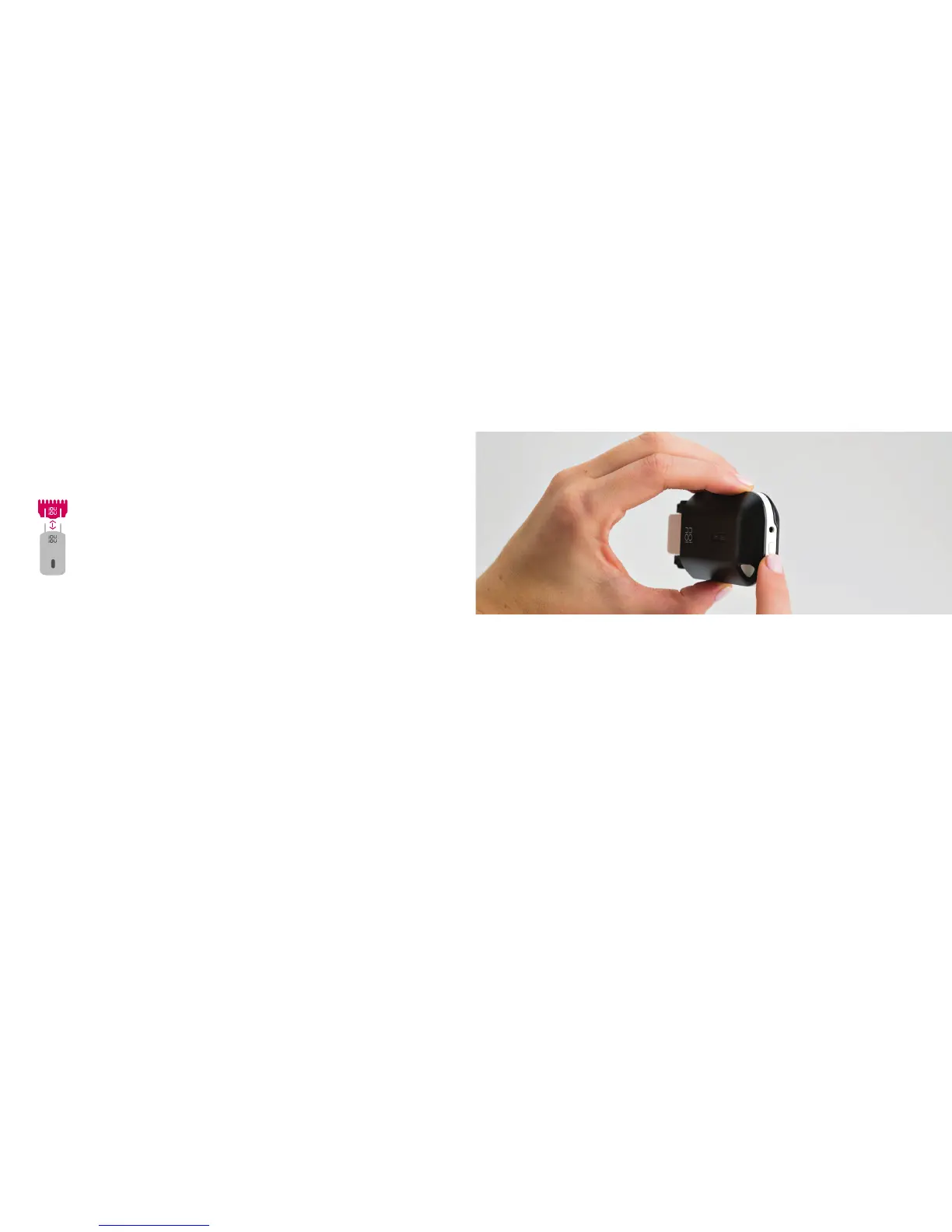
INSERTING the Thermicon Tip
> Make sure the device is
turned off.
> Hold no!no! in one hand and
the Tip in the other.
> Make sure both logos are facing
the same direction and line up
the posts in the socket with the
holes in the Thermicon Tip.
> Gently push into place.
REMOVING the Thermicon Tip
> Grasp the Tip by both sides.
> Gently pull the Tip out of
the socket.
When to REPLACE the Thermicon Tip
> If the guiding light turns red.
> If it is no longer working
efficiently.
> If the wire is damaged in
any way.
> If the Thermicon Tip Icon
is blinking red on the
Status Screen.
Turn no!no! On/Off [FIGURE A]
> Press the On/Off Button down until both the Battery and Tip Icon light up.
NOTE: If the red light appears, go to page 21 for further instructions.
A


 To Next Page