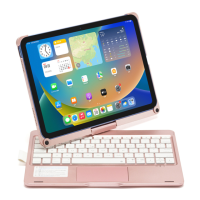
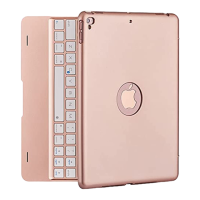
How to figure out whether you buy right keyboard for your iPad?
1>If you find your ipad model is one of below models, pls choose 9.7 inch ipad keyboard:
How to pair your iPad?
NOTICE:
1>Red indicator will stay on when charging and turn off once fully
charged.
2>Bluetooth will connect automatically after first connection.
2>If you find your ipad model is one of below models, pls choose 10.2/10.5 inch
ipad keyboard:
Please find the model (Named A****)on back of your iPad.
Turn on iPad keyboard, press “fn”+”C” together, led indicator flashes, ipad keyboard will
be on searching state.
Turn on your iPad’s Bluetooth, you will find “Bluetooth 3.0 keyboard ”on Bluetooth list.
Choose “Bluetooth 3.0 keyboard”, then they will connect successfully.
A2197/A2200/A2198 - iPad 7th Gen 10.2 inch 2019
A2152/A2153L/A2123 - iPad Air 3rd 10.5 inch 2019
A1701/A1709 - iPad Pro 10.5 inch 2017
A1893/A1954 - iPad 6th Gen 2018 A1822/A1823 - iPad 5th Gen 2017
A1673/A1674/A1675 - iPad Pro 9. 7 inch 2016 A1566/A1567 - iPad Air 2
A1474/A1475/A1476 - iPad Air


 To Next Page