Your phone
7
Copyright © 2007 Nokia. All rights reserved.
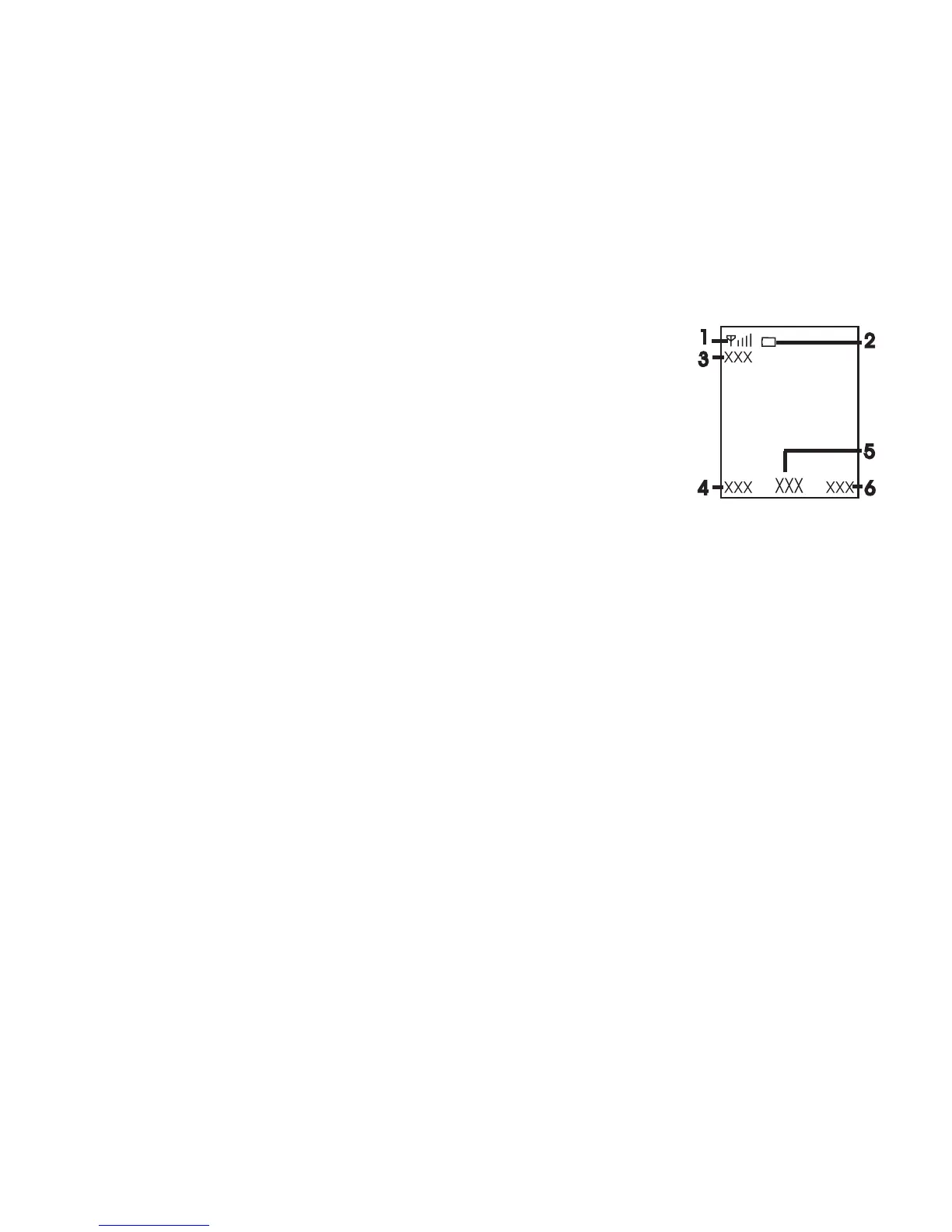
■ Standby mode
When the phone is ready for use, before you enter any
characters, the phone is in the standby mode:
• Network signal strength (1)
• Battery charge level (2)
• Network name or the operator logo (3)
• The left selection key is Go to (4) for you to
view the functions in your personal
shortcut list. When viewing the list, select Options > Select
options to view the available functions that you can add in
the options list; select Organise > Move and the location to
rearrange the functions of your shortcut list.
• Menu (5) and Names (6)
■ Demo mode
To start up the phone without the SIM card, accept Start up
phone without SIM card?. Use those features of the phone that
do not require the SIM card.
In demo mode, calls may be possible to the official emergency
numbers programmed into your device.



 To Next Page