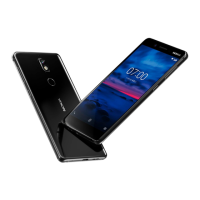
Nokia 7 Plus User Guide
Use the camera in the manual mode
With the manual mode, you can take close-ups, wide angle photos, and adjust the AWB (Auto
White Balance). To try out the manual mode, tap Camera > > Pro .
Use Live Bokeh mode
If you want to be able to change the focus area of your photo after you have taken it, use the
Live Bokeh mode when taking a photo.
1. Tap Camera .
2. Tap > Live Bokeh .
3. Take aim and focus. Tap Live Bokeh .
4. Tap the photo you just took on the bottom
right corner of the display.
5. Tap Bokeh Editor to edit your photo.
Take photos with a timer
Want to have time to get in the shot too? Try out the timer.
1. Tap Camera .
2. Tap . The button shows the timer setting. To change it, tap it again.
3. Select the duration of the timer.
4. Tap Photo .
Record a slow motion video
1. To switch to the video recording mode,
swipe to left.
2. Tap .
3. Tap Slow Motion .
4. Tap Slow Motion to start recording.
5. To stop recording, tap .
Take high quality photos
In the Camera app, tap > Settings > Resolution , and set the resolution that you want to.
SAVE YOUR PHOTOS AND VIDEOS TO A MEMORY CARD
If there is a memory card in your phone, and your phone memory is filling up, save the photos
you take and videos you record to the memory card.
Tip: For the best video quality, record videos to your phone memory. If you record videos to
the memory card, it is recommended that the microSD card you use is a fast 4–128GB card by
a well-known manufacturer.
© 2021 HMD Global Oy. All rights reserved. 30


 To Next Page