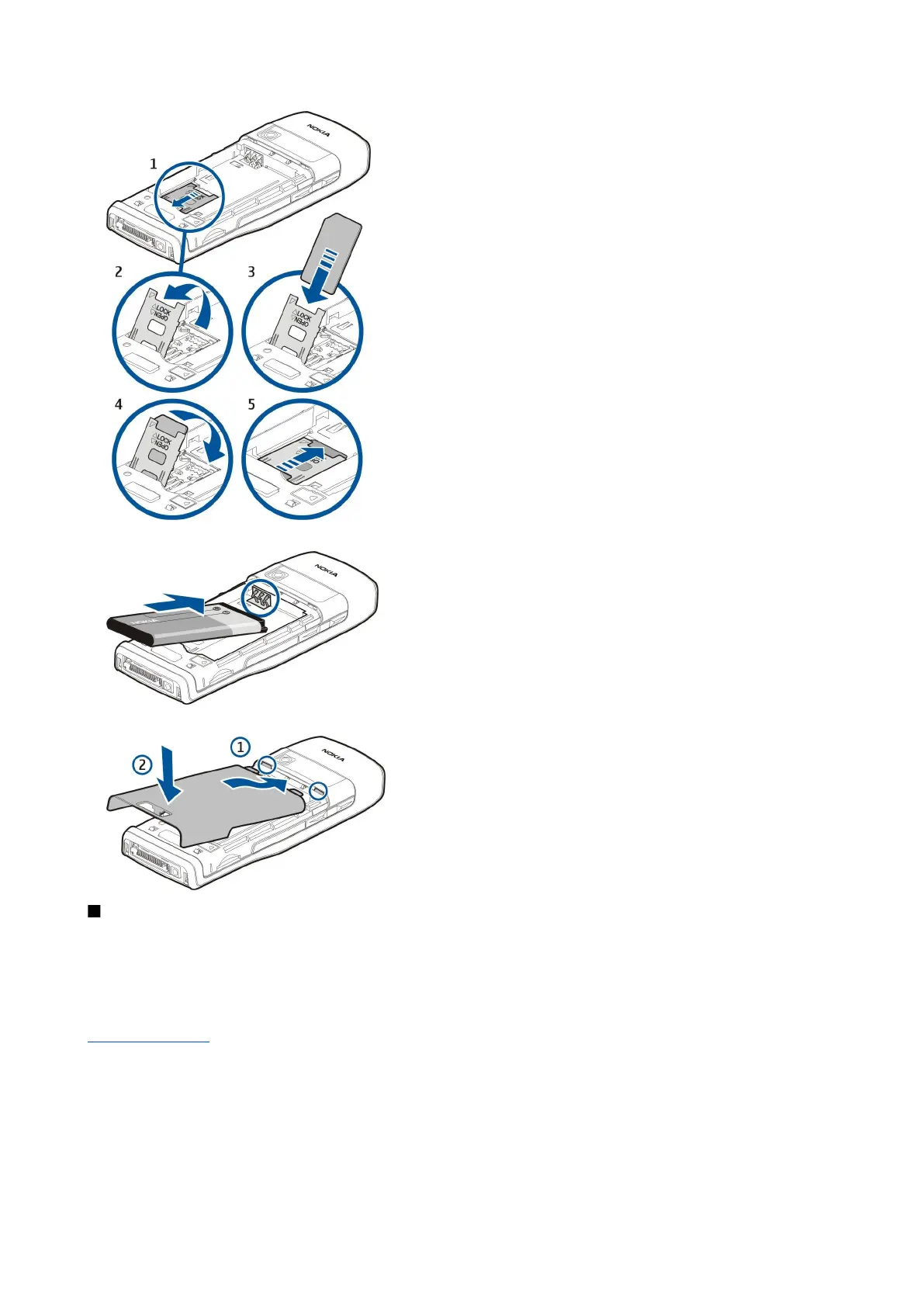
6. Insert the battery.
7. Replace the back cover.
Insert the memory card
Use only microSD cards approved by Nokia for use with this device. Nokia utilizes the approved industry standards for memory
cards but not all other brands may function correctly or be fully compatible with this device.
Use a memory card to save the memory on your device. You can also back up information from your device to the memory card.
Keep all memory cards out of the reach of small children.
The sales package of your device may not include a memory card. Memory cards are available as separate enhancements.
See "Memory," p. 18.
1. Remove the back cover.
2. Insert the memory card in the slot. Make sure that the contact area of the card is towards the front cover of the device.
G e t s t a r t e d
Copyright © 2006 Nokia. All Rights Reserved. 9


 To Next Page
 Loading...