EasyManua.ls Logo

Nokia NPE-4 - Page 10

Nokia NPE-4
25 pages
Print Icon
To Next Page IconTo Next Page
To Previous Page IconTo Previous Page
Loading...
CONFIDENTIAL 10 (25)
NPE-4 6310/NPL-1 6310i Repairhints
Customer Care Europe & Africa Version 1.0 Approved
SCCE Training Group Date 15.08.2002
© NMP 2002
Checked by:
SCCE Training Group
Approved by:
SCCE
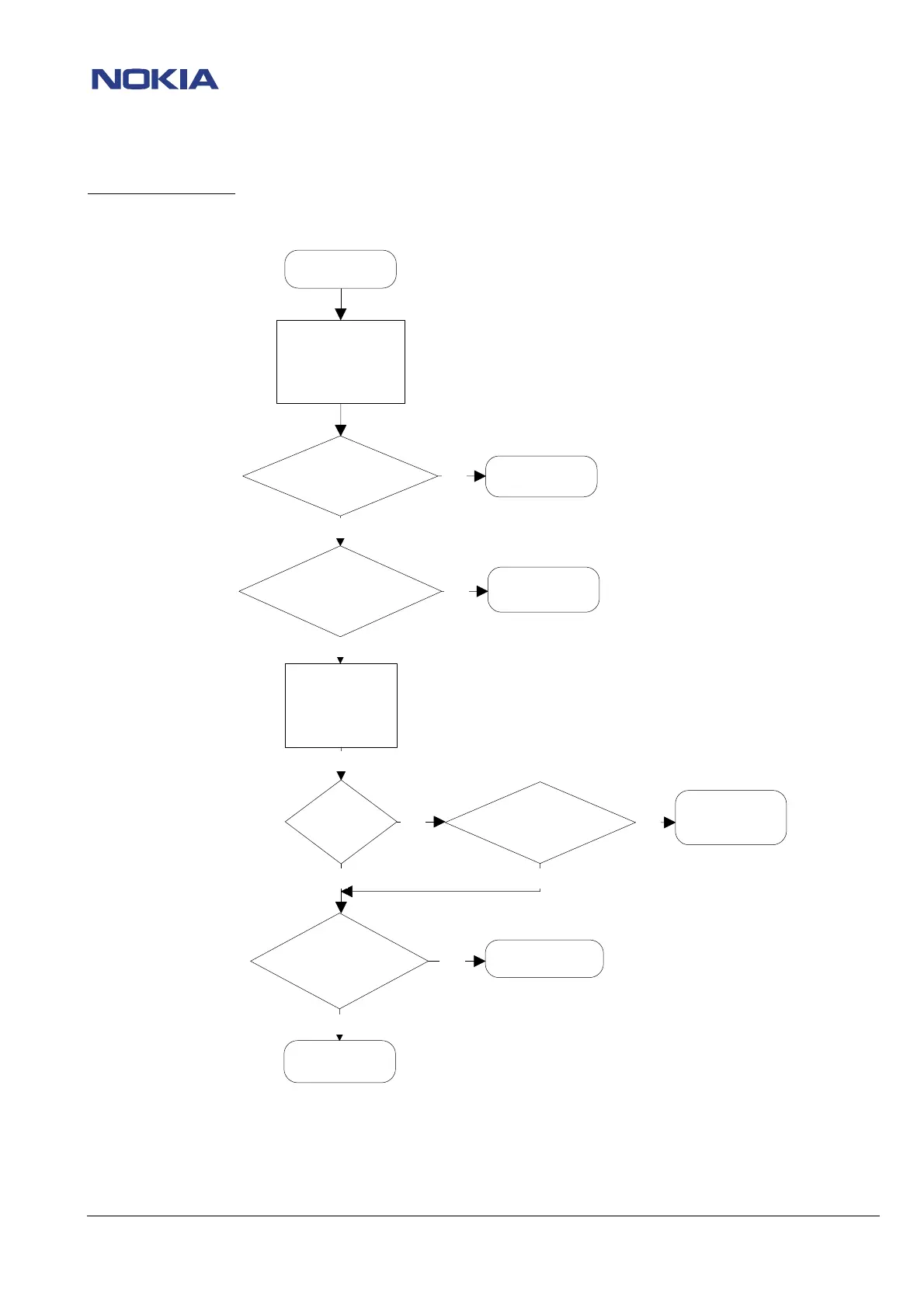
Flowchart – No service
No Service
Set phone with Phoenix
to Local Mode
Open menu
Maintenance/Tuning/RX
calibration
Check RX calibration
in
GSM/PCN
Check TX power at menu
Maintenance/Tuning/TX power
Refer to chapter
No Service/No RX
Refer to chapter
No Service/No TX
If the fault persists,
rewrite IMEI/SIMLock
settings are not ok
Check
CMU/CMD if
any errors appear on display,
e.g.frequency
errors
Refer to chapter
Drop calls
Insert a Test Sim,
set phone to normal
mode
and make a Test call
Connection
established?
Phone is ok
Make a sw update and try
connecting again
nOK
nOK
nOK
nOK
nOK
OK
OK
OK
OK OK
OK

Related product manuals