
 Need help?
Do you have a question about the Nokia Power Earbuds Lite and is the answer not in the manual?
Guides through the automatic pairing of earbuds and connecting them to a Bluetooth device, detailing LED feedback.
Details the touch gestures for controlling music playback, calls, and voice commands on the earbuds.
Covers manual power operations, using a single earbud, and resetting the earbuds to factory settings.
Covers important safety guidelines, restricted areas, interference, hearing, and child safety.
Guidance on using approved batteries, chargers, and accessories, and potential hazards.
Provides guidance on proper disposal and recycling of electronic products and batteries.
Details battery specifications, performance, safety precautions, and disposal guidelines.
States compliance with EU Directive 2014/53/EU and provides a link to the full declaration.
This document provides a quick start guide for the Nokia Power Earbuds Lite (BH-405), outlining its features, usage, and maintenance.
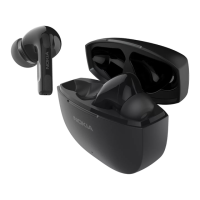
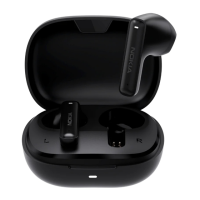
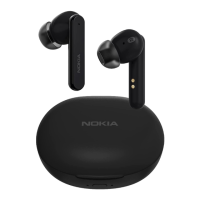
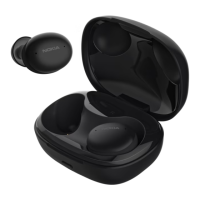
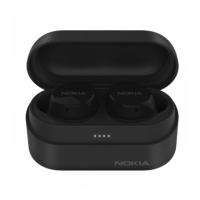
The Nokia Power Earbuds Lite (BH-405) are wireless earbuds designed for audio playback and communication. They come with a charging case that not only stores the earbuds but also recharges them, ensuring they are ready for use. The earbuds are designed for a comfortable and secure fit, with multiple ear tip sizes (S/M/L) provided to help users find the best fit for optimal audio performance and comfort. The charging case features a USB Type-C port for charging and LED indicators to display the battery status, allowing users to easily monitor the charge level.
To get started with the Nokia Power Earbuds Lite, users must first remove any protective film from the earbuds and place them back into the charging case. It is crucial to fully charge both the earbuds and the charging case before the initial use. This is done by connecting the USB Type-C cable to a power source. The charging case's battery status LEDs provide visual feedback on the current charge level, indicating whether it's fully charged, or below 75%, 50%, 25%, or 3%. When the earbuds are charging, their LED indicator lights will glow red and turn off once fully charged. If an earbud's battery is low, its LED indicator will flash red, signaling that it needs to be recharged.
Pairing the Nokia Power Earbuds Lite with a Bluetooth device is a straightforward process. When the earbuds are taken out of the charging case, they automatically power on and attempt to pair with each other. Once successfully paired, the LED indicator light on the right earbud will flash blue and red alternately, indicating that they are ready to connect to a Bluetooth device. To connect, users need to enable Bluetooth on their device and select "Nokia Power Earbuds Lite" from the list of available devices. During the connection process, the right earbud's LED will continue to flash blue and red alternately. After a successful connection, the earbuds' LED indicator lights will flash blue every 5 seconds. The earbuds are designed to automatically connect to a previously paired Bluetooth device whenever they are removed from the charging case. If there is no Bluetooth connection within 5 minutes, the earbuds will automatically power off to conserve battery.
The earbuds offer intuitive touch controls for managing audio playback and calls. A single touch on either earbud can play or pause music and answer or end calls. To reject a call, a touch for 1 second is required. Activating voice commands can be done with a 2-second touch. Adjusting the volume is also possible through touch gestures: two touches on an earbud will either decrease or increase the volume. Skipping tracks involves three touches, allowing users to go to the previous or next track.
Beyond the standard touch controls, the Nokia Power Earbuds Lite offer additional functionalities. Users can manually power the earbuds on by touching the touchpad of both earbuds for 3 seconds. To manually power them off, a 5-second touch on the touchpad of one earbud is needed. The earbuds also support single earbud use, specifically the right earbud. If the right earbud has been previously paired with a Bluetooth device, it will automatically connect when taken out of the charging case. For troubleshooting or to restore original settings, the earbuds can be reset. This involves placing them back in the charging case (where their LEDs will turn red) and then touching the touchpad of both earbuds for 5 seconds. The LEDs will flash blue and red alternately three times, confirming a successful reset.
Maintenance of the Nokia Power Earbuds Lite is important for their longevity and optimal performance. Users are advised to handle the device with care and keep it dry, as precipitation, humidity, and liquids can corrode electronic circuits. The device should not be stored in dusty, dirty, or extreme temperature environments (either too hot or too cold), as this can damage the device or battery. Opening the device, dropping it, knocking it, or shaking it should be avoided, as rough handling can cause damage. For cleaning, only a soft, clean, dry cloth should be used. Painting the device is not recommended as it can hinder proper operation. The earbuds themselves feature a water protection level of IPX7, meaning they can withstand immersion in water up to 1 meter for 30 minutes. However, this water protection is not a permanent condition and may decrease over time. It's important to note that the charging case is not water resistant.
The device contains a non-removable, rechargeable battery. Users should not attempt to remove the battery themselves to avoid damaging the device. While the battery can be charged and discharged many times, its capacity will eventually diminish. Optimal battery performance is achieved when stored between 15°C and 25°C (59°F and 77°F). Extreme temperatures can reduce battery capacity and lifetime. Batteries should not be disposed of in fire, as they may explode, and should be recycled according to local regulations. Using unapproved or incompatible batteries can pose risks of fire, explosion, or other hazards, and may void the warranty. If a battery is believed to be damaged, it should be taken to a service center or local shop. Charging the device during a lightning storm is also not recommended.
For safety, it's important to read and follow the provided guidelines. The device should be switched off in restricted areas, such as aircraft, hospitals, or near medical equipment, fuel, chemicals, or blasting areas, to prevent interference or danger. All wireless devices are susceptible to interference, which can affect performance. Only batteries, chargers, and other accessories approved by HMD Global Oy should be used with this device. To prevent hearing damage, users should avoid listening at high volume levels for extended periods. When using the headset, awareness of outside sounds may be affected, so it should not be used in situations where this could endanger safety. The product's surface is nickel-free. The device and its accessories are not toys and contain small parts, so they should be kept out of reach of small children.
Regarding implanted medical devices, manufacturers recommend a minimum separation of 15.3 centimeters (6 inches) between a wireless device and an implanted medical device to avoid potential interference. Individuals with such devices should keep the wireless device more than 15.3 centimeters away, avoid carrying it in a breast pocket, switch it off if interference is suspected, and follow the manufacturer's directions for their implanted medical device. Any questions about using the wireless device with an implanted medical device should be directed to a healthcare provider.
The device is designed to comply with FCC rules, ensuring it does not cause harmful interference and accepts any received interference. Any changes or modifications not expressly approved by the party responsible for compliance could void the user's authority to operate the equipment. The device has been evaluated to meet general RF exposure requirements and can be used in portable exposure conditions without restriction.
 General
| Type | In-ear |
|---|---|
| Connectivity | Bluetooth 5.0 |
| Battery Life (with Case) | 35 hours |
| Water Resistance | IPX7 |
| Driver Size | 6 mm |
| Impedance | 16 Ohm |
| Frequency Response | 20 Hz - 20 kHz |
| Charging Time | 2 hours |
| Battery Life (Earbuds) | 7 hours |


 To Next Page