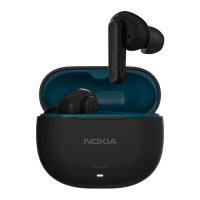
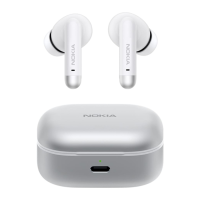
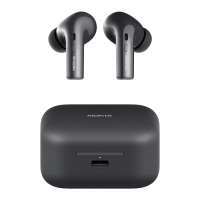
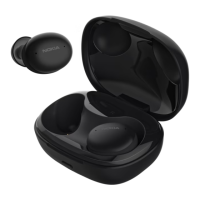
This document provides a quick start guide for the Nokia Go Earbuds+ (TWS-201), outlining its functions, usage, and maintenance.
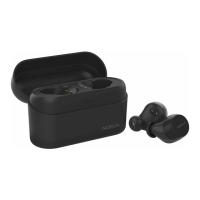
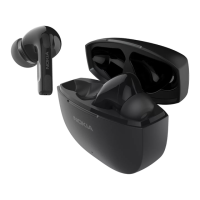
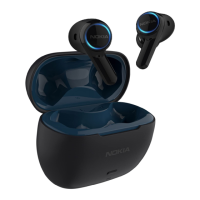
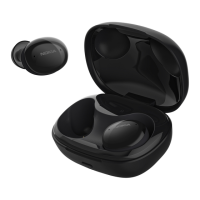
The Nokia Go Earbuds+ are a pair of true wireless stereo (TWS) earbuds designed for audio playback and communication. They come with a portable charging case that not only stores the earbuds but also recharges them on the go. The earbuds are equipped with touch controls, allowing users to manage various functions directly from the earbuds themselves.
Product Overview and Components:
The package includes:
- Charging case: This serves as the primary storage and charging unit for the earbuds. It features charging contacts for both the right and left earbuds, battery status LEDs to indicate its charge level, and a USB Type-C port for external charging.
- Earbuds (L/R): These are the main audio devices. Each earbud is equipped with a microphone for calls, an ear tip for comfortable fit, and a touch bar for control.
- Ear tips (S/M/L): Three different sizes of ear tips are provided to ensure an optimal and comfortable fit for various users, which is crucial for both comfort and audio performance.
- USB Type-C cable: Used to charge the charging case.
- Quick Start Guide: This document itself, providing initial setup and usage instructions.
Getting Started:
Before the first use, it is essential to prepare the earbuds and charging case:
- Remove protective film: Take off any protective film from the earbuds. This film often covers the charging contacts and needs to be removed for proper charging.
- Place earbuds in charging case: Insert the earbuds back into the charging case. This ensures they are correctly positioned for charging.
- Initial charging: Connect the USB Type-C cable to the charging case and a power source. It is recommended to fully charge both the earbuds and the charging case before the very first use to ensure maximum battery life and performance from the start. The battery status LEDs on the charging case will indicate the charging progress.
- Optimal fit: For the best audio performance and comfort, users should experiment with the provided small (S), medium (M), and large (L) ear tips to find the size that best suits their ears. A good seal is important for sound quality and passive noise isolation.
Pairing and Connecting with Bluetooth:
The Nokia Go Earbuds+ are designed for easy pairing and connection with Bluetooth-enabled devices.
- Automatic power-on and pairing: When the earbuds are removed from the charging case, they will automatically power on and attempt to pair with each other.
- Ready for device connection: Once the earbuds have successfully paired with each other, the LED indicator light on the right earbud will flash blue and red alternately. This signifies that the earbuds are in pairing mode and ready to connect to a Bluetooth device.
- Connecting to a Bluetooth device:
- On your device (e.g., smartphone, tablet), turn on Bluetooth.
- In the Bluetooth menu, search for available devices and select "Nokia TWS-201" to initiate the connection.
- During the connection process, the LED indicator light on the right earbud will continue to flash blue and red alternately.
- Upon successful connection, the LED indicator lights on both earbuds will flash blue every 10 seconds, confirming that they are connected via Bluetooth.
- Automatic reconnection: After the initial pairing, the earbuds will automatically connect to the last paired Bluetooth device whenever they are taken out of the charging case, streamlining the user experience.
- Automatic power-off: If there is no Bluetooth connection established within 5 minutes, the earbuds will automatically power off to conserve battery life.
Using the Earbuds - Touch Control:
The earbuds feature intuitive touch controls on the touch bar of each earbud, allowing for various functions:
Left Earbud (L) Controls:
- Power On/Off: Press and hold for 3 seconds to power on or off.
- Volume Down: Press and hold for 5 seconds to decrease volume.
- Play/Pause: Single tap (x1) to play or pause audio.
- Voice Assistant: Single tap (x1) to activate the voice assistant.
- Previous Track: Double tap (x2) to go to the previous track.
- Call Reject: Press and hold for 1 second to reject an incoming call.
- End Call: Press and hold for 2 seconds to end an active call.
- Call Answer: Single tap (x1) to answer an incoming call.
- Next Track: Triple tap (x3) to skip to the next track.
Right Earbud (R) Controls:
- Power On/Off: Press and hold for 3 seconds to power on or off.
- Volume Up: Press and hold for 5 seconds to increase volume.
- Play/Pause: Single tap (x1) to play or pause audio.
- Voice Assistant: Single tap (x1) to activate the voice assistant.
- Next Track: Double tap (x2) to skip to the next track.
- Call Reject: Press and hold for 1 second to reject an incoming call.
- End Call: Press and hold for 2 seconds to end an active call.
- Call Answer: Single tap (x1) to answer an incoming call.
- Previous Track: Triple tap (x3) to go to the previous track.
Additional Controls:
- Use single earbud: The Nokia Go Earbuds+ offer flexibility, allowing users to use either the left or right earbud independently as a mono headset after initial pairing. This is useful for calls or when one ear needs to remain open to ambient sounds.
- Reset to original settings: If users encounter pairing issues or wish to clear all previous connections, they can reset the earbuds. To do this, place both earbuds into pairing mode, then press and hold both touch bars simultaneously for 5 seconds until the LEDs turn off. This action will restore the earbuds to their factory default settings.
Maintenance Features and Safety Information:
Proper care and adherence to safety guidelines are crucial for the longevity and safe operation of the Nokia Go Earbuds+.
General Device Care:
- Keep dry: Avoid exposing the device to precipitation, humidity, or any liquids, as minerals in water can corrode electronic circuits.
- Cleanliness: Do not use or store the device in dusty or dirty areas, as dirt can interfere with functionality.
- Temperature control: Avoid storing the device in high temperatures, which can damage the device or its battery. Similarly, cold temperatures can lead to moisture formation inside the device when it warms up, causing damage.
- No unauthorized opening: Do not open the device unless specifically instructed in the user guide. Unauthorized opening can void warranties and cause damage.
- Handle with care: Avoid dropping, knocking, or shaking the device or battery, as rough handling can break internal components.
- Cleaning: Use only a soft, clean, dry cloth to clean the surface of the device. Avoid abrasive materials or harsh chemicals.
- No painting: Do not paint the device, as paint can obstruct proper operation and interfere with sensors or charging contacts.
Safety Guidelines:
- Restricted areas: Always switch off the device in areas where Bluetooth headset use is not allowed or where it may cause interference or danger (e.g., aircraft, hospitals, near medical equipment, fuel, chemicals, or blasting areas).
- Interference: Be aware that all wireless devices can be susceptible to interference, which may affect performance.
- Batteries and accessories: Only use batteries, chargers, and other accessories approved by HMD Global Oy for this device. Connecting incompatible products can be dangerous.
- Hearing protection: To prevent possible hearing damage, avoid listening at high volume levels for extended periods.
- Situational awareness: When using the headset, your ability to hear outside sounds may be affected. Do not use the headset in situations where it could endanger your safety.
- Small children: The device and its accessories are not toys and contain small parts. Keep them out of reach of small children to prevent choking hazards.
Battery Caution:
- Explosion risk: There is a risk of explosion if the battery is replaced with an incorrect type.
- Disposal: Do not dispose of batteries into fire or a hot oven, or mechanically crush or cut them, as this can result in an explosion.
- Temperature extremes: Do not leave the battery in extremely hot environments, as this may lead to an explosion or leakage of flammable liquids or gases. Similarly, avoid subjecting the battery to extremely low air pressure, which could also lead to an explosion or leakage.
- Battery life: The device has an internal, non-removable, rechargeable battery. While it can be charged and discharged hundreds of times, it will eventually wear out. Charging time varies depending on device capability.
- Optimal performance: For optimal battery performance, keep the battery between 15°C and 25°C (59°F and 77°F). Extreme temperatures can reduce capacity and lifetime.
- Damaged battery: If you suspect the battery is damaged, take it to a service center or local shop before continuing use. Never use a damaged battery.
- Charging during storms: Do not charge your device during a lightning storm.
- Responsible disposal: Always return used electronic products, batteries, and packaging materials to dedicated collection points. This helps prevent uncontrolled waste disposal and promotes material recycling.
- Crossed-out wheelie bin symbol: This symbol on the product, battery, literature, or packaging indicates that electrical and electronic products and batteries must be taken to separate collection at the end of their working life and should not be disposed of as unsorted municipal waste. Consult local waste authorities for information on nearby recycling points.
Implanted Medical Devices:
- Minimum separation: To avoid potential interference, maintain a minimum separation of 15.3 centimeters (6 inches) between a wireless device and an implanted medical device.
- Usage recommendations: Individuals with implanted medical devices should:
- Keep the wireless device more than 15.3 centimeters (6 inches) away from the medical device.
- Not carry the wireless device in a breast pocket.
- Switch off the wireless device if there is any reason to suspect interference.
- Follow the manufacturer's directions for the implanted medical device.
- Consult healthcare provider: If you have questions about using your wireless device with an implanted medical device, consult your healthcare provider.
This comprehensive guide ensures users can effectively and safely utilize their Nokia Go Earbuds+, from initial setup to daily operation and long-term maintenance.

 Need help?
 General

 To Next Page