EN-37
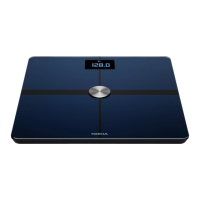
Nokia Body
v1.0 | June, 2017
Linking Your Account to Nike+
Overview
If you have a Nike+ account, you can start the day by seeing your NikeFuel of the previous
day displayed on your Nokia Body and in the Health Mate® app thanks to the Nike+
integration.
Only your NikeFuels can be shared with your Nokia® account. You’ll have to stick to the
Nike+ app to see the rest of your Nike+ data.
Note that it can take up to 48 hours after the association for your data to be shared with
your Nokia® account. You also need to have at least 5 days worth of Nike+ data before it
can be shared with your Nokia® account.
Connecting to Nike+
To connect your Nokia® account to your Nike+ account, perform the following steps:
1. Open the Health Mate® app.
2. Tap Prole.
3. Tap Nike+.



 To Next Page