Need help?
Do you have a question about the noLimits radenso SP and is the answer not in the manual?
Lists key capabilities and advanced technologies of the Radenso SP radar detector.
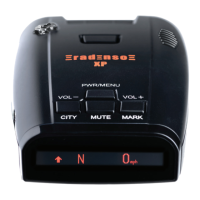
The radar detector unit with an intuitive OLED display.
Provides power to the SP through the car's 12V power outlet.
Attaches easily to the SP with strong suction cups.
Fits your detector and cords for compact travel.
Connects SP and computer for firmware updates.
An extra fuse for your power cord.
Allows hardwiring the unit directly to your vehicle, freeing up the power adapter.
Powers SP, allows mute/GPS lockouts, and charges devices via USB.
Clamps the SP to your visor instead of the windshield.
Steps to set up and start using the Radenso SP radar detector.
Resets all settings to their factory defaults, except GMT setting.
Instructions for updating the radar detector's firmware via PC.
Controls power, enters menu mode, and navigates menu options.
Changes driving mode (Highway/City) and decreases volume.
Toggles mute mode on/off, muting X and K band signals.
Changes display brightness and increases volume.
Allows locking and unlocking the windshield mount.
Basic user settings like Smart Dark, User Mode, X Band, K Band, etc.
Advanced settings available in Expert mode for detailed customization.
Defines the order in which alerts are displayed, from highest to lowest priority.
Options for adjusting display brightness, including Smart Dark.
Controls muting of alerts, including Auto Mute functionality.
Describes visual and audio alerts for radar signals and GPS alerts.
Configuration for displaying multiple signals based on priority.
Details on how selected settings are stored and recalled.
Technical details including detector type, operating frequency, and dimensions.
Steps to resolve issues where the detector fails to power on.
Troubleshooting steps for a blank or unresponsive display.
Resolving issues with visual alerts but no sound.
Solutions for windshield mount not adhering properly.
Guidance on identifying and mitigating false radar signals.
Troubleshooting why the detector does not alert to radar sources.
Details the warranty period, coverage, and exclusions for the product.
Lists conditions under which the warranty is void or does not apply.
Steps for contacting customer service and returning the product for repair.
Provides address, phone number, and email for customer support.
 General
| Laser Detection | Yes |
|---|---|
| GPS | Yes |
| Red Light Camera Alerts | Yes |
| Speed Camera Alerts | Yes |
| Voice Alerts | Yes |
| Display | OLED |
| Auto Mute | Yes |
| Auto Sensitivity | Yes |
| Frequency Display | Yes |
| Bluetooth | Yes |
| Smartphone App Integration | Yes |
| USB Connectivity | Yes |
| Power Source | 12V DC |
| Bands Detected | X, K, Ka, Laser |
| Radar Bands | X, K, Ka |


 To Next Page