Introduction
8
Basic Conventions
Before starting, it is crucial to understand some basic conventions of the front
panel – more on this in the Quickstart Guide:
• When a button on a Selection Panel is pressed, the parameter is selected and its
value can be edited. Its LED will light up permanently. Additional “Sub Parame-
ters” can be accessed by pressing the button multiple times.
• There can be some flashing LEDs to show the targets of the signal that is gener-
ated in the selected Parameter Group.
• When a Macro Control is selected, flashing LEDs dislay the parameters it is
modulating.
• When the Preset screen is on, the currently active signal flow or active parameters
respectively are indicated by LEDs lighting up permanently.
Hardware User Interface
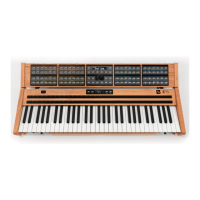
The images on the next page show the Edit Panel and one of the Selection Panels
of the Panel Unit, and the Control Panel of the Base Unit.


 To Next Page