
 Need help?
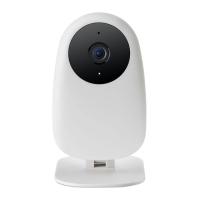
Do you have a question about the nooie Cam Indoor and is the answer not in the manual?
Find answers on the website, share feedback on social media, or contact support.
Outlines the 30-day return policy, 2-year limited warranty, and lifetime tech support.
Download the Nooie Cam App and create a user account to begin setup.
Connect the camera to a power outlet and wait for the red status light.
Open the app and click "Add Camera" on the front page.
Follow in-app instructions until a sound prompt is heard.
Device is powered on and initializing.
Device is ready to connect.
Connection is in progress.
Incorrect Wi-Fi account or password. Reconnect.
Device is working properly.
 General
| Brand | nooie |
|---|---|
| Model | Cam Indoor |
| Category | Digital Camera |
| Language | English |

 To Next Page