.
Scroll: Essentially the vertical version of the swipe gesture. You can control
the speed of the scroll by swiping up or down more rapidly. You can slow
down or stop the scroll by tapping the screen (to stop) or pressing and hold-
ing to slow the scroll.
.
Pinch and zoom in/pinch and zoom out: This is a method to zoom in or
out on pictures, PDFs, web pages, and so on. To zoom in or show part of the
screen more closely, you place your index finger and thumb closely together
on the screen (that is, pinch) and then spread them apart. To zoom out or
show more of the screen, you do the pinch and zoom in gesture in reverse—
this is also called unpinch.
Setting Up and Registering Your NOOK
When you first turn on your NOOK, you are asked if you are in the UK or United
States. Tap the appropriate response.
The first step in getting started with your NOOK is to set up and register it with
Barnes & Noble (simply B&N from now on).
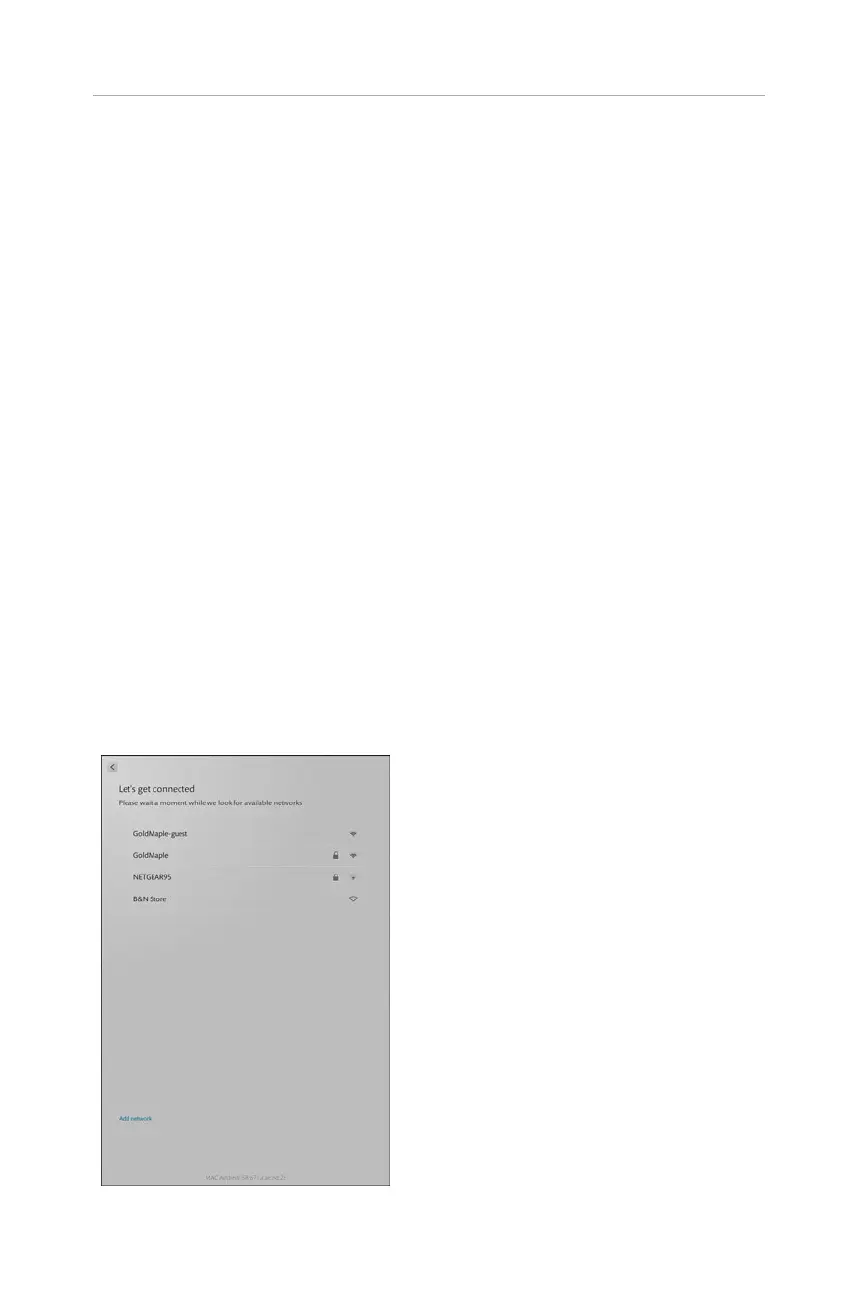
The next step is to set up the Wi-Fi access (see Figure 1.1). You can go to a B&N
store, and your NOOK will recognize its network and log on automatically. More
likely, though, you are at home, so you need to set up the NOOK to access your wire-
less network. Enter the required information. Tap Continue with Setup.
2
CHAPTER 1:
Getting Started with Your NOOK HDs
FIGURE 1.1 Pick your Wi-Fi network.



 To Next Page