NOTE: Want Wi-Fi access on the go? The NOOK and NOOK Wi-Fi need only a
wireless network to access the Daily (articles from B&N), subscription content,
and so on. Many wireless companies such as Verizon offer mobile Wi-Fi
hotspots at reasonable prices. A mobile hotspot uses the 3G or 4G cellular net-
work but treats it as a Wi-Fi connection, so you never need to be without wire-
less access.
For more information on connecting your NOOK to a Wi-Fi hotspot after your initial
set up, see “Using Wi-Fi Hotspots,” later in this chapter.
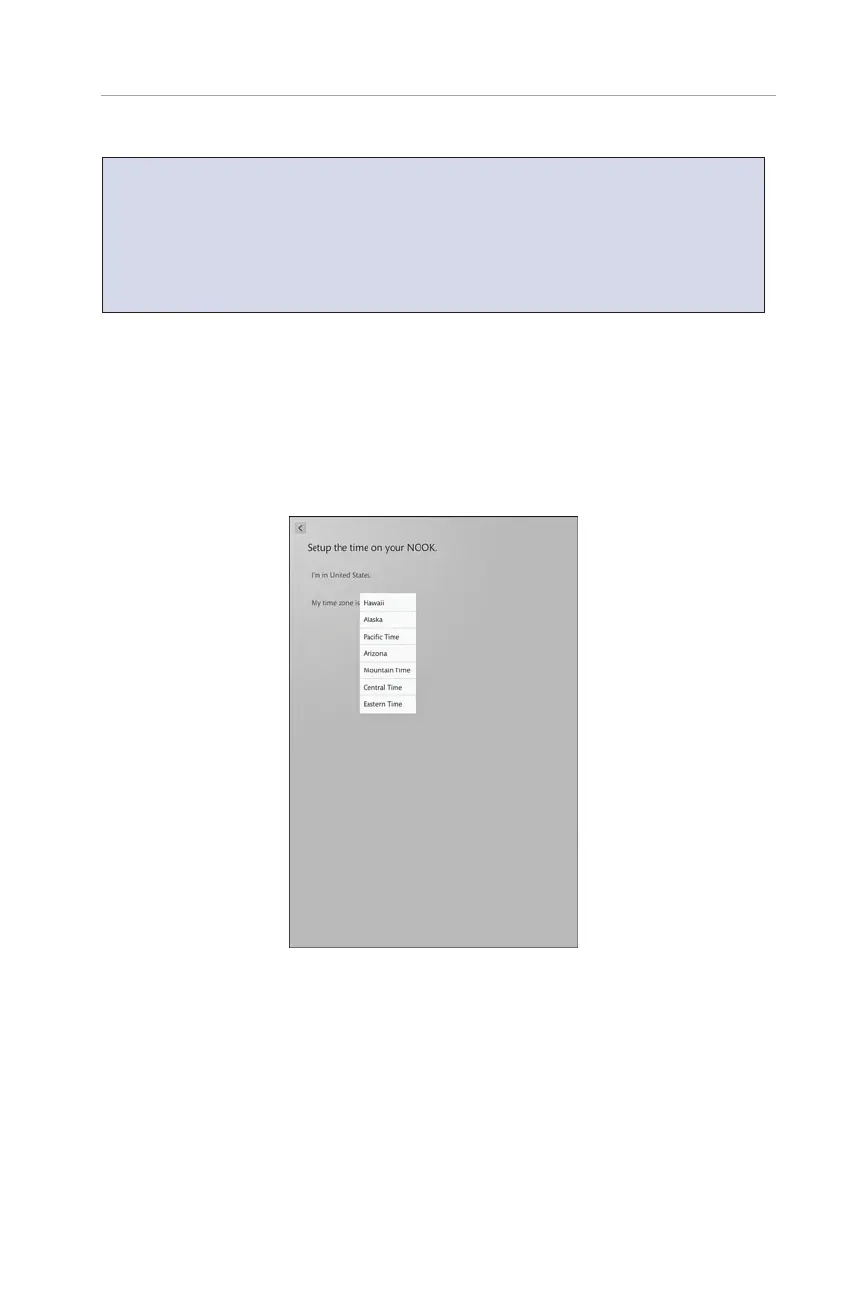
Now you need to pick your time zone. Then you see a screen to set your time zone
(see Figure 1.2). Choose your time zone and tap Next. The NOOK registers
with B&N.
3
Setting Up and Registering Your NOOK
FIGURE 1.2 Pick your time zone.
You need to agree to the terms of service. Tap the check box for Yes, I Accept the
NOOK Terms of Service and tap Agree. After this, you land at the Do You Have a
NOOK Account screen. If you have an existing B&N account, tap Yes, I Have an
Account and enter your account information. Tap Submit. If you don’t have an
account, you can create one by tapping No, I Need to Create an Account. Fill out the
form and tap Submit (see Figure 1.3).



 To Next Page