The Wallpapers option here is different, as discussed in Chapter 2, “Customizing and
Configuring Your NOOK HDs.”
Using Wi-Fi Hotspots
Your NOOK can connect to Wi-Fi networks other than the one you initially set up.
B&N offers free Wi-Fi access in all B&N stores. If you take your NOOK to a B&N
store, it can automatically connect to the Wi-Fi hotspot in that store.
For more information on using your NOOK in a B&N store, see Chapter 13,
“Shopping and Visiting B&N on Your NOOK HDs.”
To connect your NOOK to a Wi-Fi hotspot other than one in a B&N store, follow
these steps:
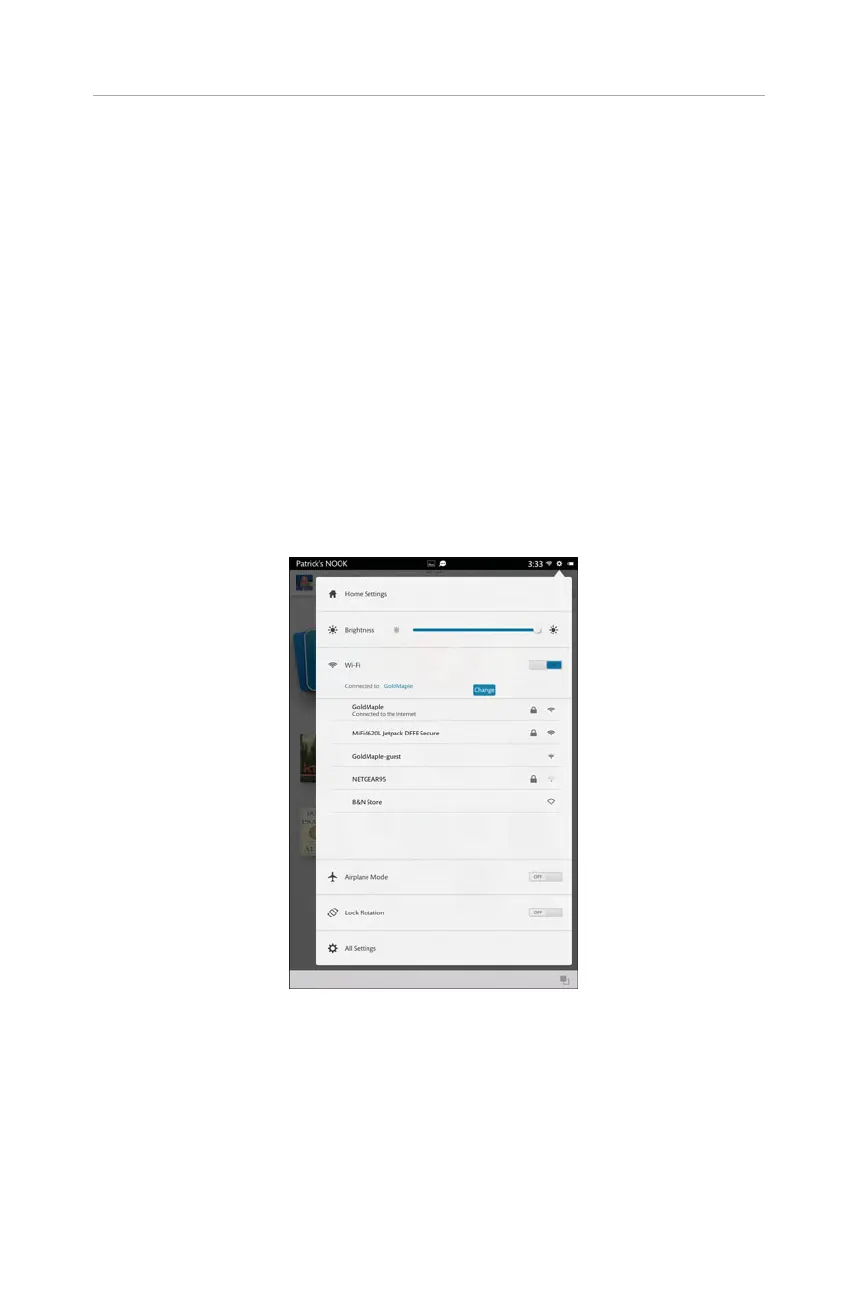
1. From the status bar, tap the Settings gear icon (see Figure 1.7).
8
CHAPTER 1:
Getting Started with Your NOOK HDs
FIGURE 1.7 Access your Wi-Fi settings here.
2. In the Wi-Fi section, tap Change. If Wi-Fi is Off, tap Off to turn it On.
3. Tap the Wi-Fi hotspot you want to use. Your NOOK displays the SSID for
all Wi-Fi hotspots in range.



 To Next Page