How to use
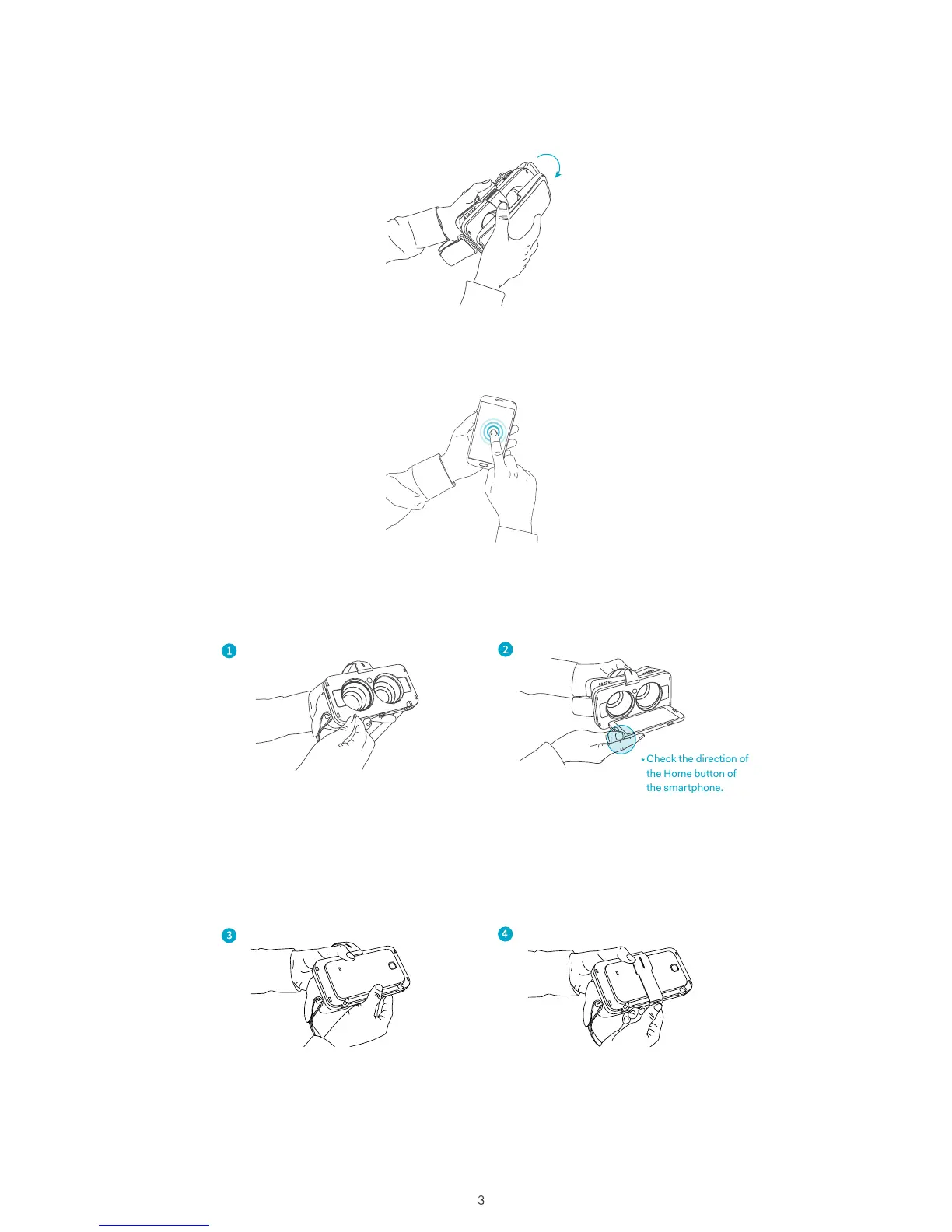
Step 1 Remove the protective cover from the headset.
Step 2 Run the NOON app (or another compatible VR app)
on the smartphone.
Step 3 Attach the smartphone to the detachable frame.
Adjust the support knob at the
bottom according to size of the
smartphone.
Hold the attached smartphone firmly.
(Adjust the smartphone screen
so that the middle is centered)
Place the smartphone on the support
at the bottom.
(Note: Keep the headset horizontal,
so that the smartphone doesn't
slide down.)
Secure the device with the elastic band.
The band should be fastened on the
hook of the frame.



 To Next Page