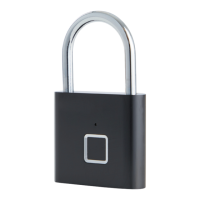
PADLOCK WITH FINGERPRINT READER
To get the most out of your new padlock
with fi ngerprint reader, please read through
these instructions before use.
Please also save the instructions in case you
need to refer to them at a later date.
Power supply: Built-in Li-ion battery
Operating time per charge: 12 months
Operating temperature: -10 °C ~ +40 °C
Can be opened up to 8,000 times on one
The padlock is equipped with a fi ngerprint
reader, so you can use your fi ngerprint to
Your fi ngerprints may at times become
unrecognisable as a result of liquid, dirt,
abrasion, cuts and wounds. You are therefore
advised to register fi ngerprints from at least
3 of your fi ngers before you start using the
padlock. The padlock can store up to 10
fi ngerprints from 10 diff erent fi ngers in the
Charge the built-in battery using a standard
USB charger and a micro-USB connector. The
indicator light is red during charging and
goes out once the battery is fully charged.
The padlock can be unlocked during
Registering the fi rst fi ngerprint
Place a fi nger on the fi ngerprint reader for 5
seconds until the indicator light turns blue.
Place your fi nger on the fi ngerprint reader at
least 10 times, moving it slightly each time as
shown, until the indicator light turns green.
Then place a second fi nger on the fi ngerprint
reader at least 10 times until the indicator


 To Next Page