
 Need help?
Do you have a question about the Noraxon Ultium Motion and is the answer not in the manual?
Discusses benefits and absence of identified physical harm from the system.
Provides a summary of safety information including cautions, warnings, and attention points.
Explains the Ultium Motion System as a hardware/software combo for capturing human motion.
Lists safety ratings like Class II insulation and CISPR 11 Class A RF compatibility.
Details the system's purpose for measuring motion, its intended users, and subject populations.
States that use is contra-indicated for individuals with implanted pacemakers.
Explains international icons and symbols used in the manual and on enclosures.
Provides definitions for key terms related to the system.
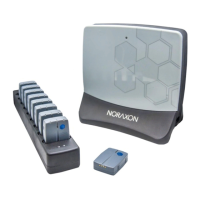
Lists the three primary components of the basic Ultium System.
Details the capacity of the Ultium Receiver for different sensor types.
Specifies the required software packages for the Ultium Motion System.
Guides the user on removing and verifying system components upon arrival.
Details the front and back features of the Ultium Receiver unit.
Explains the front and back features of the Ultium Motion Sensor.
Provides step-by-step instructions for connecting the receiver, charger, and power supply.
Guides the installation and activation of the myoRESEARCH 3 software.
Details how to configure the system via MR3 software, including firmware and sensor setup.
Repeats critical safety practices from Section 1.
Explains how to check the sensor's operational state via the status LED.
Guides on deciding which body segments to include and how to assign sensors.
Describes how to attach sensors using straps and placement orientation guidelines.
Provides steps for creating a new measurement configuration in the myoMOTION module.
Explains how to activate the hardware and select measurement options like sensors, angles, and references.
Details the sensor calibration process to define angular displacement points.
Guides on verifying signal quality by observing movement and avatar display.
Explains how to identify and correct magnetic interference using system features.
Guides on recording data, saving, and viewing the results.
Provides steps for properly shutting down the system after use.
Offers guidance on storing and protecting the system components during extended periods.
Lists common error messages and their meanings and potential causes.
Explains how to synchronize the Ultium System with other devices using the Sync In port.
Details software settings like Magnetometer Control and Magnetic warnings.
Guides on adjusting hardware configuration to use sensors for object tracking.
Explains how to use gyroscope/accelerometer data to detect foot stance/swing phases.
Describes how to use anti-wobble mode to smooth data affected by soft tissue artifact.
Details how the system supports data recovery when communication is lost.
Lists items designed for one-time use that may need restocking.
Lists parts that can be replaced, like batteries and straps.
Recommends daily zeroing of gyroscopes for accurate sensor data.
Provides steps for charging the motion sensors using the sensor charger.
Offers guidance on cleaning the motion sensors with a damp cloth.
Guides on updating the companion software via email or website.
Explains how to update device firmware through MR3 software.
Discusses battery life expectations and procedures for replacement.
Provides a chart listing symptoms, possible reasons, and remedial actions for common issues.
Provides links to frequently asked questions and educational materials.
Guides on submitting support requests via an online form.
Details the process for returning equipment for service, including obtaining an RMA number.
Advises on proper disposal of the receiver and batteries due to hazardous materials.
Explains the operational principles of the wireless system, sensors, charger, and receiver.
Presents tables on electromagnetic emissions and immunity guidance.
Lists product specifications including lifetime, dimensions, and weight.
Details performance characteristics like output power, frequency, data resolution, and sampling rates.
Discusses radiated power, exposure levels, and potential effects on pacemakers.
Provides FCC and Industry Canada regulatory statements for the device.
Explains the meaning of different LED statuses for sensors and the receiver.
 General
| Brand | Noraxon |
|---|---|
| Model | Ultium Motion |
| Category | Personal Care Products |
| Language | English |

 To Next Page
