
 Need help?
Do you have a question about the Nordic ID RF601 and is the answer not in the manual?
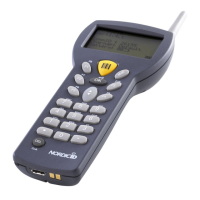
Components included in the RF601 Hand Held Unit and Demo-packing.
Instructions for installing AA-sized alkaline or rechargeable batteries.
Overview of the RF601's 22-button keyboard layout and functions.
How to turn on and operate the Hand Terminal, including standby mode.
Describes the initial screen displayed upon activation or RAM clear.
Identifies the three principal components of the RF601 Wireless Data Collection System.
Explains wireless communication between Hand Terminal and Base Station via PC software.
Details the data flow and integrity checks between Base Station and Host Computer.
Describes using application-specific forms and transactions on the Hand Terminal.
Outlines the security implementation based on user and device authentication, and encryption.
Provides steps for using the Fast Inventory demo application with the RF601.
Device activation and standby without an On/Off switch.
Describes special symbols and status messages shown on the display.
Lists audible signals for various events like resetting, failure, and reception.
Details the functions of each key with shift and SHIFTLOCK.
Explains the programming and function of F1-F10 keys for recurring strings.
Describes locked fields that function like buttons and cannot be filled by scanner.
Explains how input fields can be filled using the laser scanner.
Instructions for inputting text into an active field using keyboard or scanner.
Details how to input letters, including SHIFTLOCK and case changes.
How to remove characters or clear an entire field using the DEL key.
Describes navigation between input fields using arrow keys or OK.
Method to lock the keyboard using SHIFT + OK key.
Covers RF-connection management, including channel and resending times.
Details general Hand Terminal settings like contrast, key sounds, volume, and battery type.
Displays basic information about the RF601 device, such as firmware version.
Information on testing reader functionality and programming the laser module.
Guides on performing a Radio Network operation survey for optimal Base Station placement.
Describes building the network using base stations and configuration tools.
Purpose and function of the Desk Top Charger for rechargeable batteries.
Lists required items for operating the charger.
Identifies the power supply connector on the charger.
Explains the charging status indication via LED on the Hand Terminal.
Step-by-step guide for charging batteries using the Desk Top Charger.
Details audible alerts and LED status during charging.
Provides technical specifications for charging, like current and time.
Outlines Nordic ID's warranty policy and terms.
Procedures for returning the RF601 for repair and required documentation.
Information on extending the standard warranty period.
Lists available software tools, documents, and demo applications for development.
Explains the PLServer ActiveX control for data communication and development.
 General
| Brand | Nordic ID |
|---|---|
| Model | RF601 |
| Category | Barcode Reader |
| Language | English |

 To Next Page
