Home
NOREGON
Adapter
DLA+ 2.0
Page 22 (Advanced Wireless Setup (Windows 7))
NOREGON DLA+ 2.0 - Advanced Wireless Setup (Windows 7); Navigating Windows Network Settings
70 pages
Manual
Save Page as PDF
To Next Page
To Next Page
To Previous Page
To Previous Page
Loading...
!
""
!
#$
%&
'!
(
)
*
+!"
,-
!*.
/0
123
!4/
5
67
8!
9
:
23
;:
!
</
=
>
/7
!
Wire
le
ss,
Co
nfi
gur
ati
on
,us
ing
,Wi
ndo
ws®,
7
!
T,
W76DP!1
F2!
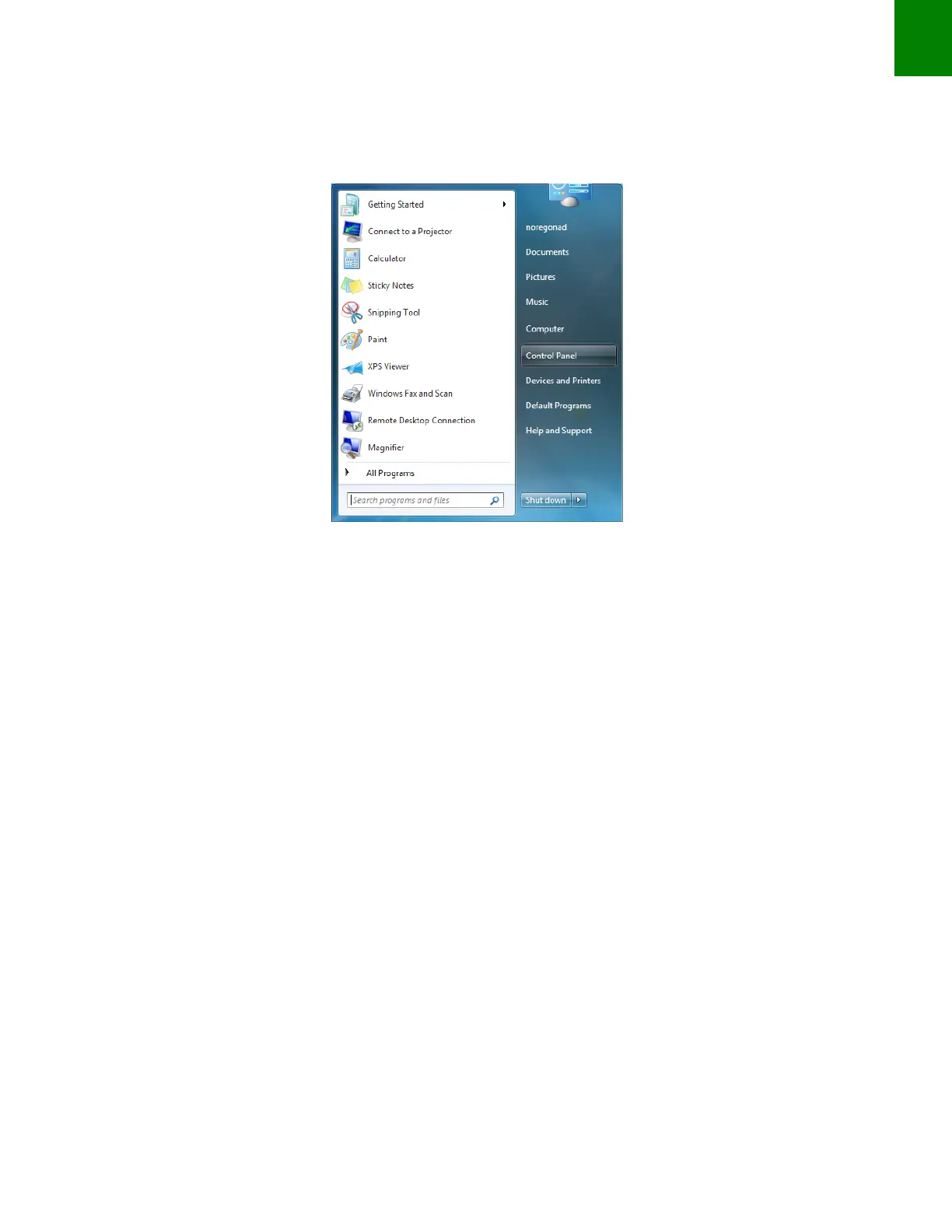
Start
!
Q>11@=!
/=.!D76DP!
Control!
Panel
,!
!
Figure!
24
!
!
!
!
!
!
!
!
!
!
",
W76DP!1
F2!
Network
&and&
Inter
net
!
76=P
,!
21
23
Table of Contents
Main Page
License Agreement
2
Table of Contents
3
Table Of Contents
3
Introduction
4
The Dla+ 2.0 Adapter Family
4
Led Indicators
4
Product Specifications And System Requirements
6
Supported Protocols And Standards
7
Supply Voltage
7
Temperature
8
Electromagnetic Compatibility
8
Transient Protections
8
Electro-Static Discharge Protection
8
Installation Notes
9
Driver Installation
10
Dla+ 2.0 Wireless Configuration
13
The Dla+ 2.0 Wireless Minder
13
Configuring The Dla+ 2.0 Wireless Adapter (Assy Rev A.XX)
14
Configuration On A Local / Corporate Network
16
Configuring The Dla+ 2.0 Wireless Adapter (Assy Rev B.XX)
37
Establishing The Connection Between Your Pc And The Adapter
40
The Favorites Feature To Select Ip Addresses
43
Updating Adapter Firmware
46
Automatic Firmware Update
46
Manual Firmware Update
49
Wireless Reception Guidelines For Dla+ 2.0 Wireless
53
Testing Vehicle Connections
55
Frequently Asked Questions And Troubleshooting
56
Technical Support
58
Appendix 1 - Connectify Or Windows 8/10 Configuration
60
Infrastructure Connection Setup Instructions
61


 To Next Page