This document is a user's manual for Norpole E-Series Reach-In Refrigerators and Freezers, covering models NE12R, NE12F, NE19R, NE19F, NE35R, and NE35F. It provides comprehensive information on product registration, safety instructions, installation, operation, care, maintenance, troubleshooting, and warranty details.
Function Description:
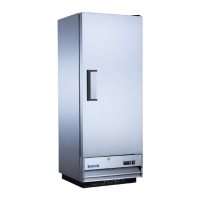
The Norpole E-Series units are commercial reach-in refrigerators and freezers designed for professional use. Their primary function is to store food products at controlled temperatures, either above freezing for refrigeration or below freezing for freezing, to ensure freshness and safety. The units feature a control panel and display for easy temperature management and operational monitoring.
Important Technical Specifications:
The manual references a "ratings label" for specific electrical and technical data, which is crucial for proper installation and operation. While exact specifications like dimensions, capacity, or power consumption are not explicitly listed in the provided pages, the model numbers (NE12R, NE12F, NE19R, NE19F, NE35R, NE35F) suggest varying sizes and possibly refrigeration (R) or freezer (F) functionalities.
- Temperature Range:
- Refrigerators: 33°F (1°C) to 50°F (10°C)
- Freezers: -22°F (0°C) to 0°F (-18°C)
- Power Cord: Equipped with a 3-prong grounding plug, requiring a properly installed and grounded 3-prong wall receptacle. Extension cords are explicitly prohibited.
- Warranty:
- Parts & Labor: 1 year for all models.
- Compressor (Parts Only): 5 years for all models.
- Type of Service: In-Field for all models.
Usage Features:
- Control Panel and Display: Located at the top or bottom on the right side of the unit, next to the main power switch. It includes buttons for UP/ON/OFF, DOWN/DEFROST, and SET/MUTE, along with icons for Compressor, Fan, Defrost, AUX, and Alarm status.
- Turning On/Off: Press and hold the UP-ON/OFF button for 3 seconds.
- Temperature Setting:
- Press the SET button for 1 second; the set temperature will flash.
- Use UP or DOWN buttons to adjust the temperature.
- Press the SET button again to confirm and save.
- Defrosting: The unit features an automatic electric defrost system. A manual defrost cycle can be initiated by pressing and holding the DOWN-DEFROST button for 3 seconds. The evaporator fans continue to circulate air during compressor off-cycles to melt frost.
- Continuous Cycle: Can be activated by pressing UP and DOWN buttons simultaneously for 3 seconds. However, this mode is not recommended as it may lead to excessive ice buildup.
- Loading Product: Shelves are pre-installed. Users must ensure shelf clips are secure and shelves are stable. A clearance of 2-4 inches between the back wall and stored product is required for proper airflow to prevent cooling issues and compressor failure.
- Safety Features:
- Grounding: 3-prong grounding plug for shock hazard protection.
- Flammable Materials: Warning against storing flammable or explosive items near the unit.
- Door Lock: Indicated on the control panel diagram, suggesting a security feature.
- Child Safety: Keep children away from the device.
Maintenance Features:
- Condenser Coil Cleaning: Recommended at least once a month for efficient operation. Involves removing the vent cover, brushing fins from top to bottom, and straightening bent fins with a fin comb. Commercial condenser coil cleaner is suggested.
- Fan Blades and Motor Cleaning: Clean with a soft cloth. Cover the fan motor to prevent moisture damage during cleaning.
- Interior Cleaning: Use warm water and mild soap. Avoid steel wool, abrasive cleaners, caustic soap, or bleach.
- Door Gasket Maintenance: Wash weekly. Remove from the frame, soak in warm water and soap for 30 minutes, dry, and reattach, ensuring proper sealing.
- Shelf and Pilaster Cleaning: Periodically remove and clean with mild soap and warm water. Pilasters are removed by lifting them up and out after removing shelves and brackets.
- Power Disconnection: ALWAYS disconnect the power cord before cleaning any parts of the unit.
- Post-Unplugging Wait Time: After unplugging, wait at least 10 minutes before plugging the unit back in to prevent compressor damage.
The manual emphasizes the importance of professional installation and maintenance, warning against self-modification or improper procedures that could void the warranty or cause harm. It also provides a troubleshooting guide for common issues like the compressor not running, the condensing unit running for long periods, the cabinet temperature being too warm, and the unit being noisy.


 To Next Page
 General