
 Need help?
Do you have a question about the Nortek Security & Control 2GIG GC2 and is the answer not in the manual?
Explains general operational concepts of the security system.
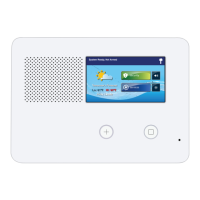
Describes the components and indicators of the control panel.
Explains navigation and operation via the touch screen.
Explains how the system monitors doors and windows as open or closed.
Provides guidance on testing and addressing false alarms.
Explains how to temporarily disable sensors for arming.
Explains the delay for authorized entry before an alarm.
Steps to arm the system when individuals are occupying the premises.
Details delays for exiting and entering while armed in Away mode.
Steps to arm the system when everyone is leaving the premises.
Steps to disarm the system when armed in Stay mode.
Steps to disarm the system when armed in Away mode.
Steps to disarm the system using a key fob.
How to trigger an emergency alarm with a key fob.
Steps to arm using a wireless keypad.
Steps to disarm using a wireless keypad.
Steps to manually trigger a fire alarm.
Steps for creating and practicing a home fire escape plan.
Details the Panic, Fire, and Emergency buttons on the Control Panel.
How to display and acknowledge current trouble alerts.
How to manage user codes and access schedules.
How to set up a duress code for silent alarms.
Describes the secret duress button function on the Home screen.
How to view and filter the log of system events.
How to test sensors and the system.
Procedure to test each individual sensor.
Procedure to test the control panel's indicators and sounder.
Details system limitations and potential failure points.
 General
| Z-Wave | Yes |
|---|---|
| Battery Backup | Yes |
| Battery Life | Up to 24 hours |
| Z-Wave Frequency | 908.42 MHz |
| Weight | 1.5 lbs |
| Connectivity | Wi-Fi, Z-Wave, Cellular |
| Display | Color touchscreen |
| Wireless Protocol | 2GIG |
| Power Supply | AC adapter |
| Wireless Frequency | 345 MHz |
| Operating Temperature | 32°F to 120°F |
| Humidity | 5% to 85% non-condensing |
| Compatibility | 2GIG sensors, Z-Wave devices |
| Alarm Output | Siren |
| Communication | Cellular |
| Cellular Technology | GSM |

 To Next Page