
 Need help?
Do you have a question about the NORWii S358 and is the answer not in the manual?
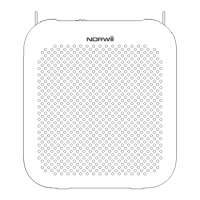
Diagram of the S358 voice amplifier showing controls, ports, and indicators.
Details on the S128 microphone's pair key, volume key, power, and charging.
Explanation of the amplifier's Mic-in, Aux-in, Pair key, USB-C port, and volume dial.
How to operate the amplifier's power switch and adjust volume levels.
Steps for connecting and using a wired microphone for voice amplification.
Detailed steps to pair the S128 wireless microphone with the voice amplifier.
Connect external devices via AUX cable for audio playback on the amplifier.
Instructions for powering the S128 wireless microphone and positioning the mic.
Guidance on charging the amplifier and microphone, noting voltage restrictions.
Decoding the LED status lights for the voice amplifier and wireless microphone.
Detailed technical specifications for both the voice amplifier and wireless microphone.
A comprehensive list of all accessories and components in the product box.
Crucial advice on safe operation, environmental care, and troubleshooting contact info.
The Norwii S358 with S128 is a portable digital voice amplifier designed for clear and amplified sound, offering both wired and wireless microphone options for various applications. This device is engineered to enhance vocal projection, making it ideal for presentations, teaching, tours, and other situations where a user's voice needs to reach a larger audience.
The S358 voice amplifier features a compact and portable design, making it easy to carry and use on the go. Its primary function is to amplify the user's voice, ensuring it is heard clearly and loudly. The device includes a 3.5mm MIC-IN port for wired microphones, an AUX-IN port for connecting external audio sources, a USB-C charging port, and a volume dial that also serves as the power switch. A back clip allows for convenient attachment to clothing or a belt. An indicator light provides visual feedback on the device's status, such as power on/off and pairing mode.
To power on the S358 amplifier, the user rotates the volume dial clockwise until a "click" is heard, and the indicator light illuminates. To turn it off, the dial is rotated counterclockwise until another "click" is heard, and the indicator light turns off. The volume can be adjusted by rotating the dial clockwise to increase it and counterclockwise to decrease it.
For wired microphone use, the user simply plugs a wired microphone into the 3.5mm MIC-IN interface. It is crucial to wear the microphone appropriately, maintaining a distance of at least 50 centimeters from the amplifier to prevent whistling. The microphone head should be positioned 0.5 cm to 1 cm from the mouth for optimal sound capture. The included sponge cover is recommended to reduce airflow noise and enhance sound clarity.
The S128 wireless microphone offers enhanced freedom of movement. It is a headset-style microphone with a power switch, a USB-C charging port, and volume control buttons ("+" and "-"). An LED indicator provides status information for the wireless microphone.
The S358 and S128 are pre-paired at the factory for immediate wireless sound reinforcement. However, if re-pairing is necessary, the process is straightforward. First, the S358 amplifier is turned on, and its "PAIR" key is long-pressed for 3 seconds. The green indicator will turn yellow, signaling that it is waiting for a match. Next, the S128 wireless microphone is turned on. Simultaneously pressing the "+" and "-" volume keys on the S128 will initiate signal transmission. The S128's blue indicator will flash three times, and the S358's yellow indicator will also flash three times before turning green, confirming successful pairing. If pairing fails, the process can be repeated. Once paired, the S128 can be worn directly on the head, with the microphone positioned about 5mm from the mouth. The volume can then be adjusted using the "+" and "-" keys on the S128.
The AUX mode allows the S358 to function as an external speaker. By connecting the amplifier to devices like computers, mobile phones, PADs, MP3s, or MP4s via a 3.5mm AUX audio cable, users can play audio through the amplifier.
Maintenance and care for the device are important for its longevity. When using the amplifier for the first time or after a long period of disuse, it should be fully charged to ensure optimal battery life. To prevent distortion or damage from excessive voltage or current, external sound source signals should not be inserted into the MIC interface. The device should not be disassembled or repaired by non-professional personnel; any issues should be directed to customer service. To prevent short-circuiting, the product and its accessories must be kept away from water, moisture, rain, or splashes. It should not be used in flammable or explosive areas, or where radio equipment is prohibited. Power should be turned off when entering dangerous or prohibited areas to avoid potential safety hazards. The device should also be kept away from high temperatures, high pressure, and high humidity environments, as well as dangerous sources like fire, stoves, heaters, humidifiers, or water pools. For environmental protection, discarded amplifiers should be placed in designated trash cans or returned to the manufacturer.
The charging process is simple. When the battery is low, the complimentary USB-C charging data cable can be used to charge the S358 amplifier via a computer, 5V phone charger, or mobile power supply. It is important to note that the product only supports standard 5V charging and is not compatible with QC fast charging. Charging with a voltage higher than 5V can damage the product or prevent it from charging. The LED indicator light provides clear feedback on the charging status: a fast-flashing LED indicates a low battery, a yellow light indicates charging when the power is on, a green light indicates a full charge when the power is on, a red light indicates charging when the power is off, and a green light indicates a full charge when the power is off.
For the S128 wireless microphone, the LED indicator light also provides status information: a fast-flashing LED indicates a low battery, a purple light indicates charging when the power is on, a blue light indicates a full charge when the power is on, a red light indicates charging when the power is off, and a green light indicates a full charge when the power is off.
 General
| Frequency Response | 20Hz-20kHz |
|---|---|
| Impedance | 4-8Ω |
| THD | ≤0.05% |
| Inputs | RCA |
| Outputs | Speaker Output |

 To Next Page