EasyManua.ls Logo

Nos C-450 - Customization with AutoHotkey; Adding Hot Keys Guide; AutoHotkey Script Example

Default Icon
7 pages
Print Icon
To Next Page IconTo Next Page
To Previous Page IconTo Previous Page
Loading...
EN
E
------!
'
-
' E ' i a rd
a-·
,
fr
f
so
wa
arid
is
no
irec
ty
rela
I
ed
o his
uct. I i
O
O
n
ourc
soft1;
or
for
er a ing ho k
ys
and o her
automation
t .
t e
i
th
Autohotkey
for
audio
c
ontrol
s in
ight clic , on d s o a d choose
from
ri
ght
click menu: new - Aut
ohot
k
ey
s
cr
p t
en
type
as o O\VS
on
th
e scri
pt
an
d s
ave
it:
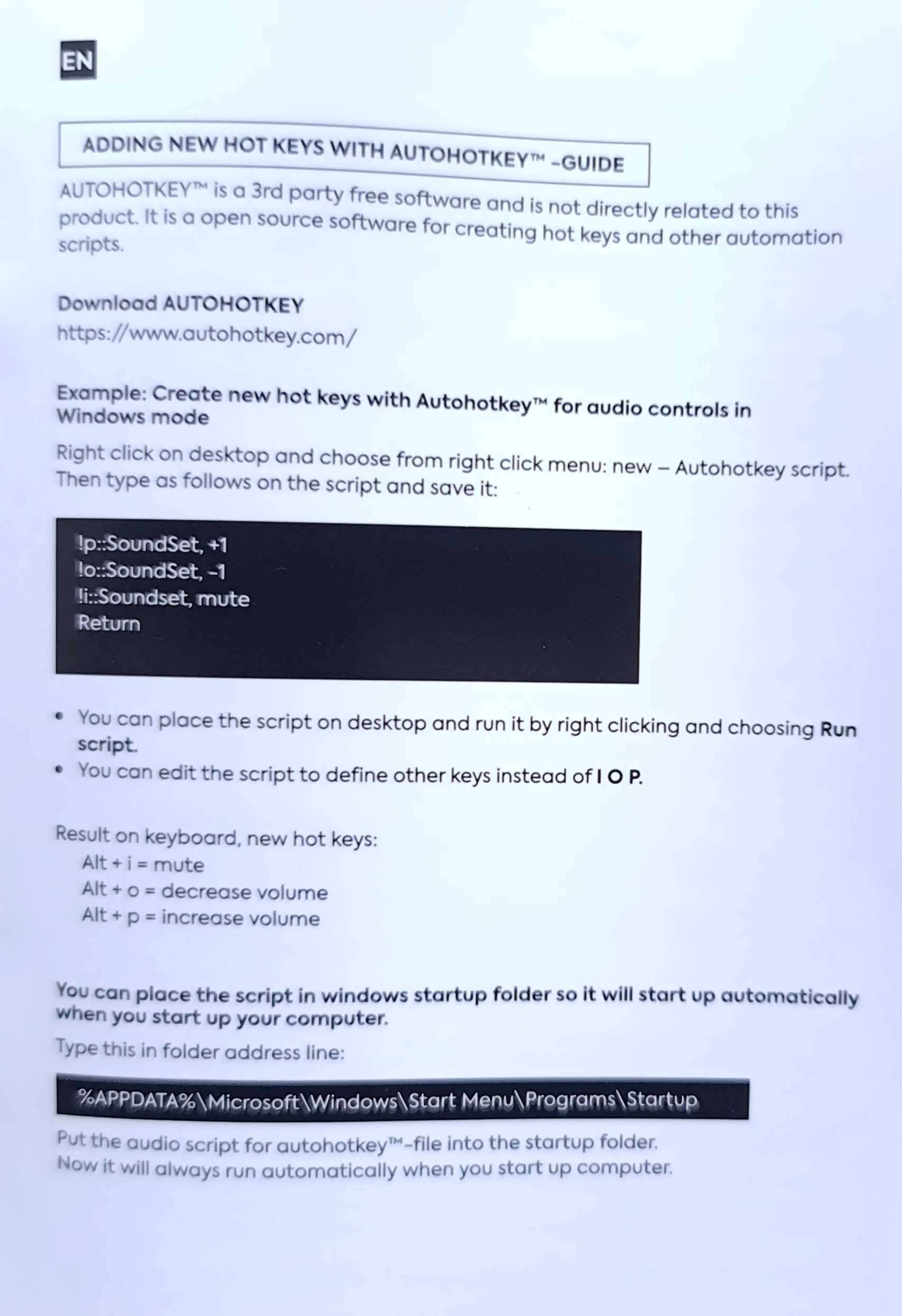
!p::SoundSet,
+1
lo::SoundSet,
-1
!i::Soundset,
mute
1
Retum
You
ca
pl
ace
e scri
pt
on
de
sk
top
and
run
it
by
right
clicking
and
choo
sin
g Run
SC
Ip .
You
ca
ed
i e scri
pt
to
defin
e
other
keys instead
of
I O P.
Result
on
e
yb
oa
,.
a
ew
hot
key
s:
Alt i =
mute
Alt o = de
cr
ease
vo
lu
me
Alt p =
incr
ease 10
um
e
- ~ ca
plac
h
cr
ip i in
do
n
yo
u s
ar
up
your
om
p r.
Typ this in old r
addr
ss
line:
="""""""'--
··--
- -
%APPDATA%\Microsoft\Windows\Start
Menu\Programs\Startup
u