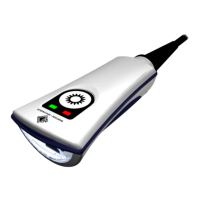
JADAK Flexpoint® HS-1E User Manual
Table of Contents
Chapter 1 - Getting Started
Introduction ................................................................................................................................. 9
About This Manual ...................................................................................................................... 9
JADAK
®
HS-1E Models ............................................................................................................... 9
JADAK
®
flexpoint
™
HS-1E Identification .................................................................................... 10
Reading Techniques ................................................................................................................. 11
Chapter 2 - Interface Settings
Connecting the HS-1E with USB Port ........................................................................................ 12
USB Interface Options .............................................................................................................. 13
USB HID Keyboard Emulation ............................................................................................. 13
USB COM Port Emulation .................................................................................................... 13
Keyboard Country Layout .................................................................................................... 14
Keyboard Control Character Output ..................................................................................... 15
Numeric Keypad Mode ......................................................................................................... 15
Default Options ......................................................................................................................... 16
Custom Default Settings ...................................................................................................... 16
Chapter 3 - Input/Output Settings
Good Read Indicators ............................................................................................................... 17
LED – LED on Good Read ................................................................................................... 17
Beeper - Good Read ............................................................................................................ 17
Beeper Volume - Good Read ............................................................................................... 17
Beeper Tone - Good Read ................................................................................................... 18
Beeper Time - Good Read ................................................................................................... 18



 To Next Page