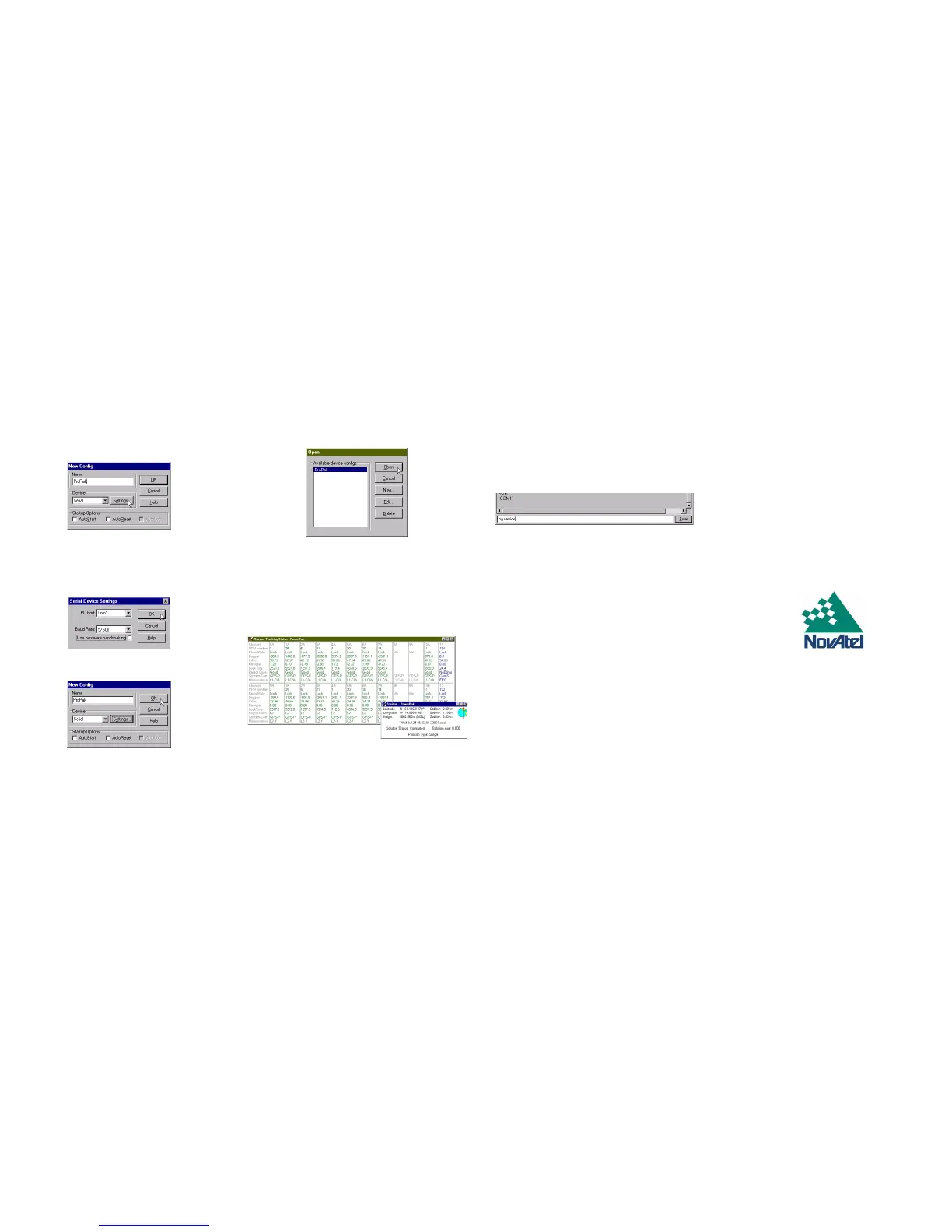
4. Enter a name for the new device configuration in the Name
field of the New Config dialog box.
5. Select the Settings button.
6. Select the PC serial port the FlexPak is connected to from
the PC Port drop-down list.
7. Select 57600 from the Baud Rate list.
8. Uncheck the Use hardware handshaking checkbox.
9. Select OK to save the settings.
10. Select the OK button to close the New Config dialog box and
create the new device configuration.
11. Select the new configuration from the Available device con-
figs list in the Open dialog box.
12. Select the Open button to open communications with the
FlexPak.
USING GPSOLUTION
GPSolution provides access to key information about your
receiver and its position. The information is displayed in windows
accessed from the View menu. For example, select Position
Window from the View menu to display the position of the
receiver. To show details of the GPS and geostationary (SBAS)
satellites being tracked, select Tracking Status Window from the
menu.
DETERMINING WHEN THE POSITION IS VALID
When the receiver has a valid position, the Solution Status field
in GPSolution’s Position window will show Computed.
ENTERING COMMANDS
The FlexPak-G2L uses a comprehensive command interface.
Commands can be sent to the receiver using the Console
window in GPSolution, which is opened from the View menu.
Commands are entered in the text box at the bottom of the
window.
The following information is important when entering commands:
• Commands can be entered in three formats: ASCII,
Abbreviated ASCII, and Binary. Abbreviated ASCII is the
best format to use when you wish to work with the
receiver directly.
•Press the Enter key to send the command string to the
receiver.
• The commands are not case sensitive.
The OEM4 Family Quick Reference Guide provided with the
receiver lists all the available commands and the parameters
they use for the Abbreviated ASCII format.
ENABLING SBAS POSITIONING
Certain models of the FlexPak-G2L are also capable of SBAS
positioning. This positioning mode is enabled using the SBAS-
CONTROL command. At the time of publication, the WAAS (North
America) and EGNOS (Europe) systems are in test mode. As a
result, the following commands are typically used to enable
WAAS and EGNOS modes, respectively:
SBASCONTROL ENABLE WAAS 0 ZEROTOTWO
SBASCONTROL ENABLE EGNOS 120 ZEROTOTWO
Once enabled, the Position Type field shown in GPSolution’s
Position window should change from Single to WAAS.
QUESTIONS OR COMMENTS
If you have any questions or comments regarding your FlexPak,
please contact NovAtel Customer Service
using one of the methods provided below.
Email:support@novatel.ca
Web:www.novatel.com
Phone: 1-800-NOVATEL (U.S. & Canada)
403-295-4900 (International)
Fax: 403-295-4901
© Copyright 2002 - 2005 NovAtel Inc. All rights reserved.
Printed in Canada on recycled paper.
Unpublished rights reserved under international copyright laws. Recyclable.
GM-14915049 Rev 2 January 15, 2005


 To Previous Page
 Loading...



