EasyManua.ls Logo

Novatel MT 1200 - User Manual

Novatel MT 1200
49 pages
Print Icon
To Next Page IconTo Next Page
Loading...
MT1200X-UG001
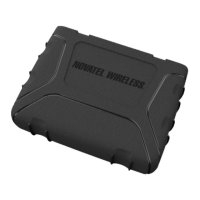
MT 1200
User Guide
Version
1.0 April 16, 2015
Question and Answer IconNeed help?

Do you have a question about the Novatel MT 1200 and is the answer not in the manual?

Summary

1 Introduction

Device Description and Label

Details the MT 1200 device's design, open platform, Smart Agent, and installation features.

Technical Specifications

Lists specifications for case, cellular technology, power, environment, antenna, and interfaces.

2 Features and Functions

GPS

Explains the MT 1200's GPS receiver, its functions, and data packet types.

Power

Covers power input range, pin assignments, and general operation current specifications.

LEDs and Connectors

Details the device's LEDs for status indication and its various connectors.

Low-Power Sleep Mode

Describes the Low-Power Sleep Mode (LPS) and the conditions for exiting it.

Accelerometer

Explains the three-axis digital accelerometer and its features like motion alert and driver behavior reporting.

Device Check-in

Details the device check-in feature for periodic configuration updates via servers.

External Antenna

Discusses the external GPS antenna connector, its compatibility, and specifications.

Backup Battery

Explains the function of the backup battery for power loss notification and tamper detection.

Micro-USB Connector

Details the Micro USB connector used for programming and upgrading the device.

3 Installation

SIM Installation

Provides step-by-step instructions for inserting the micro-SIM card into the device.

Device Installation

Covers considerations for mounting, location, methods, orientation, and installation steps for the device.

4 Optional Accessories

Optional Accessories List

Lists available optional accessories with their part names and corresponding part numbers.

Cables

Describes the available cables, their part numbers, descriptions, and sample photos.

Mounting Bracket

Details the specific mounting bracket used for securely mounting the device.

5 Compliance and Regulatory

General Disclaimer

Outlines terms of use for new materials and provides guidance on version verification.

Warranty Information

Explains the warranty terms, coverage, and procedures for repairs or replacements.

Regulatory Compliance

Covers FCC, Industry Canada compliance, RF exposure, and R&TTE certifications.

Battery Information and Safety Requirements

Provides essential safety precautions and handling requirements for the device's battery.

Summary

1 Introduction

Device Description and Label

Details the MT 1200 device's design, open platform, Smart Agent, and installation features.

Technical Specifications

Lists specifications for case, cellular technology, power, environment, antenna, and interfaces.

2 Features and Functions

GPS

Explains the MT 1200's GPS receiver, its functions, and data packet types.

Power

Covers power input range, pin assignments, and general operation current specifications.

LEDs and Connectors

Details the device's LEDs for status indication and its various connectors.

Low-Power Sleep Mode

Describes the Low-Power Sleep Mode (LPS) and the conditions for exiting it.

Accelerometer

Explains the three-axis digital accelerometer and its features like motion alert and driver behavior reporting.

Device Check-in

Details the device check-in feature for periodic configuration updates via servers.

External Antenna

Discusses the external GPS antenna connector, its compatibility, and specifications.

Backup Battery

Explains the function of the backup battery for power loss notification and tamper detection.

Micro-USB Connector

Details the Micro USB connector used for programming and upgrading the device.

3 Installation

SIM Installation

Provides step-by-step instructions for inserting the micro-SIM card into the device.

Device Installation

Covers considerations for mounting, location, methods, orientation, and installation steps for the device.

4 Optional Accessories

Optional Accessories List

Lists available optional accessories with their part names and corresponding part numbers.

Cables

Describes the available cables, their part numbers, descriptions, and sample photos.

Mounting Bracket

Details the specific mounting bracket used for securely mounting the device.

5 Compliance and Regulatory

General Disclaimer

Outlines terms of use for new materials and provides guidance on version verification.

Warranty Information

Explains the warranty terms, coverage, and procedures for repairs or replacements.

Regulatory Compliance

Covers FCC, Industry Canada compliance, RF exposure, and R&TTE certifications.

Battery Information and Safety Requirements

Provides essential safety precautions and handling requirements for the device's battery.

Novatel MT 1200 Specifications

General IconGeneral
BrandNovatel
ModelMT 1200
CategoryTouch terminals
LanguageEnglish