EasyManua.ls Logo

Novik Neo NVK 20M USB - User Manual

Novik Neo NVK 20M USB
18 pages
Print Icon
To Next Page IconTo Next Page
Loading...
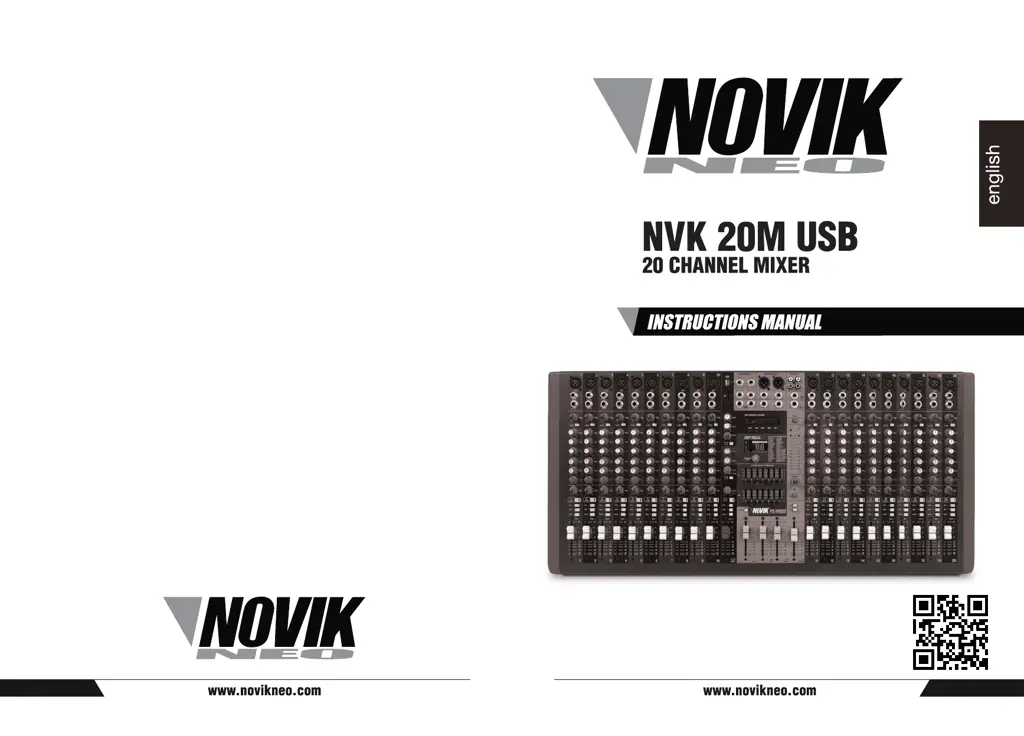
NVK 20M USB
20 CHANNEL MIXER
INSTRUCTIONS MANUAL
english

Questions and Answers

  • A
    Anna WallsAug 5, 2025
    What to do if my Novik Neo Music Mixer does not sound?
    • D
      Dustin Martinez MDAug 5, 2025
      If your Novik Neo Music Mixer isn't producing any sound, verify that microphones and other audio sources are correctly connected to the unit's inputs. Also, check if the gain controls and faders are properly adjusted and ensure the main output fader (MAIN MIX) is raised.
  • M
    micheleandersonAug 11, 2025
    Why is the sound weak, distorted, or noisy on my Novik Neo NVK 20M USB?
    • M
      meganphillipsAug 11, 2025
      If the sound from your Novik Neo Music Mixer is weak, distorted, or noisy, ensure the gain controls and faders are correctly adjusted, and the main output fader (MAIN MIX) is up. Verify that only one instrument is connected per channel, either via the Microphone XLR Input or the line TRS. Check if the input signal level is appropriate and if you are using effects at an appropriate level. Confirm microphones are connected to the XLR inputs and, if using a condenser microphone, that the Phantom Power (+48V) is enabled.
  • P
    Patrick ReidAug 18, 2025
    What to do if I can not hear the effects on my Novik Neo NVK 20M USB?
    • D
      deborahmasonAug 18, 2025
      If you can't hear the effects on your Novik Neo Music Mixer, ensure that the channels you want to process with effects have the effect sending switch correctly set up.
  • F
    Felicia MooreAug 22, 2025
    How to make voices clearer on Novik Neo Music Mixer?
    • N
      Nichole TranAug 23, 2025
      If the voices aren't clear on your Novik Neo Music Mixer, adjust the equalization parameters of each channel. Also, make sure that the effect fader is up.
  • R
    Renee DuranAug 29, 2025
    What to do if my Novik Neo NVK 20M USB does not turn on?
    • E
      erin57Aug 29, 2025
      To solve the problem when the Novik Neo Music Mixer does not turn on, ensure that the unit is connected to a proper alternate current net through the voltage line provided by the Factory.

Summary

Important Safety Instructions

Main Features

Technical Specifications

Functions and Controls

Input Channel Controls

Details microphone/line inputs, insert, gain trim, high pass filter, and EQ controls for each channel.

Channel Routing and Sends

Explains auxiliary sends, FX send, pan, scan, mute, PFL, MIX, and SUB routing functions.

MP3 Player and Media Functions

Covers USB/SD input, MP3 player controls, display, equalizer, and routing options.

Channel Faders and Peak Indicators

Describes channel faders for signal level adjustment and peak LEDs for signal saturation indication.

Channel and Output Controls

Phantom Power and Effects Return

Details phantom power activation, effects return control, and routing options for effects.

Main Graphic Equalizer and Monitoring

Explains main graphic EQ for output tone and headphone output level control.

Subgroup and Main Mix Faders

Describes faders for SUB subgroup output and main stereo mix (Left/Right) output levels.

Output and Input Ports

Details various output (Aux, Stereo Return, Control Room, FX, Phones) and input (CD/TAPE) ports.

Installation and Troubleshooting

Cable Connections Guide

Provides diagrams for balanced/unbalanced XLR, TRS, and mono plug connections.

Troubleshooting Common Issues

Addresses problems like unit not turning on, no sound, weak/distorted sound, and effect audibility.

Novik Neo NVK 20M USB Specifications

General IconGeneral
USBYes
Phantom PowerYes
EQYes
EQ Bands3-band
OutputsXLR, 1/4", RCA
USB InterfaceYes

Related product manuals