EasyManua.ls Logo

Novita PURIDRY ND2000 - User Manual

Default Icon
26 pages
Print Icon
To Next Page IconTo Next Page
Loading...
OPERATING INSTRUCTIONS AND E-WARRANTY APPLICATION
Please read instructions before using the 2-in-1 Dehumidifier
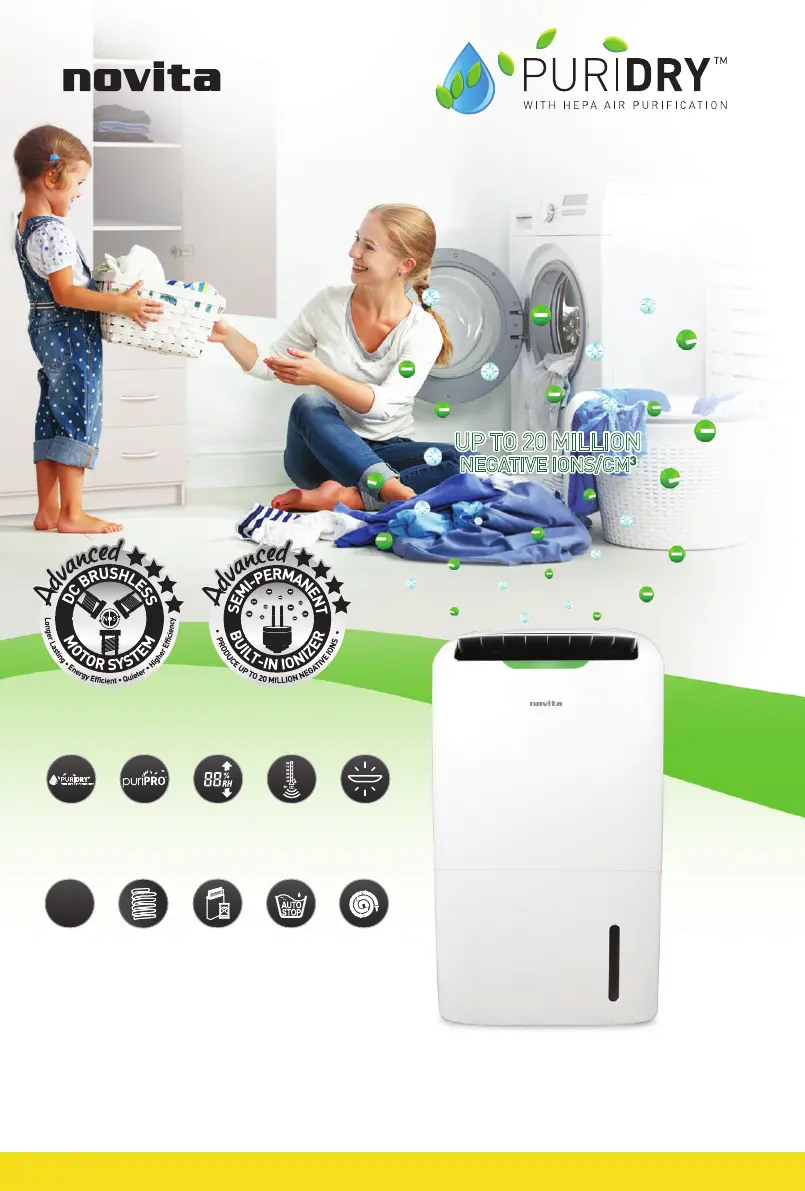
PRODUCT FEATURES
UP TO 20 MILLION
NEGATIVE IONS/CM
3
UP TO 20 MILLION
NEGATIVE IONS/CM
3
AUTO STOP
WITH FULL TANK
INDICATOR
CONTINUOUS
DRAINAGE
OPTION
ROTARY
COMPRESSOR
FILTER
REPLACEMENT
INDICATOR
FOUR
PROGRAMMED
MODES
4
MODES
AUTO
HUMIDITY
SENSOR
PREFERRED
HUMIDITY
SETTING
PURIPRO
®
FILTRATION
SYSTEM
AIR QUALITY
SENSOR
LIGHT INDICATOR
2-IN-1
DEHUMIDIFIER
WITH HEPA AIR
PURIFICATION
2-IN-1 DEHUMIDIFIER
WITH HEPA AIR PURIFICATION
ND2000

Questions and Answers

Summary

Product Description

Control Panel and LCD Display Guide

Control Panel and LCD Display Overview

Identifies all buttons, indicators, and symbols on the unit's control panel and LCD screen.

Technical Specifications

PuriPRO Filtration System Explained

Filtration System Stages and Functions

Details the purpose and function of each filter stage: Pre-Filter, Cool Catalyst, Activated Carbon, HEPA, and Ionizer.

Core Dehumidifier Features

Air Purification and Dehumidification Functions

Explains the dual functions of the appliance for air quality and humidity control.

Programmed Operating Modes Overview

Introduces the Auto, Manual, Sleep, and Laundry modes for Purify and Dry functions.

Unit Operation Controls

Childlock, Oscillation, and Fan Speed Settings

Controls for child safety, air circulation, and adjustable fan speed settings.

Advanced Operational Settings

Timer, Ionizer, and Humidity Sensor Functions

Features for timed operation, air purification via ions, and automatic humidity detection.

Display Information and Indicators

Room Humidity, Temperature, and Filter Status Display

Shows current room conditions and notifies when the filter needs replacement.

Safety and Operational Modes

Auto-Shut Off and Defrost Mode Operations

Automatic shutdown for full tank and defrost mode for low-temperature operation.

Setup and Drainage Options

Continuous Drainage Setup Guide

Instructions for connecting a hose for continuous water removal.

Initial Unit Setup Procedures

Step-by-step guide for preparing and setting up the dehumidifier for first use.

Operating the Dehumidifier

Unit Power On, Air Quality, and Dehumidify Activation

How to turn on the unit, read air quality, and activate dehumidification.

Purify Mode Operations and Settings

Selecting and configuring Purify modes (Manual, Sleep, Auto) and their associated settings.

Advanced Operating Modes

Purify & Dry Mode Settings (Manual, Sleep, Auto, Laundry)

Detailed configuration for dual-function modes including RH% and fan speed.

Auto Mode Fan Speed Adjustment by Humidity

How ambient humidity influences fan speed in Auto mode for purification and drying.

Operational Details and Safety Features

Laundry Drying Mode and Enclosure Guidelines

Specifics for laundry drying mode and recommendations for enclosed spaces.

Manual;Sleep Mode Humidity and Auto-Shutdown

Setting desired humidity and understanding the default 12-hour automatic shutdown.

Manual Controls and Resets

Fan Speed, Oscillation, and Anion Mode Control

Manually adjusting fan speed, air outlet flap, and activating anion mode.

Filter Replacement Timer Reset Procedure

Procedures for resetting the filter replacement indicator after filter change.

Maintenance and Filter Replacement

Emptying the Water Tank

Step-by-step guide for safely removing and emptying the water tank.

PuriPRO Filter Replacement Procedure

Instructions on when and how to replace the PuriPRO® Filter for optimal performance.

Cleaning and Unit Maintenance

Cleaning the Dehumidifier Unit Body

Procedures for cleaning the exterior, water float sensor, and drainage port.

Installing a New PuriPRO Filter

Detailed steps for removing the old filter and installing a new PuriPRO® Filter.

Air Inlet and Pre-Filter Cleaning

Cleaning the Air Inlet Frame and Pre-Filter Screen

Steps to remove, clean, and reattach the air inlet frame and pre-filter screen.

Troubleshooting Common Issues

Unit Power, Auto-Shutoff, and Performance Problems

Solutions for issues like unit not switching on, auto shutoff, and poor dehumidifying/purifying.

Humidity Readings and Compressor Delay Issues

Addressing 'LO/HI' humidity displays and the normal compressor delay function.

Advanced Troubleshooting and Error Codes

Noise, Water Overflow, and Sensor Error Codes

Resolving issues related to noise, water leaks, and specific error codes (C1, C2, C7, C8).

Safety Guidelines and Precautions

General Safety Precautions and Warnings

Crucial warnings to prevent hazards, damage, and ensure safe operation.

Essential Safety Instructions for Use

Key instructions for safe handling, maintenance, and electrical safety.

Customer Service and Warranty Registration

Novita Customer Service and Support Options

Information on customer care, service guarantees, and contact methods.

Online e-Warranty Application Guide

Steps to register product warranty online for a streamlined after-sales experience.

Limited Warranty Terms and Conditions

Warranty Coverage, Limitations, and Exclusions

Details on what the limited warranty covers, its terms, and common exclusions.

Warranty Policy and Extensions

Warranty Invalidation and Liability Limits

Conditions that void the warranty and limitations on novita's liability.

Extended Warranty Purchase Information

Details on how to purchase an extended warranty for additional coverage.

Novita PURIDRY ND2000 Specifications

General IconGeneral
Water Tank Capacity3.5 liters
Power Consumption300 watts
Weight10.5 kg
Dimensions340 x 250 x 590 mm
Noise Level46 dB(A)
Voltage220-240V
ModelPURIDRY ND2000
Dehumidification Capacity20 liters per day
Operating Temperature5°C - 35°C
Dehumidifying Capacity20 liters per day
Operating Temperature Range5°C - 35°C

Related product manuals