EasyManua.ls Logo

novos KR-1000 - User Manual

Default Icon
98 pages
Print Icon
To Next Page IconTo Next Page
Loading...
1
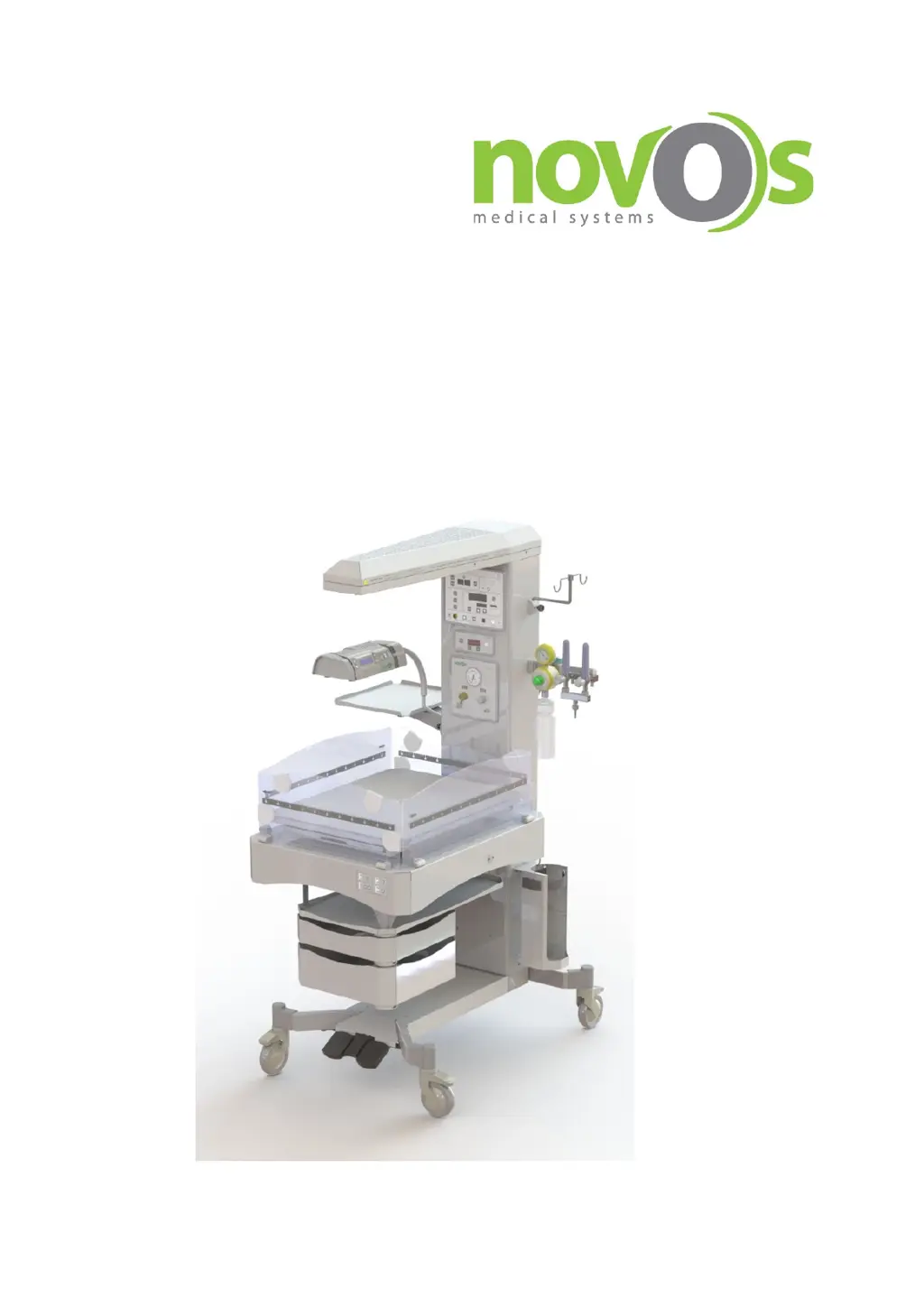
KR-1000
Baby Radiant Warmer
User Manual

Table of Contents

Questions and Answers

Summary

About This Manual

Scope of the Manual

Details the manual's content covering sub-components, use, and care of the KR-1000 system.

Target Users Identified

Identifies intended users as trained medical personnel and hospital staff for professional use.

Manuals Aim and Purpose

Guides on installation, usage, and maintenance for efficient device operation.

Device Symbols and Indicators

Warning and Attention Symbols Explained

Explains symbols indicating attention, potential risks, and guidance for system damage.

Operational Symbols and Controls

Defines symbols for hot surface, power, temperature units, and control buttons.

Control and Certification Symbols

Details symbols for Trendelenburg, Product ID, voltage, date, waste disposal, and certifications.

Device Labels and Identification

Product Identity Label Details

Shows device model, ID, power, and manufacturing details.

Technical Service Warning Label

Warns against unauthorized service procedures causing injury or death.

Outer Box Label Information

Includes serial number, model, manufacturing date, and certifications for shipment.

Skin Probe Labels

Reusable Skin Probe Label

Identifies reusable skin probes with model and reference numbers.

Disposable Skin Probe Label

Identifies disposable skin probes with model and reference numbers.

Safety Information and User Obligations

User Obligations for Patient Safety

Emphasizes following the manual, warnings, and ensuring trained professional use.

Patient Monitoring Responsibilities

Highlights user responsibility in selecting adequate safety monitoring for patient condition.

Limitation of Liabilities

Defines NOVOS's liabilities and warranty limitations, voided by unauthorized modifications.

Usage Restrictions and Warnings

General Usage and Operating Restrictions

Covers reading the manual, professional operation, power failure alarms, and disconnection for service.

Indications, Contraindications, and Side Effects

Details the warmer's purpose, lack of contraindications, and potential side effects like dehydration.

Physiological Effects and Risks

Discusses risks like skin redness, fluid loss, IV tubing effects, and urine test inaccuracies.

Device Handling and Mode Selection Warnings

Advises on mode selection, reflective tapes, patient number, fixing the device, and using with other devices.

Panel, Head, and Performance Safety

Instructions on opening/closing panels, securing them, and avoiding objects on the warmer head.

Bearing Capacity Specification

Specifies the maximum baby bed weight capacity as 10 kg.

EMC, Environmental, and Electrical Safety

EMC Restrictions and Guidelines

Guidance on operating the device with RF equipment and avoiding interference.

Environmental and Electrical Safety

Prohibits use with flammable anesthetics and notes airflow effects on thermal balance, plus electrical safety.

Safety for Connected Devices

Specifies standards for connected devices and limits for auxiliary power socket usage.

Transportation Restrictions

Advises on careful movement, locking wheels, and using handles during transport.

Product Warranty Information

Warranty Coverage and Exclusions

Details the 12-month warranty against defects and lists exclusions like misuse or transit damage.

Warranty Claim Procedure

Outlines steps for reporting malfunctions and returning defective parts for warranty evaluation.

Product Description and Features

Usage Purpose and Patient Population

Describes the warmer's use for newborns and defines patient categories (term, preterm).

Product Life Cycle Factors

Explains factors affecting device lifespan like component degradation and battery status.

Main Functions of the Radiant Warmer

Highlights features like modularity, foldable panels, microprocessor control, and homogeneous heating.

Advanced Functions and Optional Features

Operating Modes and Control Features

Details manual/baby modes, trendelenburg, X-ray tray, Apgar timer, and key lock.

Optional Integrated Systems and Features

Describes optional items like Easypuff, vacuum unit, weighing, height adjustment, and phototherapy.

Device Controls and Components

Component Identification

Lists and labels major components like Warmer Head, Control Panel, and IV Pole.

Control Panel Functions

Control Panel Overview

Divides the control panel into five zones: Timers, Usage modes, Alarms, Temperature, and Buttons.

Timer Functions

Explains operation of Timer 1, Timer 2, and the Apgar timer for various timing needs.

Control Panel Modes and Indicators

Usage Modes Explained

Details Pre-warming, Manual, and Baby modes, indicated by green LEDs.

Alarm Indicators and Silencing

Lists all alarm types, their indicators, and the function of the Silence/Reset button.

Temperature Settings Display

Shows current temperature, set temperature, and heater power percentage display.

Temperature and Power Adjustments

Target Temperature and Unit Settings

Explains setting target temperature, using >37°C button, and changing temperature units (°C/°F).

Warmer Power Indicator

Describes the display of warmer power percentage from 0% to 100% in 10% increments.

Control Panel Buttons and Balance Unit

Lower Control Buttons

Details buttons for Skin Probe, Exam Light, Keypad Lock, Silence, Power, and AC power indicator.

Balance Control Unit Features

Describes the optional balance unit for measuring and storing baby weight up to 6 records.

Smart Tare Functionality

Explains the automatic taring process when load is removed, for convenient weighing.

Balance Unit Weighing Process

Weighing Process Precautions

Warns about removing objects from cradle, physical contact, and maximum weight capacity.

Weighing Process Steps

Provides step-by-step instructions for operating the weighing unit, including taring and waiting.

Weight Measurement Records and Differences

Storing Weight Measurements

Details how to save measured weight values and the memory storage for up to 6 records.

Viewing Weight Differences

Explains how to view the difference between consecutive weight measurements.

Weight Difference Calculation and Data Management

Weight Difference Calculation Example

Provides an example calculation of weight differences (rEC) between recorded measurements.

Deleting Saved Weight Data

Explains how to delete previously saved weight data using the Save/Clear button.

Optional Resuscitation and Phototherapy Units

Easypuff T-Piece Resuscitation Device

Details components like manometer, pressure relief, gas inlet, and PIP setting control.

Bililed Mini+ Phototherapy Unit

Describes the phototherapy unit's light source, spiral arm, and fixing screw.

Trendelenburg Position Control

Trendelenburg and Reverse Trendelenburg Controls

Explains the Up/Down arrow buttons for positioning and memory buttons for saving positions.

Bed Alignment Control

Details the bed alignment button for returning the bed to a horizontal position.

Power Input and Auxiliary Sockets

Device Power Input and Switch

Describes the primary power switch, AC power input connector, and fuse slots.

Auxiliary Power Socket and Fuses

Details the auxiliary power outlet for external devices and its fuse slots.

Height Adjustment Pedals

Lifting and Lowering Pedals

Explains the function of the lifting and lowering pedals to adjust the device height.

Mechanical Components and Warmer Head

Other Mechanical Components Overview

Mentions general components and warnings about insensible water loss and explosion hazard.

Warmer Head Features

Describes ceramic resistances, LED examination lamps, and the ±140° rotating head.

IV Pole Attachment and Load Capacity

Explains the IV pole's fixing screw, secondary rotation axis, and maximum load capacity.

Accessory Trays and Mounting Rails

Monitor Tray Functionality and Capacity

Details the rotating monitor tray for devices and its maximum load capacity.

Accessory Mounting Rail Usage

Explains how to connect accessories like flow meters and vacuum units to the mounting rail.

Protective Panels and Rotating Bed

Power Cable Management

Describes the coil for wrapping the device's power cable.

Acrylic Protective Panels and Rulers

Details the folding and removable panels, and rulers for baby development tracking.

360° Rotating Bed Functionality

Explains the procedure to rotate the bed using the protective panels.

X-Ray Tray and Cylinder Storage

X-Ray Tray Operation

Instructions for placing the X-Ray tray and inserting a cassette.

E Cylinder Slots and Fastening

Describes the slots for air/oxygen cylinders and the fastening belt.

Accessory Hanger Description

Details the rotatable accessory hanger located at the back of the baby bed.

Rotating Drawers and Auxiliary Tray

Rotating Drawer Features and Capacity

Explains the 360° rotating drawers for storage and their load bearing capacity.

Auxiliary Tray Placement and Capacity

Describes the auxiliary tray located on top of the rotating drawers and its capacity.

Wheel Locks and Temperature Sensors

Wheel Lock Mechanism

Explains how to lock and unlock the device's wheels using the pedal.

Skin Probe Functionality

Details the skin probe connector and sensor for measuring baby's skin temperature.

Air Temperature Sensor

Operating Procedures and Installation

General Operating Procedure Guidance

Emphasizes reading the manual, warnings, and keeping it for reference.

Device Installation Steps

Provides step-by-step instructions for unpacking, assembling, and connecting the main parts.

Installation and Component Assembly

Connecting Cables and Securing Bed

Details connecting unit cables and securing the baby bed, including load protectors.

Placing Rear Protective Panel

Instructions for placing the rear protective panel in its position within the cradle.

Installing Optional Units

Fixing Phototherapy Unit and Monitor Tray

Instructions for mounting the phototherapy unit, spiral arm, and monitor tray.

Placing and Securing the IV Pole

Steps for positioning and securing the optional IV pole.

Finalizing Installation and Unit Placement

Removing Warmer Head Fixing Plate

Instructions to remove screws holding the warmer head fixing plate after installation.

Placing Accessory Arm and Vacuum Systems

Details for inserting the accessory mounting arm and placing vacuum/flow meter systems.

Pre-Start Checks and Alarm System Verification

Pre-Start Check Prerequisites

Ensures no baby is present, sensor is plugged, power cord is connected, and switch is ON.

Alarm System Check Procedure

Steps to verify audible and visual alarms, including power failure and sensor failure checks.

Alarm System Verification and Head Movement

Power Failure and Restart Checks

Verifies power failure indicator and audible alarms, then checks warmer restart and sensor connection.

Skin Temperature and Axis Fault Checks

Ensures skin temperature measurement is displayed and checks for axis fault alarms.

Control Panel Functionality Check

Control Panel Pre-Check Requirements

Confirms no baby, sensor plugged, power connected, and switch ON before checking panel.

Control Panel Verification Steps

Tests pre-warming, manual/baby modes, temperature settings, units, and timer functions.

Device Preparation for Patient Use

Pre-Use Preparation Steps

Attaches accessories, locks wheels, places cover, and notes patient supervision needs.

Environmental and Electrosurgical Device Considerations

Ensures no high airflow, monitors temperature, and advises on distance from electrosurgical devices.

Patient Safety and Operational Warnings

Phototherapy and Fluid Balance Warnings

Monitors skin temperature during phototherapy and maintains fluid balance during thermotherapy.

Heat Energy and Device Placement Warnings

Advises on avoiding manual mode without supervision, panel locking, distance, and object placement.

Transport and Surface Temperature Warnings

Covers transport methods, wheel locking, bed capacity, and hot surfaces.

Essential Device Operation

Connecting Power and Starting the Device

Steps to connect power, turn on the primary switch, and press the control panel power button.

Initial Device Startup Display

Notes that the software version is displayed, and the device defaults to baby mode on startup.

Skin Probe Application and Removal

Placing the Skin Probe

Guides on cleaning, drying, and attaching the skin sensor with its retaining washer.

Removing the Skin Probe

Instructions on gently prying the washer and lifting the sensor without pulling the cable.

Device Operation Modes

Baby Mode Functionality

Explains how Baby mode maintains constant temperature by adjusting warmer power automatically.

Setting Target Temperature in Baby Mode

Details pressing the baby mode button, observing the LED, and setting the temperature with arrows.

Pre-Warming and Safety Alarms

Pre-Warming Mode Activation

Instructs to turn on pre-warming mode at least 15 minutes before placing the baby.

Safety Measure: High Power Cutoff

Describes automatic power cutoff after 15 mins at >80% power and subsequent 'control baby alarm'.

Manual Mode Operation

Activating Manual Mode

Explains pressing the manual mode button and observing the green LED indicator.

Pre-Warming Mode Logic

Notes that the device works continuously in pre-warming mode, adjusting power based on air temperature.

Manual Mode Power Adjustment

User-Controlled Warmer Power

Details adjusting warmer power using up/down arrows in manual mode.

Safety Measure: Power Reduction in Manual Mode

Describes automatic power reduction to 50% after 15 mins at >50% power in manual mode.

Manual Mode Safety Alarm and Reset

Manual Mode Power Drop Alarm

Explains the 'control baby alarm' triggered when power drops to 50% and how to reset it.

Device Alarms and Actions

Control Baby and High Skin Temperature Alarms

Details causes and actions for Control Baby and High Skin Temperature alarms in different modes.

Low Skin Temperature and High Temperature Alarms

Explains Low Skin Temperature and High Temperature alarms, including their causes and actions.

Sensor and Power Failure Alarms

Sensor Failure and Axis Failure Alarms

Covers Sensor Failure (faulty/disconnected probe) and Axis Failure (head not aligned) alarms.

Power Failure Alarm and Low Skin Temp Note

Describes Power Failure alarms and clarifies the behavior of Low Skin Temperature alarms.

Troubleshooting Common Issues

Troubleshooting Skin Temperature Control

Addresses issues with stable skin temperature control due to probe placement or objects.

Troubleshooting Incorrect Readings and Failures

Covers incorrect skin temperature readings, system failure, and power failure issues.

Routine Cleaning and Maintenance Procedures

General Cleaning Precautions

Emphasizes disconnecting power, waiting for cooling, ensuring dry surfaces, and avoiding immersion.

Approved Cleaning Solutions and Materials

Recommends specific solutions and lists materials to avoid for cleaning the device.

Cleaning Specific Components and Approved Solutions

Cleaning Skin Probes and Baby Bed

Provides instructions for cleaning reusable skin probes and the baby bed, noting sterilization limitations.

Approved Cleaning and Disinfecting Solutions

Lists approved solutions like Hydrogen peroxide, Glutaraldehyde, Sodium hypochlorite, and Iodophor.

Post-Cleaning Checks and Maintenance

Post-Cleaning Verification

Ensures pre-start checks can be completed without issues after cleaning.

Recommended Maintenance Schedule and Services

Advises annual servicing by qualified persons and using original NOVOS spare parts.

General Maintenance Checks

Covers checking alarm system, control panel, approved parts, and referring to the service manual.

Detailed Maintenance Steps and Checks

Cradle and X-Ray Tray Maintenance

Checks acrylic panels, locking mechanisms, X-ray tray movement, and cassette placement.

Control Unit, Balance, and Battery Checks

Verifies membrane buttons, balance calibrations, trendelenburg movements, and rechargeable battery.

Easypuff T-Piece Resuscitation Unit Operation

Easypuff Usage Purpose and Benefits

Describes the Easypuff as an easy-to-use resuscitator minimizing barotrauma risk.

Easypuff User Responsibilities and Safety

Emphasizes trained personnel use, checking parts, and having an alternative resuscitation method.

Easypuff Usage Restrictions and Flow Limits

Details connection requirements, flow rate limits (max 15 L/min), and pressure settings.

Easypuff Preparation and Gas Source Connection

Environment Safety for Easypuff Use

Warns against naked flame, flammable anesthetics, and specifies required environmental conditions.

Easypuff Pre-Use Checks: Manometer and Gas Source

Instructs to check the manometer and connect to appropriate oxygen/air sources.

Easypuff Flowmeter and Mixer Systems

Flowmeter and Air;Oxygen Mixer Systems

Shows examples of flowmeter systems and air/oxygen mixers for gas supply.

Setting Recommended Flow Rate

Recommends a total outlet of 8 lpm and reiterates the 15 L/min limit for mixtures.

Easypuff Circuit Connection and Flow Settings

Connecting the T-Piece Patient Circuit

Guides on connecting the circuit, test balloon, and test lung, warning about gas inlet damage.

Checking and Adjusting Flow Settings

Details adjusting gas outlet flow (5-15 lpm) and monitoring oxygen concentration.

Easypuff Maximum Pressure Settings

Setting Maximum Pressure Relief

Explains closing the PEEP head and adjusting the PIP control, noting factory settings.

Easypuff PIP and PEEP Value Adjustment

Setting Peak Inspiratory Pressure (PIP)

Guides on setting the PIP control counterclockwise while closing the PEEP cap.

Setting Positive End Expiratory Pressure (PEEP)

Instructs to adjust PEEP value by turning the PEEP cap after removing thumb from the PEEP head.

Easypuff Operation and Maintenance

Easypuff Operating Steps

Adjusts gas flow and oxygen concentration, selects mask, and performs resuscitation.

Easypuff Cleaning and Maintenance

Details cleaning outer surfaces with damp cloth and mild soap/isopropyl alcohol.

Bililed Mini+ Phototherapy Unit Usage

Bililed Mini+ Purpose and Functions

Used for newborn jaundice treatment, offering adjustable intensity and time information.

Bililed Mini+ Patient Safety Responsibilities

Requires trained personnel, constant supervision, eye protection, fluid balance monitoring, and original accessories.

Bililed Mini+ Restrictions and Placement

Bililed Mini+ Use Restrictions

Prohibits use in incubators, direct heat exposure, and with flammable anesthetics.

Bililed Mini+ Placement Guidelines

Instructs to angle light away from heat source and maintain 35 cm distance from baby.

Bililed Mini+ Power Supply Connection

Connecting Power Cable and Grounding

Ensures proper cable connection, grounding, and prohibits extension cords or multiple sockets.

Bililed Mini+ Phototherapy Operation

Connecting Power and Initializing the Device

Connects power adapter, turns on device, and notes flashing LEDs indicating startup.

Device Boot-up and Main Screen Display

Describes the boot-up process showing model, software version, therapy time, and the main screen.

Bililed Mini+ Intensity and Therapy Time Settings

Adjusting Light Intensity Levels

Sets light intensity using Up/Down arrow buttons across 5 preset levels.

Setting Target Therapy Time

Allows setting therapy time between 00:00 and 99:59 using menu options.

Bililed Mini+ Therapy Time Navigation

Setting Therapy Hour and Minute Digits

Guides on setting target therapy hour and minute digits using arrow buttons and confirming.

Navigating Therapy Menus

Explains returning to menus and exiting using confirmation and down arrow buttons.

Bililed Mini+ Therapy Control and Status

Exiting Therapy Menus and Eye Protection

Confirms exiting menus and emphasizes using eye masks for the baby.

Starting, Pausing, and Resuming Therapy

Details using the Start/Pause/Stop button, observing LEDs, and therapy status icons.

Stopping Bililed Mini+ Therapy

Stopping Phototherapy Session

Instructs to stop therapy by holding down the Start/Pause/Stop button for 3 seconds.

Bililed Mini+ Temperature Monitoring and Warnings

Therapy Session End Indicators

Describes audible beeps, LED changes, and disappearance of the therapy started icon.

Internal Device High Temperature Warning

Explains the 'High temperature inside the device' warning and the need for ambient temperature checks.

Bililed Mini+ Therapy Completion

Returning to Therapy Screen and Menu Navigation

Guides on returning to the therapy screen by pressing the confirmation button multiple times.

Therapy End Message Display

States that 'Therapy Ended' message displays when the target time is reached.

Bililed Mini+ Examination Lamp Usage

Examination Lamp Functionality

Notes the presence of 4 white examination LEDs and how to activate them.

Setting Examination Lamp Intensity

Guides on entering the menu and setting the light intensity for the inspection LEDs.

Bililed Mini+ Lamp Intensity Adjustment

Adjusting Examination Lamp Intensity Levels

Details setting intensity levels using Up/Down arrows and returning to the menu.

Exiting Lamp Intensity Settings

Explains how to exit the menu and return to the main screen after setting lamp intensity.

Bililed Mini+ Cleaning and Disinfection

Bililed Mini+ Cleaning Procedure

Disconnect power, remove dirt, disinfect surfaces, and wipe dry.

Warnings for Bililed Mini+ Cleaning

Avoid liquid entry into light source, do not immerse, avoid finger contact with lenses.

Cleaning of Bililed Mini+ Air Channels

Bililed Mini+ Maintenance and Component Lifespan

Bililed Mini+ Scheduled Maintenance

Recommends annual servicing by qualified persons and using original NOVOS spare parts.

LED Module Lifespan and Replacement

Notes LED lifespan (50,000 hrs) and replacement recommendation at 49,800 working hours.

Venturi Vacuum Unit Operation and Safety

Venturi Vacuum Unit Usage Purpose

Used for suction from compressed gas sources in absence of vacuum pipeline network.

Venturi Vacuum Unit User Safety Responsibilities

Requires qualified personnel, checking pressure, filters, and avoiding incompatible lubricants with oxygen.

Venturi Vacuum Unit Operation and Cleaning

Venturi Vacuum Unit Operating Steps

Instructions for connecting gas supply, suction tube, adjusting vacuum, and stopping suction.

Attaching and Detaching Components

Guides on attaching/detaching collection container and plastic filter.

Venturi Vacuum Unit Cleaning Guidelines

Use disinfectant cleaner, avoid surface products, do not spray directly, do not immerse.

Venturi Vacuum Unit Technical Specifications

Technical Specifications and Properties

Environmental Properties

Specifies operating and storing temperature, humidity, and humidity ranges.

Mechanical Properties and Dimensions

Details height, width, depth, bed dimensions, and load capacities for various components.

Characteristic Properties

Lists supply voltage, power consumption, radiation, inspection lamp power, and heater service life.

Additional Technical Specifications

Skin Temperature and Noise Level Specifications

Covers skin temp range, accuracy, sensor resolution, noise level, and languages.

Resuscitation (Easypuff) Specifications

Details PIP, PEEP, flow capacity, and airway pressure manometer range for Easypuff.

Air;O2 Blender and Vacuum Unit Specs

Lists specifications for Air/O2 Blender, Vacuum Unit, and Scale (Optional).

LED Phototherapy and Accessories

LED Phototherapy Light Intensity

Provides light intensity levels measured from 35m distance for phototherapy.

Accessories and Consumables List

Lists all available accessories and consumables for the KR-1000 system.

Device Compatibility Standards

Electromagnetic Compatibility (EMC) Declaration

EMC Guideline and Declarations

Provides guidance on EMC requirements and manufacturer's declaration based on EN 60601-1-2.

Electromagnetic Environment for Use

Specifies intended electromagnetic environment, RF emissions, and suitability for local facilities.

Electromagnetic Immunity Requirements

Electromagnetic Immunity: Voltage Dips and RF Emissions

Voltage Dips;Breaks Immunity

Specifies immunity levels for voltage dips/breaks and recommends UPS for power cuts.

Conveyed RF Immunity

Details immunity to conveyed RF and the need to maintain recommended separation distances.

Electromagnetic Immunity: Propagated RF and Interference

Propagated RF Immunity

Specifies immunity levels for propagated RF and the importance of electromagnetic site surveys.

Interference Warning Symbol

Explains the symbol indicating potential interference and its meaning.

Recommended Separation Distances for RF Equipment

Equipment Classifications and Manufacturer Information

Equipment Classifications

Lists classifications such as Class I, BF type applied part, continuous operation, and IP Class.

Trademark Registrations

Lists KR-1000, Easypuff, and Bililed Mini+ as Novos branded products.

Manufacturer Contact Information

Provides address, phone, fax, and email for Novos Tibbi Cihazlar Sanayi ve Ticaret Limited Şirketi.

novos KR-1000 Specifications

General IconGeneral
Brandnovos
ModelKR-1000
CategoryFood Warmer
LanguageEnglish