Need help?
Do you have a question about the Novus NVIP-5V-6402/F and is the answer not in the manual?
This document describes the NOVUS NVIP-5V-6402/F IP camera, a professional CCTV system component designed for surveillance and control. It is not intended for self-installation by individuals without technical knowledge. The manual emphasizes important safeguards and warnings, including compliance with EMC (2014/30/EU), LVD (2014/35/UE), WEEE (2012/19/EU), and RoHS (2011/65/EU) directives. Users are advised to familiarize themselves with the manual before installation and operation, and to only allow qualified service personnel to open or service the unit.
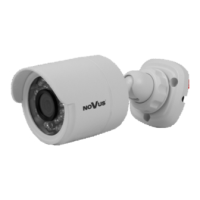
The NOVUS NVIP-5V-6402/F is a 5.0-megapixel IP camera with a built-in web server for configuration and real-time video/audio transmission over a network. It supports up to three video streams with individual compression, resolution, speed, and quality settings. The camera offers advanced video content analysis (VCA) functions, including tamper detection, abandoned object detection, object disappearance, line crossing, zone entrance, object counting, multi-loiter detection, face detection, scene change, video blurred, and video color cast. It also features face recognition, an advanced analytic function available with selected NVR 6000 series models. The camera is designed for both indoor and outdoor use, with a vandal-proof and weather-resistant enclosure.
Image:
Lens:
Day/Night:
Network:
Other Functions:
IR LED:
Interfaces:
Installation Parameters:
The camera can be configured via a web browser, with default network settings of IP address 192.168.1.200, network mask 255.255.255.0, gateway 192.168.1.1, username "root", and password "pass". Users are strongly recommended to change the default password upon first login for security reasons. The web interface provides live video display, configuration menus, search for playback, and various function buttons for snapshot, recording, audio control, and digital zoom.
Connecting the Ethernet Cable: To ensure a tight connection and maintain the IP66 rating, users must follow a specific procedure: unscrew the nut from the connector cover, mount the sealing ring, route the network cable through the components, plug in the RJ-45 connector, screw the cover, push the cable seal into place, and tighten the nut. The manufacturer stresses that proper sealing of connection cables is the installer's responsibility, and damages due to moisture infiltration are not covered by warranty.
Power Supply: The camera can be powered via PoE (IEEE 802.3af) through a network switch or an external 12VDC power supply. Using "passive PoE power supply" equipment not compatible with IEEE 802.3af is forbidden and will void the warranty.
Mounting: Mounting involves unscrewing the base counter screw, marking drill holes using a template, drilling holes, mounting the bracket, attaching the camera, and screwing the base counter screw. If necessary, the camera bubble can be unscrewed to insert a memory card, adjust the lens, and position the camera. The wall or ceiling must have sufficient strength to support the camera, and mounting holes must be sealed to maintain the declared degree of protection.
Initial Startup: After connecting power, a red LED will illuminate, indicating the start of a 2-minute initialization process. A green LED will then signal a proper network connection, with a blinking LED indicating data transfer. For initial configuration, it's recommended to connect the camera directly to a network switch not connected to other devices, or directly to a PC using a crossover cable.
SD Card Installation: The camera supports microSD cards up to 128GB. Installation requires turning off the camera, unscrewing the camera bubble, inserting the card, screwing the bubble back, and turning on the camera. The card's capacity can be verified in the "System" -> "SD Card" tab of the web interface.
Alarm Input and Output: The camera provides alarm input (INA, GND) and alarm output (OPEN, COM) connections, allowing integration with external switches, sensors, and indicators.
Restoring Factory Defaults: The camera offers three methods to restore factory defaults:
Security Recommendations: The manual provides several security recommendations for network architecture and configuration of CCTV systems connected to the Internet. These include:
General Maintenance: The manual stresses disconnecting the device from power sources during maintenance. It also forbids the use of additional devices or components not provided or recommended by the producer. Regular updates to the manual are available on the www.novuscctv.com website, reflecting continuous product enhancements and optimizations.
 General
| Brand | Novus |
|---|---|
| Model | NVIP-5V-6402/F |
| Category | Security Camera |
| Language | English |


 To Next Page