– 39 –
3.4 Change the batteries
−
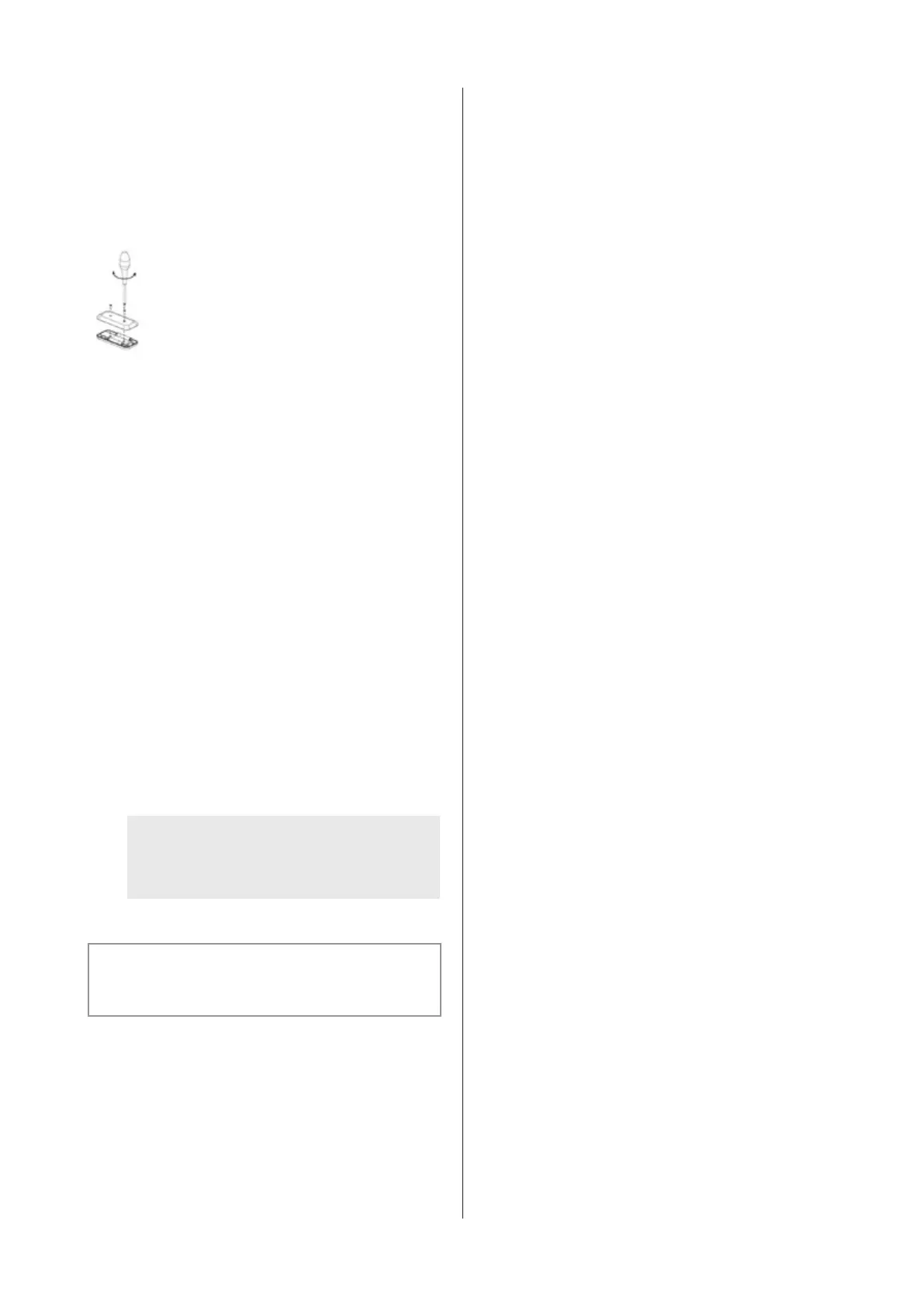
For changing the batteries unscrew the plastic cover,
remove the old batteries and insert the new ones. Pay
attention to the polarity marking given in the battery
compartment.
−
Empty batteries are not to be disposed of in the household
refuse, but they are to be handed in as chemical waste.
Technical information
− Power supply: 2xAAA batteries
− Fr
equence: 433.92Mhz
− Numbr
e of codes: 10
− W
orktemperature: 0-50°C
− Dimensions: 110 x 50 x 19mm
3.5 Service
If there is a fault you can contact your (kitchen) supplier
and/or Novy Customer Service.
Belgium Tel.: +32 (0)56 36 51 02
France
T
el.: +33 (0)3 20 94 06 62
Germany Tel.: +46 (0)511 54 20 771
The Netherlands
T
el.: +31 (0)88 011 91 10
Unite Kingdom Tel.: +44 (0) 207 866 2493
Italy Tel.: +39 (0)39.20.57.501
For all other countries: your local installer or
Novy in Belgium: +32 (0)56 36 51 02
To be able to deal with the fault promptly and efficiently it
is necessary that the Repaired Service knows which type
of appliance you have.
You can find the type number on a sticker in
theinside of the extractor hood. This becomes
visible as soon as you take the filter out of the
extractor hood.
You can note the type number here:


 To Next Page