1 Temple Healthcare 1300 162 694
HOW TO
RESET NOX A1 RECORDER
Warning: Ensure all data is downloaded and saved prior to resetting the NOX A1 Recorder
1. Open the Nox A1 Recorder Battery Lid
To open the battery lid, press with the Nox battery Lid Key on the battery lid pin and slide the battery lid
down, towards the bottom of the device.
2. Connect USB cable to PC
The Nox A1 Recorder connects to the computer by using Nox mini USB cable. You do NOT need a
battery to RESET.
Connect the standard USB end into your PC. Do NOT connect the A1 Recorder yet.
3. How to RESET
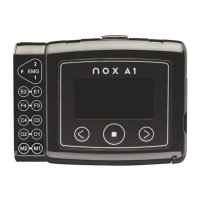
To reset the Nox A1 Recorder, hold down the Middle and Right button of the device
together firmly.
Whilst holding, you can now connect the Nox A1 Recorder to your PC via the mini USB
cable.
Keep holding the buttons firmly until you see the Nox A1 Recorder display “Erasing”. If you
see “Erasing” you can release the buttons.


 To Next Page