2 Temple Healthcare 1300 162 694
4. Check the Nox A1 Recorder Status
Leave the Nox A1 Recorder connected to your PC.
Open Noxturnal on your PC and go to the “Recording” Tab.
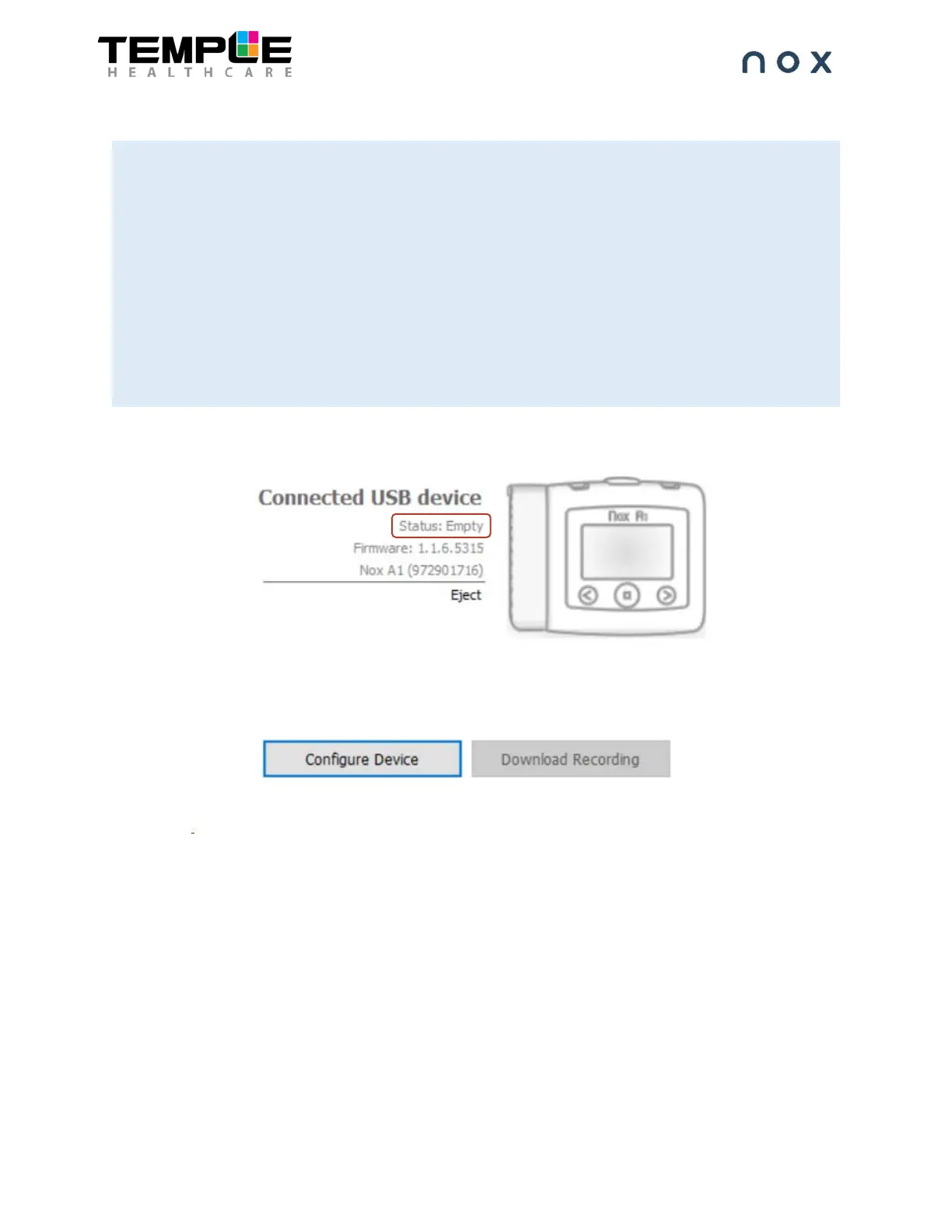
You will see that the Nox A1 Recorder is displayed as a “Connected USB device”
Check the device “Status”. If the RESET procedure has been followed successfully, the status be
Empty.
If the device status is not displaying Empty, the RESET was unsuccessful. Repeat steps 1-4 again.
(NOTE: This process is not meant to be easy. You may need another staff member to assist you).
(NOTE: After a RESET, the BDA number for any “Other Devices” such as the Nonin WristOx will be lost.
You will need to re-enter this information during device configuration).


 To Next Page