Dat a uploa d
S t a r t
POE Test
Wir e Mapp ing
Sca n Cabl e
Set
P i n g
Menue
POE T est
Cab le Len gth
D a t a s a v e d t o:P O E.T X T
Data u pload
S t a r t
Pin g
Conf igure
P i n g
Pin g Pin g
Pin g
D a t a s a v e d t o! P I N G . T X T
Des tinat ion IP: 1 92.16 8.1.1
Loc al IP: 19 2.168 .1.110
Def ault Ro uter: 1 92.16 8.1.1
Sub net Mas k: 2 55.25 5.255 .0
Ret urn
Set
L a n g u a g e : E n g l i s h
L i g h t : L e v e l 3
L i g h t t i m e : 1 5 s
A u t o O F F : O F F
S y s t e r m t h e m e : B l u e
S y s t e r m i n f o r m a t i o n
R e t u r n
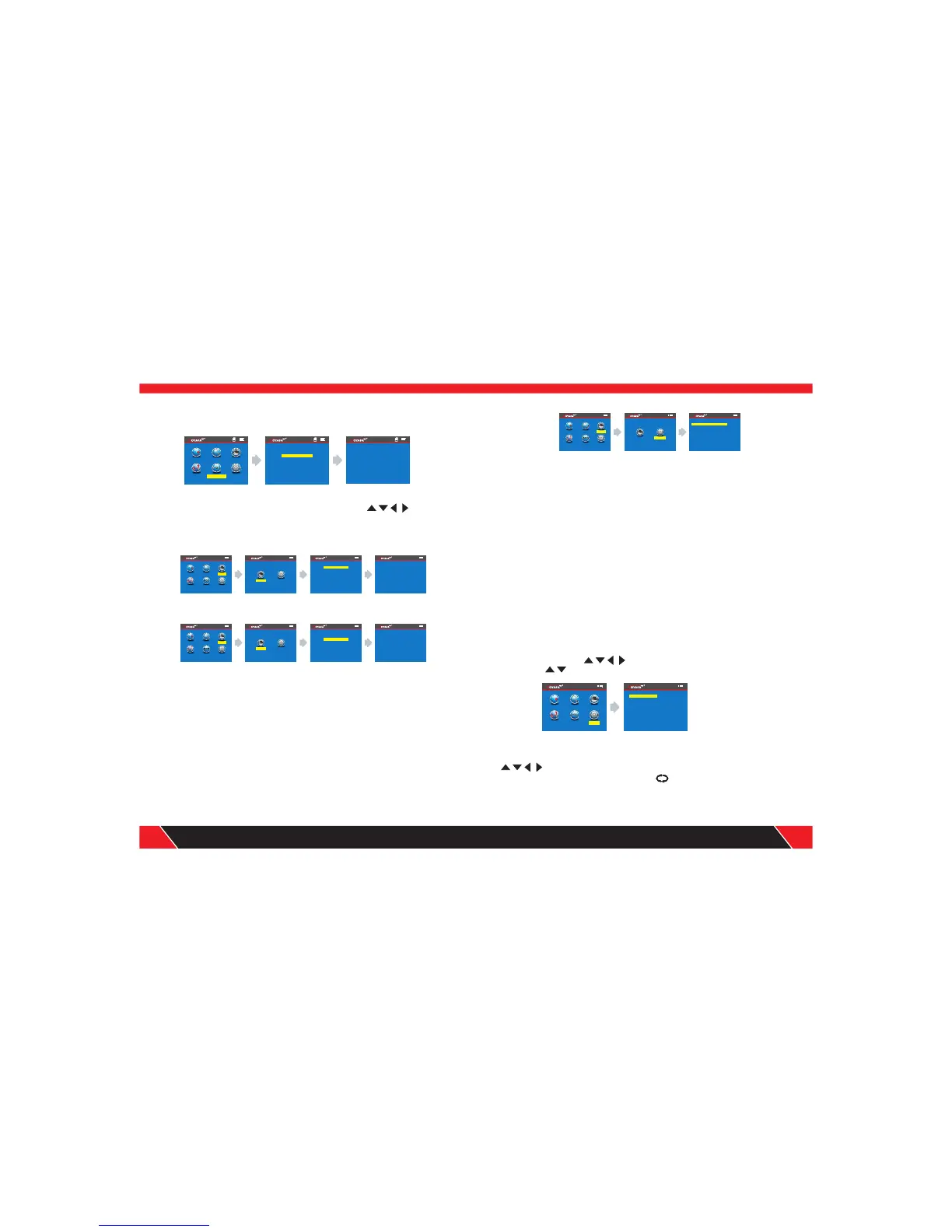
If you want to save the tested result, you can choose data export into the TF
card, the picture show you as below:
f. PING test:
After enter the main menu , press this cursor to move , and point
to Ping test menu , and press OK to test Ping; Take one side insert the
“PING “ PORT , the other side insert into POE Router or Ethernet , then
choose start testing menu , and press OK , the screen will show you the
Voltage of each cable.
If you want to save the tested result, you can choose data export into the TF
card and choose “PING.TXT”, the picture show you as below:
Parameter specification of PING functions
Destination IP address: It can be every one of Internet devices which has
connected in the global.
Local IP address: It can be set up by ourselves, but can not keep the same
with any other LAN devices.
Default gateway / Router: In the local LAN Router or gateway IP address.
Subnet mask: In the local LAN Subnet mask
Remark :
Default gateway or Router or Subnet mask can be found by the same LAN
internet; Start – operate – impute CMD, Start the command line program ,
after that impute “ ipconfig “ can find it.
Usage :
1.LAN communication device
Destination IP address was set to any one of computer in the same LAN , it
can test the LAN whether is normal between mainframes.
2.Network communication test
Destination IP address was set to any one of external network , such as
180.97.33.108, it can test the LAN whether is normal between mainframes.
Instructions of the test result:
The host tester will send four 32 bytes data packages to the garget device ;
The time means the host tester Communication back and forth between the
target device, that can judge the Communication if Stable and reliable.
When it shows 1ms, it means the Communication quality is great. TTL : the
quantity between the host tester and the target device passed router or
default gateway , TTL will reduce 1 when pass one router or default gateway ,
it can reflect network' s topology . When TTL=4, it means the host tester
connected the target device directly.
System setting:
When moving cursor “ to “Setup” item, press “OK” key . Move
the cursor “ ”to the relative test . The following interface will be shown:
”
1. Language setup: After entering main menu, move the cursor button
to Language . Then press OK; at this time, have Chinese and
English for you choose, press OK, press back to the main menu again to
begin other test.
25
26
Your excellent helper in cable test!
Your excellent helper in cable test!
POE Test
Wire Ma pping
Scan Ca ble
Set
P i n g
Men ue
POE Te st
Cabl e Le ngth
Wire Ma pping
Scan Ca ble
Set
P i n g
Men ue
POE Te st
Cabl e Le ngth
Pin g
Conf igure
P i n g
Data u pload
S t a r t
Pin g
Wire Ma pping
Scan Ca ble
Set
P i n g
Men ue
POE Te st
Cabl e Le ngth
Pin g
Conf igure
P i n g
Con figur e
Wir e Mapp ing
Sca n Cabl e
Set
P i n g
Menue
POE T est
Cab le Len gth
P I N G 1 9 2 . 1 6 8 . 1 . 1 3 2 b y t e s o f d a t a s
r e p l y f r o m 1 9 2 . 1 6 8 . 1 . 1 : t i m e = 1 m s T T L = 6 4
1 9 2 . 1 6 8 . 1 . 1 P I N G d a t a i n f o
d i g i t p a c k e t : s e n t = 4 r e c e i v e d = 4 l o s s = 0
r o u n d t r i p t i m e ( u n i t : m s )
s h o r t e s t t i m e = 1 m s l o n g e s t = 1 m s a v e r a g e = 1 m s


 To Next Page
 Loading...