EasyManua.ls Logo

Noyes OLS4 - User Manual

Default Icon
38 pages
Print Icon
To Next Page IconTo Next Page
Loading...
OLS Series Light Sources,
OPM Series Optical Power Meters,
and Related Test Kits
Users Guide
Question and Answer IconNeed help?

Do you have a question about the Noyes OLS4 and is the answer not in the manual?

Summary

Safety Information

Hazard Warnings

Details radiation exposure and electrical shock hazards.

Handling Precautions

Advises on careful handling of optical connectors and dust caps.

OPM-Series Optical Power Meters

OPM4 Models

Overview of the OPM4 model.

OPM5 Models

Test Mode: To View Reference

Steps to display stored reference levels.

Display Readings in Test Mode

Details the various fields and indicators shown on the OPM5 display.

File Manager: To Select Current File

Steps to select the current file for data management.

Recall Mode: To View Stored Records

Steps to access and review stored measurement records.

To Edit Stored Records

Steps to modify existing stored measurement records.

File Manager: To Select Current Fiber

Steps to select the current fiber for data management.

Test Mode: To Store Measurements

Steps to save measured data for later analysis.

Clear Mode: To Erase Stored File

Steps to delete an entire file of stored records.

Test Mode: To Set Reference

Steps to store measured levels as new reference levels.

Clear Mode: To Erase Stored Fiber

Steps to delete specific fiber records from a file.

OLS-Series Light Sources

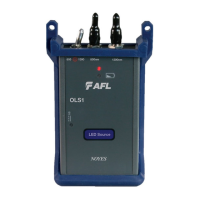
OLS1-Dual LED Light Source

Overview of the OLS1-Dual LED Light Source.

OLS7-FTTH Triple Wavelength Laser Source

WAVE ID Mode (WAVE ID indicator on)

Explains operation in WAVE ID mode.

Measuring Optical Power

To Measure Optical Power

Step-by-step guide to measuring optical power with an OPM.

Testing Multimode Links

Step III - Measure Multimode Link Insertion Loss

Procedure to measure the insertion loss of a multimode link.

Testing Single-mode Links

Step I - Set the Reference (One Jumper Method)

Procedure to set the reference for single-mode link testing.

Step III - Measure Single-mode Link Insertion Loss

Procedure to measure the insertion loss of a single-mode link.

Maintenance Tips

Cleaning Optical Ports

Instructions for cleaning optical ports on OPM and OLS devices.

Summary

Safety Information

Hazard Warnings

Details radiation exposure and electrical shock hazards.

Handling Precautions

Advises on careful handling of optical connectors and dust caps.

OPM-Series Optical Power Meters

OPM4 Models

Overview of the OPM4 model.

OPM5 Models

Test Mode: To View Reference

Steps to display stored reference levels.

Display Readings in Test Mode

Details the various fields and indicators shown on the OPM5 display.

File Manager: To Select Current File

Steps to select the current file for data management.

Recall Mode: To View Stored Records

Steps to access and review stored measurement records.

To Edit Stored Records

Steps to modify existing stored measurement records.

File Manager: To Select Current Fiber

Steps to select the current fiber for data management.

Test Mode: To Store Measurements

Steps to save measured data for later analysis.

Clear Mode: To Erase Stored File

Steps to delete an entire file of stored records.

Test Mode: To Set Reference

Steps to store measured levels as new reference levels.

Clear Mode: To Erase Stored Fiber

Steps to delete specific fiber records from a file.

OLS-Series Light Sources

OLS1-Dual LED Light Source

Overview of the OLS1-Dual LED Light Source.

OLS7-FTTH Triple Wavelength Laser Source

WAVE ID Mode (WAVE ID indicator on)

Explains operation in WAVE ID mode.

Measuring Optical Power

To Measure Optical Power

Step-by-step guide to measuring optical power with an OPM.

Testing Multimode Links

Step III - Measure Multimode Link Insertion Loss

Procedure to measure the insertion loss of a multimode link.

Testing Single-mode Links

Step I - Set the Reference (One Jumper Method)

Procedure to set the reference for single-mode link testing.

Step III - Measure Single-mode Link Insertion Loss

Procedure to measure the insertion loss of a single-mode link.

Maintenance Tips

Cleaning Optical Ports

Instructions for cleaning optical ports on OPM and OLS devices.

Noyes OLS4 Specifications

General IconGeneral
DisplayLCD
Weight0.35 kg (0.75 lb)
Operating Temperature-10 to +50°C
Wavelength Range800 nm to 1700 nm
Measurement UnitsdB, dBm
DescriptionOptical Light Source
Wavelengths1310/1550 nm
ConnectorFC, SC
Storage Temperature-20°C to 70°C
Spectral Range800 nm to 1700 nm
Battery Life>80 hr
Fiber TypeSM

Related product manuals