REAL MEDIA PLAYER MP700 HD
REAL MEDIA PLAYER MP700 HD
English
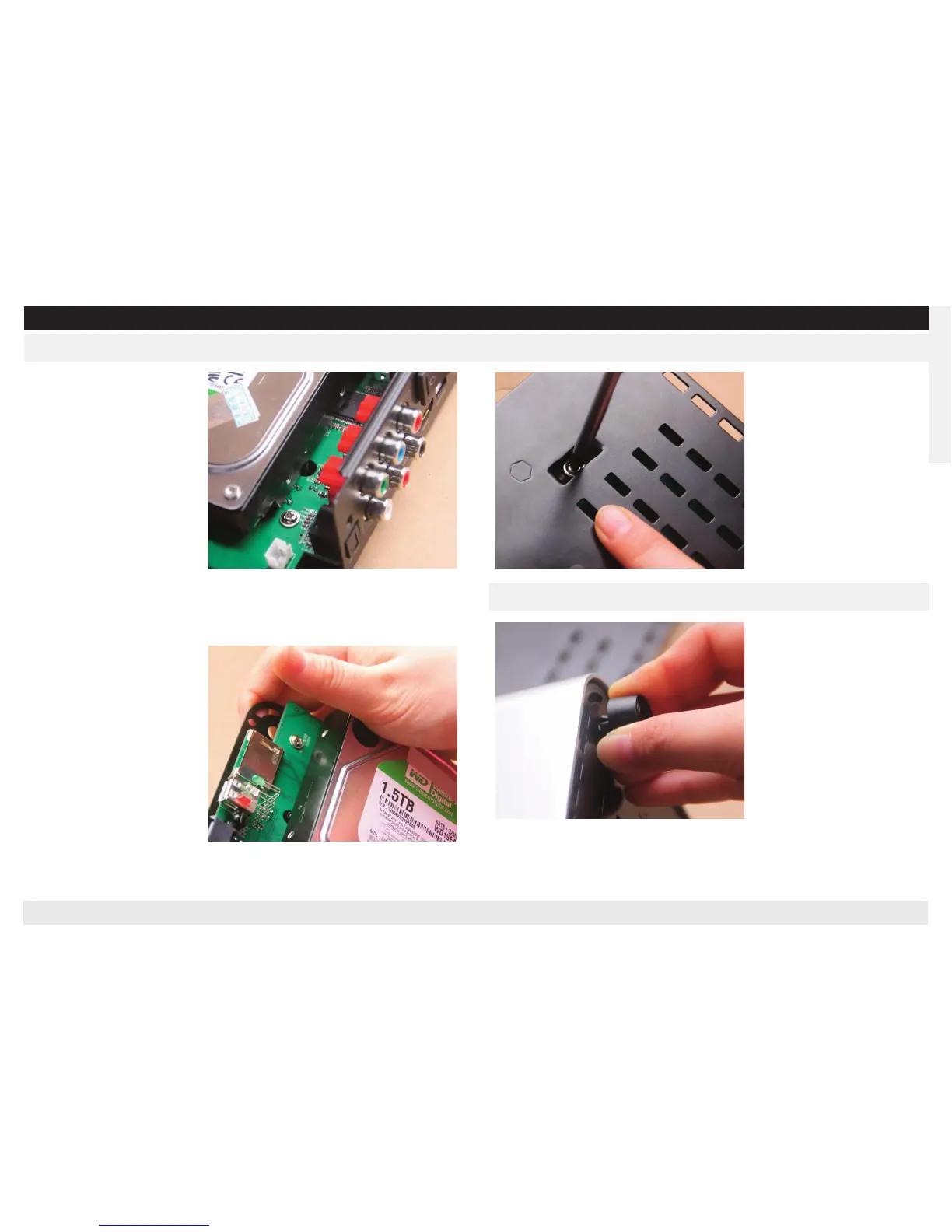
Set up Internal Hard Disk
Ensure the hard disk location co-
lumn (side of the rear panel) is
in the right position.
Pull the bottom against the
hard disk by finger slightly, en-
sure the hard disk location co-
lumn (side of the front) is in the
right position. (Refer to the
image)
Fasten the attached 2 screws
through the 2 recess in the bot-
tom of the player, to fix the hard
disk. Close the shell in the oppo-
site way as lift it after all the
steps finished.
Stopper the attached rubber
foots strongly toward the holes
in the bottom corner of the pla-
yer’s bottom.
Insert the attached pin (the pin
head should be flat with the ba-
sement).
Set up Rubber Foot



 To Next Page