REAL MEDIA PLAYER MP700 HD
REAL MEDIA PLAYER MP700 HD
English
Movie
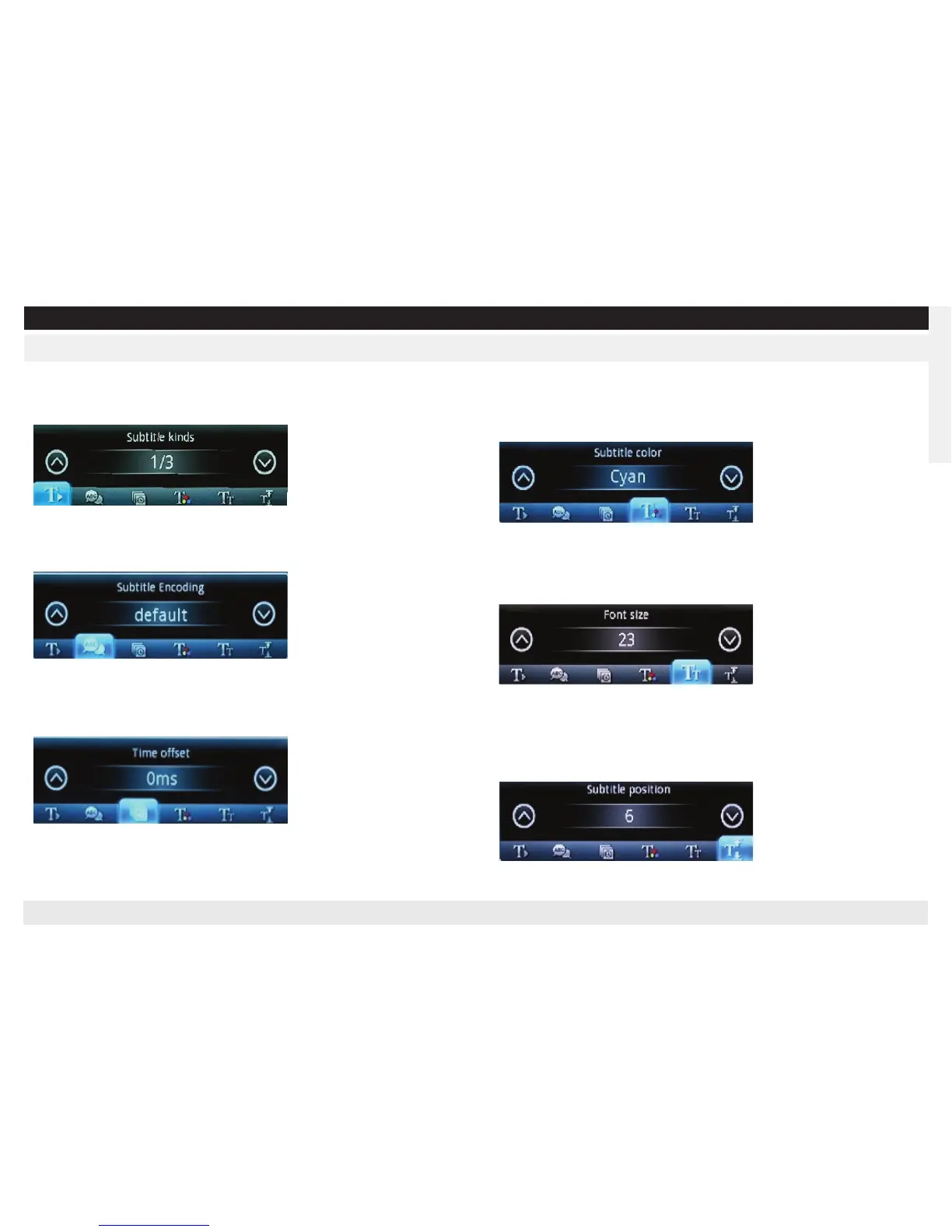
Changing the subtitle kinds
Press “Up/Down” key in controller to choose the subtitle (up/down) when dis-
playing the subtitle. (OSD menu should not be active)
Changing the subtitle encoding
Press “Up/Down” key in controller to choose the subtitle encoding mode
(up/down) when displaying the subtitle. (OSD menu should not be active)
Time offset
Press “Up/Down” key in controller to choose the Time Offset (up/down) when
displaying the subtitle. (OSD menu should not be active)
Changing the Subtitles’ Color
Press “Left/Right” key in controller to set the color (up/down) when displaying
the subtitle. (OSD menu should not be active)
There are White, Black, Yellow, Red, Cyan, Blue, Green, Pink for chosen.
Changing the Font Size
Press “Left/Right” key in controller to set the font size (up/down) when displa-
ying the subtitle. (OSD menu should not be active)
Font size could be chosen from size 1 to size 24
Changing the Subtitle Position
Press “Left/Right” key in controller to set the subtitle position (up/down) when
displaying the subtitle. (OSD menu should not be active)
Subtitle position could be chosen from position 1 to position 10


 To Next Page
 Loading...