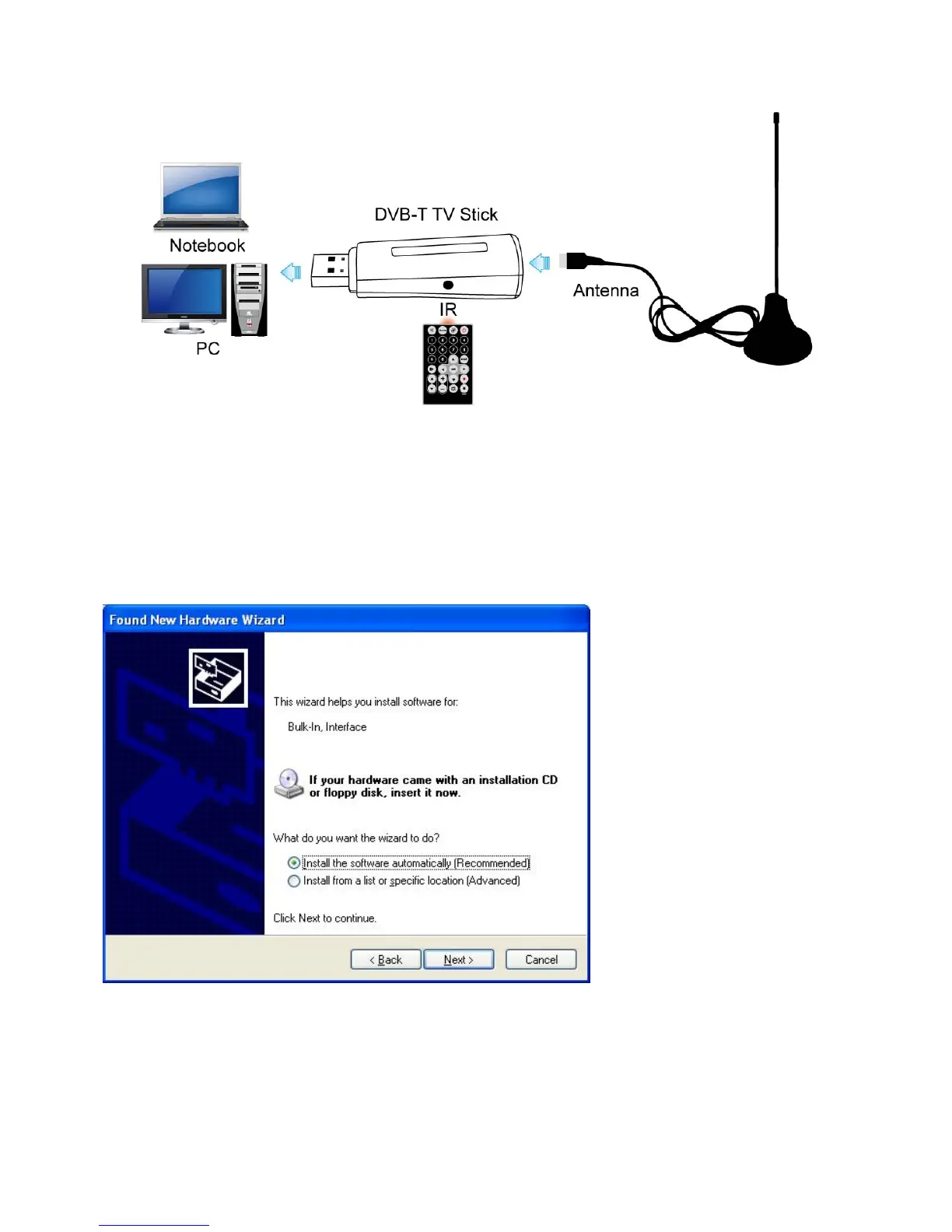
Chapter 2 Hardware Connection
Step1.Plug the DVB-T Antenna to DVB-T TV Stick
Step2.Plug the DVB-T TV Stick to USB port of your laptop/PC
Chapter 3 How to install driver and software
3.1 Driver Installation:
Step1: OS will remind a new hardware-- “New Hardware Device” was found. Please choose
“Cancel”,
Step2: When CD is inserted, OS will guide you to the setup automatically. Click “Driver Install” or
run Drivers\ Setup.exe,
1


 To Next Page