EasyManua.ls Logo

Nubert Soundbase nuBoxx AS-225 max - User Manual

Nubert Soundbase nuBoxx AS-225 max
4 pages
Print Icon
To Next Page IconTo Next Page
Loading...
®
INSTALLATION
SERVICE
1 lineup
nuBoxx AS-225 max Commissioning 01/2022
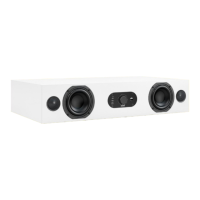
Soundbase nuBoxx AS-225 max
Bassreflexöffnungen, Klang
https://www.nubert.de/anleitung-nuboxx-as-225-max/1106/
feet
Vibration-absorbing elastic buffers are used as feet for the AS-225 to
ensure a secure footing. The soundbase should not be set up
without these elastic buffers.
1
First set up the soundbase at the intended place of use. A few
notes on this:
The latest user manuals and other helpful information can be found here:
Danger! Be careful not to scratch the speaker! Don't drop anything into the box through the bass reflex tubes!
The rear arrangement of the bass reflex openings means that the
AS-225 should be at least 5 centimeters away from the rear wall in
order to ensure problem-free operation and to avoid flow noise.
With a generous distance from the wall - also to the side - you
reduce an increase in the bass and fundamental tone range. When
set up on shelves, the best sound is achieved when the front edge
of the box is either flush with the shelves or even protrudes
slightly.
Machine Translated by Google
Question and Answer IconNeed help?

Do you have a question about the Nubert Soundbase nuBoxx AS-225 max and is the answer not in the manual?

Summary

Soundbase Setup and Placement

Placement Guidelines

Positioning the soundbase at least 5 cm from the rear wall for optimal bass reflex performance.

Protective Feet

The soundbase utilizes vibration-absorbing elastic buffers for secure footing.

Handling Precautions

Warning to avoid scratching the speaker or dropping items into the bass reflex tubes.

Connections and Initial Setup

HDMI eARC Connectivity

Connect TV via HDMI eARC for audio, ensuring TV's CEC and ARC functions are active.

Analog and Digital Inputs

Connect hi-fi devices like CD players or streamers via AUX, COAX, and OPTICAL.

Subwoofer Output

Mono output for subwoofer, activating a high-pass filter for the soundbase.

Powering the Device

Connect the power cord and turn on the soundbase using the mains switch.

Bluetooth Pairing

Procedure to connect a device via Bluetooth for the first time or to a new device.

Automatic Stand-by

Function to deactivate the soundbase after 20 minutes without a sound signal.

Factory Reset

Instructions to reset the soundbase to its original factory settings.

Device Operation

Power On;Off Control

Use the front rotary control to activate or switch the soundbase to stand-by mode.

Volume Adjustment

Adjust volume using the rotary control, with LED feedback for level and audio signal.

Input Selection

Change audio input source by pressing the rotary control and turning it.

Bass Tone Control

Adjust bass intensity using the rotary control, offering a +/- 10 dB range.

Mid;High Tone Control

Adjust mid and high frequencies using the rotary control, offering a +/- 10 dB range.

Remote Control Functions

Power and Mute

Use the remote's power button for on/off and the 'x' button for mute/unmute.

Tone and Level Adjustment

Adjust bass, mid/high range, and loudness using tone controls and arrow keys.

Wide Effect Control

Adjust the wide effect for spatial expansion or focus on speech reproduction.

Preset Management

Save and recall sound settings as presets using dedicated preset buttons.

Nubert Soundbase nuBoxx AS-225 max Specifications

General IconGeneral
BrandNubert
ModelSoundbase nuBoxx AS-225 max
CategorySpeaker System
LanguageEnglish